JBL speakers and headphones for pure and deep sound!
In cart {{totalProductsCount}} item(s)
Your cart is empty
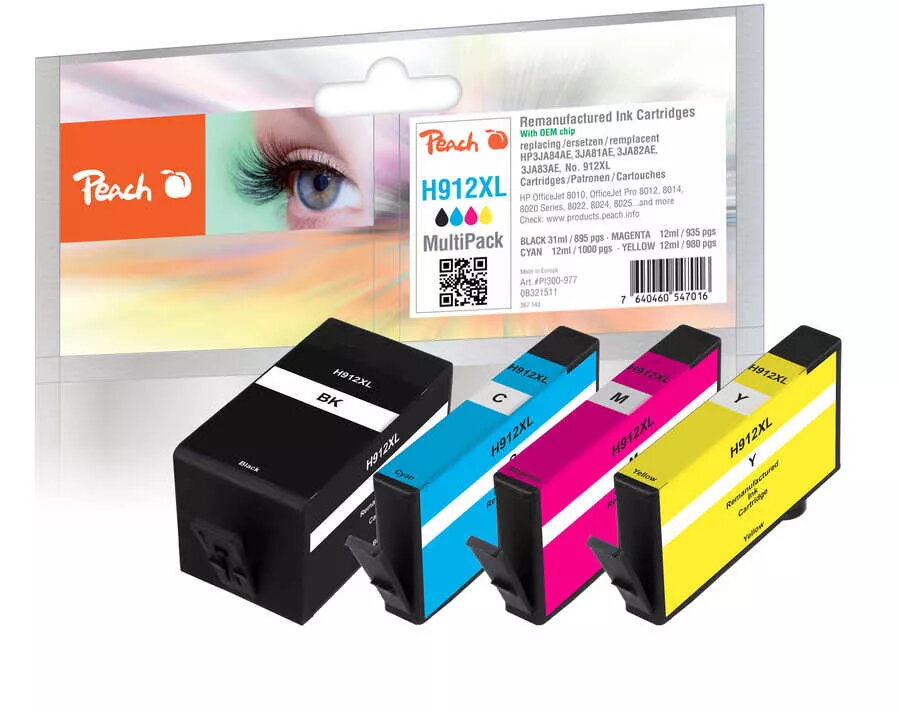
Cartridge Peach HP Nr.912XL MultiPack Black
The Peach HP Nr.912XL MultiPack cartridge provides high-yield black printing compatible with a range of HP printers. Designed as a compatible replacement, this MultiPack offers consistent black output suitable for text documents, reports and forms. The cartridge package focuses on reliable performance, easy installation and economical cost per page for both home and office printing needs.
This compatible cartridge delivers a high (XL) yield that reduces the frequency of replacements and lowers overall printing costs. Printouts show strong, uniform black density for clear legibility in documents. The cartridge is user-installable without special tools and is engineered to work with supported HP models to provide stable, repeatable results.
Turn off the printer or follow the manufacturer's guidance for cartridge replacement. Open the printer access panel, remove the empty cartridge according to the printer's instructions, and unpack the Peach HP Nr.912XL cartridge, removing any protective tape or covers. Insert the cartridge into the correct slot until it clicks into place, close the access panel, and run a test print or alignment procedure if prompted by the printer. Dispose of the removed cartridge responsibly following local recycling regulations or the printer manufacturer's recommendations.
Store cartridges in a cool, dry place and avoid prolonged exposure to direct sunlight. For best print quality, use the printer's recommended settings for black print and perform periodic nozzle checks or alignment procedures. When printing large volumes, keep a spare cartridge on hand to prevent workflow interruptions.
{{highlightedFeature.featureTitle}}:
{{getProductFeatureValueById(product, highlightedFeature.featureId)}}