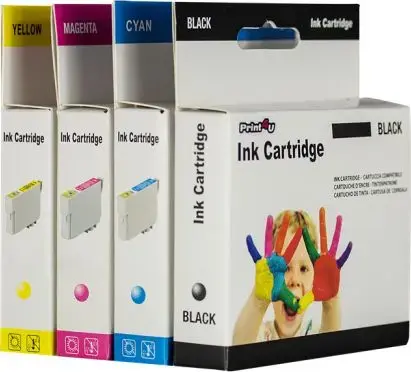
The Print4you ink cartridge for Canon CLI-521C Cyan is a high-quality alternative designed to provide reliable printing performance for your inkjet printer. Engineered to meet precise standards, this cartridge delivers vibrant cyan hues and sharp detail, making it an excellent choice for both everyday document printing and high-resolution photo projects. Its seamless integration with compatible Canon PIXMA printers ensures that you can achieve professional-looking results without compromising on quality or consistency.
Advantages
This ink cartridge offers a cost-effective solution for users who require frequent printing without sacrificing output quality. The ink formulation is specifically balanced to prevent clogging and ensure smooth ink flow, which helps maintain the longevity of your printer's print head. By choosing this reliable alternative, you benefit from consistent color accuracy and reliable page yields, allowing for efficient workflow management in both home and office environments.
Suitable for
- Printing high-quality color documents and reports
- Producing vibrant photographs and creative graphics
- Daily printing tasks in home offices and small business settings
- Educational materials and school projects
When it may not be suitable
This cartridge is specifically designed for use with Canon PIXMA printers that utilize the CLI-521C series. It may not be suitable for printers from other manufacturers or different Canon series that require a different ink cartridge configuration. Additionally, it is not intended for industrial-scale commercial printing operations that require specialized high-capacity ink tank systems.
Key specifications
- Color: Cyan
- Compatibility: Canon PIXMA series printers
- Ink type: Dye-based inkjet ink
- Installation: Plug-and-play design
How to use
To install the cartridge, first ensure your printer is powered on. Open the printer cover and wait for the carriage to move to the replacement position. Remove the empty cartridge by pressing the release tab and lifting it out. Take the new Print4you cartridge out of its packaging, remove the protective orange clip or tape as instructed, and insert it into the corresponding slot. Press down firmly until you hear a click, then close the printer cover and follow any on-screen prompts to complete the initialization process.
What to consider before purchase
- Verify your printer model compatibility before ordering
- Check current ink levels to ensure all cartridges are ready for replacement
- Store cartridges in a cool, dry place away from direct sunlight
Usage recommendations
For the best print quality, it is recommended to run a nozzle check or print head alignment after installing a new cartridge to ensure optimal color registration and clarity.