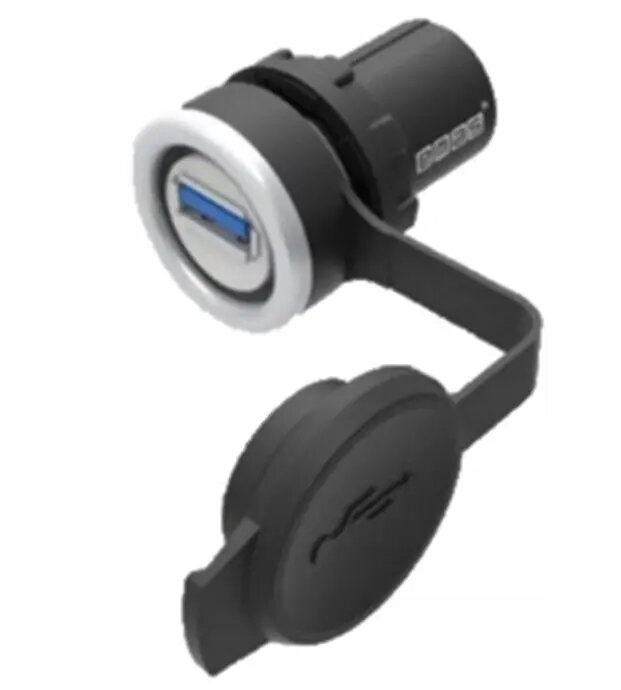
The Qoltec T0-BUSB30 USB 3.0 female-to-female adapter is a reliable solution for extending your existing USB connections. This compact coupler allows you to join two USB cables together, effectively increasing the reach of your peripherals without the need for purchasing longer, more expensive cables. Engineered for high-speed data transfer, it maintains the performance standards of the USB 3.0 interface, ensuring that your devices remain connected with minimal signal loss.
Advantages
This adapter offers a seamless way to manage your workspace by eliminating the clutter caused by overly long cables. Its durable construction ensures a stable connection, while the plug-and-play design allows for immediate use without the need for additional drivers or software. By supporting the USB 3.0 standard, it facilitates fast data transmission, making it suitable for high-bandwidth devices such as external hard drives, flash drives, and other peripherals that require consistent data throughput.
Suitable for
- Extending the reach of USB cables for desktop computers
- Connecting peripherals in office or home workstation setups
- Simplifying cable management behind desks or entertainment centers
- Bridging connections for external storage devices
When it may not be suitable
This adapter is not intended for use with devices that require specialized power delivery beyond standard USB specifications. It may not be suitable for extremely long cable runs where signal degradation could occur due to the total length exceeding the recommended USB 3.0 distance limits.
Key specifications
- Connector type: USB 3.0 Female to Female
- Interface compatibility: Backward compatible with USB 2.0 and 1.1
- Data transfer rate: Up to 5 Gbps
- Material: Durable plastic housing
How to use
To use the adapter, simply insert the male connector of your first USB cable into one side of the coupler and the male connector of your second USB cable into the opposite side. Once both cables are securely seated, the connection is established automatically. Ensure that the total length of the connected cables does not exceed the standard limitations for USB 3.0 to maintain optimal data transfer speeds.
What to consider before purchase
- Verify that your existing cables have male USB connectors
- Check if your devices support the USB 3.0 standard for maximum speed
- Ensure the total cable length meets your specific distance requirements
Usage recommendations
For the best performance, avoid using this adapter with low-quality or damaged USB cables, as these can negatively impact data transfer stability and speed. Keep the connection point free from dust and debris to ensure a secure fit.