
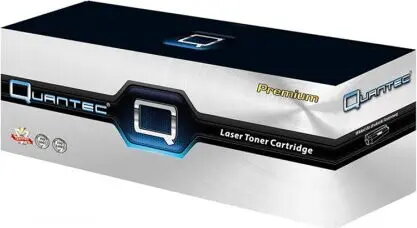
Quantec TON-1607 Black Laser Toner Cartridge for B1160
16.99 €
Keep track of price changes
You keep track of price changes
Watch the price drop
Leave your address - as soon as the price of the product goes down, you'll know about it right away
You keep track of price changes
Quantec TON-1607 Black Laser Toner Cartridge for B1160
{{email}}
You keep track of price changes
Quantec TON-1607 Black Laser Toner Cartridge for B1160
{{email}}
{{selectedOffer && selectedOffer.price | formatAmount}}
Short description
The Quantec TON-1607 is a high-quality black laser toner cartridge designed as a reliable replacement for B1160 series printers. This toner ensures crisp, professional-grade text and document printing. It is engineered for consistent performance, easy installation, and optimal page yield, making it an ideal choice for home or office printing needs requiring reliable monochrome output.
Deliver the order:
to the Customer Service Center at Kengaraga 2b, Riga
30.06.2026
{{selectedOffer.officeDeliveryString}}
free
Customer service center
2b. Kengaraga str., Riga, Latvia, LV-1063
30.06.2026
{{selectedOffer.officeDeliveryString}}
free
Courier Delivery
Please note that in case of a large parcel additional delivery costs may apply!
From 4.99 €
Parcel couriers
Latvijas Pasts pakomāts / Unisend / DPD Paku skapis / Omniva / Venipak Pickup / Venipak Locker / Latvijas Pasts nodaļa
03.07.2026
{{selectedOffer.parcelStationDeliveryString}}
From 1.99 €

Payment Methods:
Bank transfer, Bank cards on-line, Apple Pay, Google Pay


