
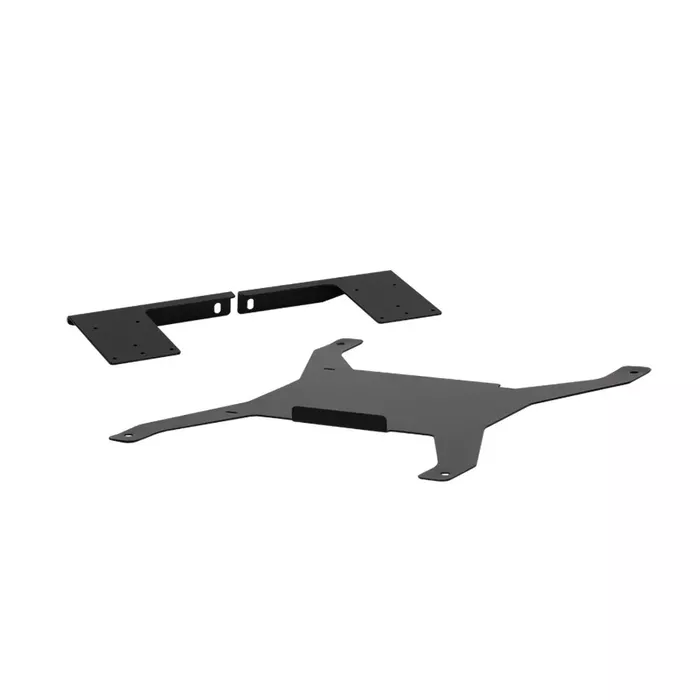
Speaker mount RaceRoom 75105090 for Logitech Z323, Black
53.99 €
Keep track of price changes
You keep track of price changes
Watch the price drop
Leave your address - as soon as the price of the product goes down, you'll know about it right away
You keep track of price changes
Speaker mount RaceRoom 75105090 for Logitech Z323, Black
{{email}}
You keep track of price changes
Speaker mount RaceRoom 75105090 for Logitech Z323, Black
{{email}}
{{selectedOffer && selectedOffer.price | formatAmount}}
Short description
RaceRoom 75105090 speaker mount in black designed for use with Logitech Z323 speaker sets. Provides a secure attachment point to mount satellite speakers or small desktop speakers, improving placement and reducing desk clutter. Compatible with Logitech Z323, easy to install and suitable for gaming setups, simulators and compact home audio arrangements.
Deliver the order:
to the Customer Service Center at Kengaraga 2b, Riga
05.08.2026
{{selectedOffer.officeDeliveryString}}
free
Customer service center
2b. Kengaraga str., Riga, Latvia, LV-1063
05.08.2026
{{selectedOffer.officeDeliveryString}}
free
Courier Delivery
Please note that in case of a large parcel additional delivery costs may apply!
From 4.99 € (Weight: 1.00 kg)

Payment Methods:
Bank transfer, Bank cards on-line, Apple Pay, Google Pay


