JBL speakers and headphones for pure and deep sound!
In cart {{totalProductsCount}} item(s)
Your cart is empty
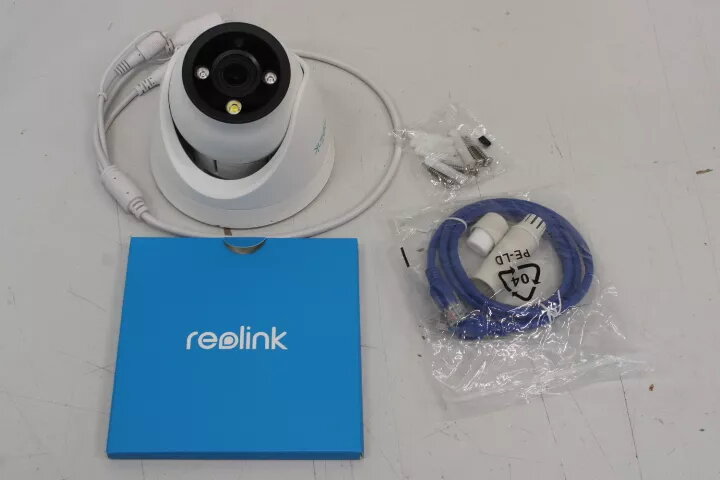
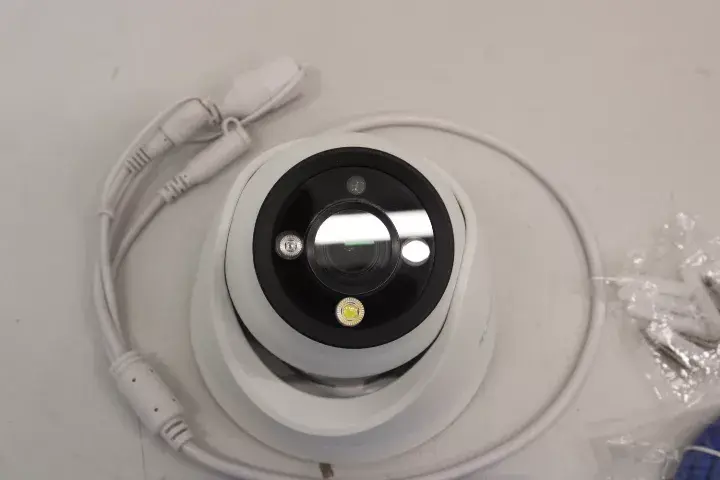
Reolink P434 4K Security IP Camera, 8 MP, 2.8-8mm Lens, Color Night Vision, IP66, White
The Reolink P434 is a high-performance 4K security IP camera engineered to provide clear and detailed surveillance for various environments. Equipped with an 8 MP sensor and a versatile 2.8-8mm F1.6 lens, this dome camera captures high-resolution footage with precision. Its robust design includes IP66-rated weather resistance, ensuring reliable operation in both indoor and outdoor settings, while advanced features like color night vision and H.265 video compression optimize both image quality and storage efficiency.
This security camera offers exceptional image clarity thanks to its 4K resolution, allowing for the identification of fine details. The inclusion of a motorized zoom lens provides flexibility in adjusting the field of view to suit specific monitoring needs. With its color night vision capability, the camera maintains visibility even in low-light conditions, providing a significant advantage over standard infrared-only models. The IP66 rating guarantees protection against dust and heavy rain, making it a durable choice for exterior installations. Furthermore, the support for H.265 compression ensures that high-quality video files remain manageable in size, saving bandwidth and storage space.
This camera may not be suitable for environments requiring extreme long-range zoom capabilities beyond the 2.8-8mm focal length. Additionally, it is not designed for underwater use or areas with extreme chemical exposure that could degrade the housing material.
To use the Reolink P434, mount the camera in a secure location using the provided hardware, ensuring the lens is pointed toward the area of interest. Connect the device to your network and power source according to the manufacturer's guidelines. Use the dedicated software or mobile application to configure motion detection settings, recording schedules, and notification preferences. Ensure a compatible MicroSD card is inserted into the designated slot if local recording is required.
For optimal performance, regularly clean the camera lens with a soft, non-abrasive cloth to prevent dust buildup and ensure clear image quality. Periodically check the MicroSD card for errors and update the camera firmware through the official application to benefit from the latest security patches and feature improvements.
{{highlightedFeature.featureTitle}}:
{{getProductFeatureValueById(product, highlightedFeature.featureId)}}
{{ productComparisonGenerationError }}