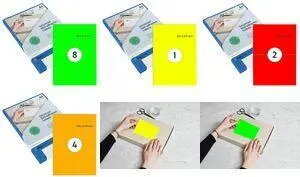
rillprint fluorescent self-adhesive labels 70 x 37 mm green are bright, single-format labels designed for high-visibility marking and straightforward application. The peel-and-stick backing enables fast attachment to cardboard, paper, plastic and many other smooth surfaces. These labels are compatible with inkjet, laser and color laser printers, so you can print text, numbers or simple graphics for product identification, inventory control or signage.
Advantages
These fluorescent green labels stand out visually to improve quick identification and sorting. The single-label 70 x 37 mm size is compact yet large enough for clear printed text and simple barcodes. Compatibility with inkjet, laser and color laser printers gives flexibility for different office and production environments. The adhesive backing is suitable for many common surfaces and enables fast, peel-and-press application.
Suitable for
- Warehouse and inventory labeling where high visibility is required
- File, folder and archive marking for quick retrieval
- Shipping packages and parcels to highlight handling instructions or priority
- Retail shelf labels and price tags with bold color coding
- Office and production line organization, color-coded systems
When it may not be suitable
These labels are intended for use on smooth, dry surfaces; adhesion and print quality may be reduced on rough, dusty, oily or heavily textured materials. They are not designed for long-term outdoor exposure where prolonged UV, rain or extreme temperature cycles could degrade the fluorescent color or adhesive performance.
Key specifications
- Label size: 70 x 37 mm
- Color: fluorescent green
- Format: single-label sheets with peel-and-stick backing
- Printer compatibility: inkjet, laser, color laser printers
- Intended use: marking, signage, product identification and sorting
How to use
Design your label content using compatible label software or standard document tools, set the page and label dimensions to 70 x 37 mm, and test-print on plain paper to check alignment. Place the label sheet into the printer following the manufacturer’s instructions for single-label or specialty media. After printing, peel each label from the backing and press firmly onto a clean, dry surface. For best results, ensure surfaces are free of dust, oil or moisture before application.
What to consider before purchase
- Confirm that your printer supports the single-label sheet format and media thickness
- Check that the fluorescent green color meets your visibility and color-coding needs
- Verify the adhesive suitability for the surfaces you plan to label (paper, cardboard, plastic, metal)
Usage recommendations
Store unused labels in a cool, dry place away from direct sunlight to preserve adhesive and fluorescent color. When printing, run a small test batch to adjust printer settings for optimal color saturation and legibility. For temporary indoor labeling, press firmly and smooth out air bubbles to ensure full contact; for longer-term needs, test adhesion on a sample surface before large-scale application.