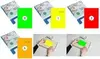
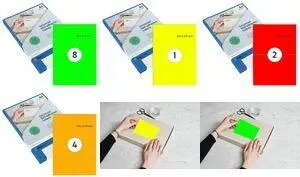
rillprint Fluorescent Self‑adhesive Label, A4 210×297 mm in green is a single printable sheet designed for high-visibility marking and labelling. The A4 sheet has a fluorescent coating on a self-adhesive substrate compatible with inkjet, laser and color laser printers, enabling straightforward printing of signs, labels and accents that require bright, eye-catching colour.
Advantages
This fluorescent self-adhesive label provides strong visual contrast and increased visibility thanks to its bright green fluorescent surface. It is compatible with common office printers—inkjet, laser and color laser—so you can produce printed labels and signs without special equipment. The sheet format (A4, 210 × 297 mm) fits standard printer trays for easy feeding and printing, and the adhesive backing allows direct application to a variety of surfaces for temporary or semi-permanent use.
Suitable for
- Office labelling and file or folder marking
- Packaging accents and promotional labels
- Safety signs, warnings and hazard marking
- Event signage and temporary notices
- Colour-coding and inventory identification
When it may not be suitable
This product is a single A4 self-adhesive sheet with a fluorescent surface and is intended for general-purpose printing and short- to medium-term application. It may not be suitable where permanent outdoor durability, heavy abrasion resistance or chemical resistance is required, or where very high-resolution photographic reproduction is necessary. For continuous industrial labelling jobs or very large runs, label rolls or professionally printed materials may be more efficient.
Key specifications
- Format: A4 (210 × 297 mm)
- Colour: Fluorescent green printable surface
- Material: Self-adhesive label sheet (single sheet)
- Printer compatibility: Inkjet, laser and color laser printers
- Finish: Fluorescent high-visibility surface suitable for printed text and graphics
How to use
Load the A4 sheet into the printer tray according to your printer's manual, with the printable side facing the correct direction for your model. Use standard print settings appropriate to the media type; if available, select a label or heavy paper setting to optimise print quality. Design your label or sign using common office or graphic software, then print a test page on plain paper to check layout and orientation before printing on the fluorescent sheet. After printing, allow inks or toner to dry fully where applicable, peel the backing, and apply the label to a clean, dry surface. Smooth out air bubbles to ensure good adhesion.
What to consider before purchase
- Confirm your printer supports A4 label sheets and the selected media type (inkjet, laser, colour laser).
- Consider the intended environment: not designed for long-term outdoor exposure or heavy abrasion.
- Check colour expectations—fluorescent green may vary on-screen versus printed result.
- Single-sheet format: buy multiple sheets if you need higher quantities.
Usage recommendations
For best results, print a sample on plain paper to verify layout and orientation, use appropriate printer settings for labels or heavy paper, and allow inks or toner to dry before handling. Apply to clean, dry, grease-free surfaces and press firmly to ensure adhesion. For outdoor or high-wear applications, consider a laminated finish or specialised durable labels.