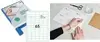
rillprint Universal self-adhesive labels 105 x 99 mm white are single-piece printable labels designed for use with inkjet, laser and colour laser printers. Each label offers a white matte surface suitable for text and basic graphics, intended for addressing, product marking and general organisational tasks in offices, warehouses and shipping operations.
Advantages
These labels are compatible with a wide range of inkjet and laser printers, allowing a single label type to be used across different printing devices. The white surface provides clear contrast for black and coloured inks, and the self-adhesive backing ensures straightforward application to boxes, folders or products. Supplied as individual sheets, they are convenient for small runs and occasional labelling needs without requiring continuous label rolls.
Suitable for
- Address labels for envelopes and parcels
- Product marking and basic barcode or text printing
- File, folder and shelf labelling in offices and storage rooms
- Small-batch shipping labels and returns
When it may not be suitable
These labels are intended for standard printing and indoor use; they are not specified as weatherproof or specially coated for heavy smudge resistance. For long-term outdoor exposure, heavy handling, or specialised industrial applications that require durable, tear-resistant or laminated labels, a different label material may be more appropriate.
Key specifications
- Label dimensions: 105 x 99 mm
- Colour: white, matte printable surface
- Printer compatibility: inkjet, laser and colour laser printers
- Format: single-piece self-adhesive label sheet
- Intended use: addressing, marking and general office labelling
How to use
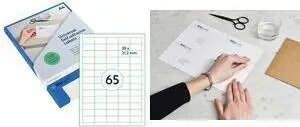
Design your label content using your preferred word processor or label design software, setting the page and label size to 105 x 99 mm. Load the label sheet into the printer following the device manufacturer’s instructions for printable media. Print a test sheet on plain paper to confirm alignment, then print on the label sheet. Peel off the backing and apply the label to a clean, dry surface, pressing from the centre outward to avoid air bubbles.
What to consider before purchase
- Confirm your printer supports the specified printable media and the 105 x 99 mm sheet size.
- Consider adhesive strength required for the intended surface (paper, cardboard, plastic, etc.).
- Check if you need weatherproof, laminated or heavy-duty labels for outdoor or industrial use.
- For barcode or precise layout printing, verify printer resolution and label design alignment.
Usage recommendations
For best results, store labels in a cool, dry place and use within the manufacturer’s recommended time to avoid adhesive degradation. When printing, select appropriate paper/media settings in the printer driver (plain or label media, and the correct paper size) and run a test print to ensure alignment and print quality before a full batch.