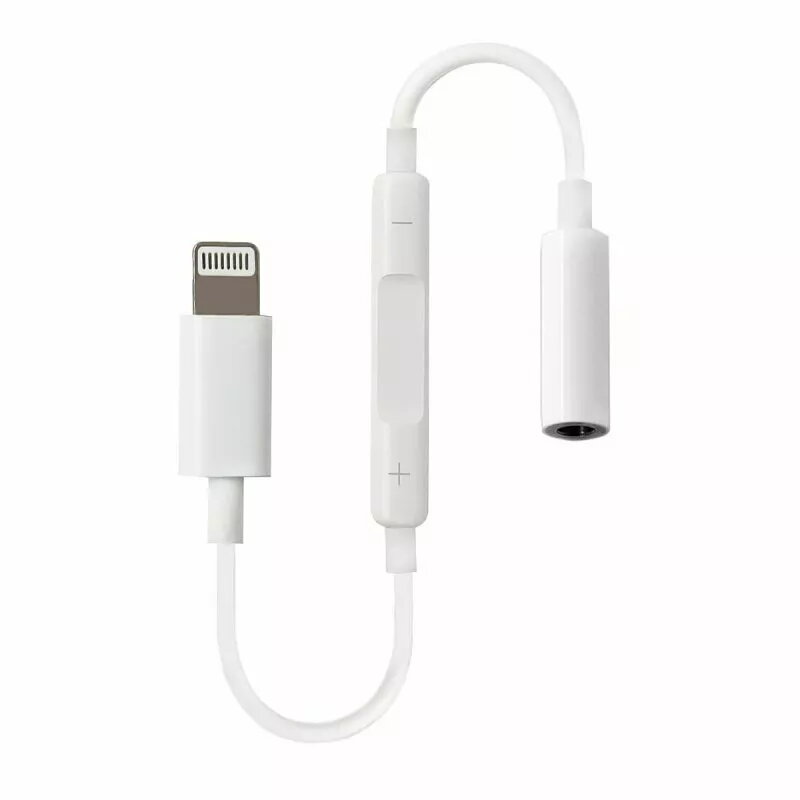
The RoGer 3.5 mm to Lightning audio adapter is a functional solution for users who wish to connect standard wired headphones with a 3.5 mm jack to Apple devices featuring a Lightning port. This compact accessory ensures high-quality audio transmission, allowing you to enjoy music, podcasts, and clear voice calls without the need for wireless alternatives. The integrated volume control module provides an added layer of convenience, enabling you to adjust audio levels directly from the cable without accessing your device.
Advantages
This adapter stands out due to its seamless integration with the Apple ecosystem, providing a reliable and stable connection for various audio tasks. Its lightweight and portable design makes it an ideal companion for daily commutes, office work, or travel. By incorporating a dedicated volume control, the device enhances user experience by offering tactile and immediate sound management. The build quality is focused on maintaining signal integrity, ensuring that your audio playback remains crisp and clear across a wide range of compatible iPhone and iPad models.
Suitable for
- Connecting wired headphones or headsets to iPhones with a Lightning port
- Listening to music and media on iPads without a dedicated headphone jack
- Managing audio volume during phone calls or video conferences
- Users who prefer the reliability of a wired audio connection over Bluetooth
When it may not be suitable
This adapter is not compatible with devices that utilize a USB-C port instead of a Lightning connector. Furthermore, it is designed specifically for audio output and may not support advanced features like microphone input on certain non-standard headset configurations.
Key specifications
- Connector A: 3.5 mm female jack
- Connector B: Lightning male plug
- Integrated volume control module
- Compatibility: Wide range of iPhones from iPhone 5 to iPhone 12 series and various iPad models
How to use
To use the adapter, simply insert the Lightning connector into the charging port of your Apple device. Once connected, plug your standard 3.5 mm headphones into the female jack end of the adapter. The device is plug-and-play, meaning it should be recognized automatically by your iPhone or iPad. You can then use the integrated volume buttons on the adapter module to increase or decrease the sound level as needed during playback or calls.
What to consider before purchase
- Verify that your Apple device is equipped with a Lightning port
- Ensure your headphones use a standard 3.5 mm audio plug
- Consider if you require additional features like inline microphone support for specific professional headsets
Usage recommendations: To maintain the longevity of the adapter, avoid sharp bending of the cable near the connectors. Keep the ports clean and free of debris to ensure a consistent audio signal.