Leave your address - as soon as the price of the product goes down, you'll know about it right away
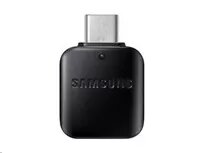
USB-C OTG Adapter Samsung EE-UN930 — Black, model GH96-12331A
In cart {{totalProductsCount}} item(s)
Your cart is empty
USB-C OTG Adapter Samsung EE-UN930 — Black, model GH96-12331A
Leave your address - as soon as the price of the product goes down, you'll know about it right away
USB-C OTG Adapter Samsung EE-UN930 — Black, model GH96-12331A
Samsung ASSY USB GENDER-TYPE C TO A(R) CE (GH96-12331A) — USB-C OTG adapter EE-UN930 in black provides a simple way to connect USB-A peripherals to devices with a USB-C port. The compact adapter enables On-The-Go connectivity for flash drives, keyboards, mice and other USB-A accessories without the need for additional drivers.
The adapter is compact and lightweight, compatible with a wide range of USB-C smartphones, tablets and laptops, and supports plug-and-play operation. Its build follows Samsung's MPN GH96-12331A specification and offers reliable physical connection between USB-C hosts and USB-A peripherals.
Insert the adapter's USB-C connector into the USB-C port of the host device, then plug the USB-A peripheral into the adapter's USB-A receptacle. The host device should detect the connected accessory automatically; if necessary, allow file access or grant permissions on the device. Remove the adapter and peripheral when finished by unplugging them in reverse order.
Use the adapter with devices that support USB OTG on their USB-C port. Avoid forcing connectors and disconnect storage devices only after the host confirms safe removal to prevent data loss.
{{highlightedFeature.featureTitle}}:
{{getProductFeatureValueById(product, highlightedFeature.featureId)}}