
Hurry and order now – up to 50% off!
In cart {{totalProductsCount}} item(s)
Your cart is empty
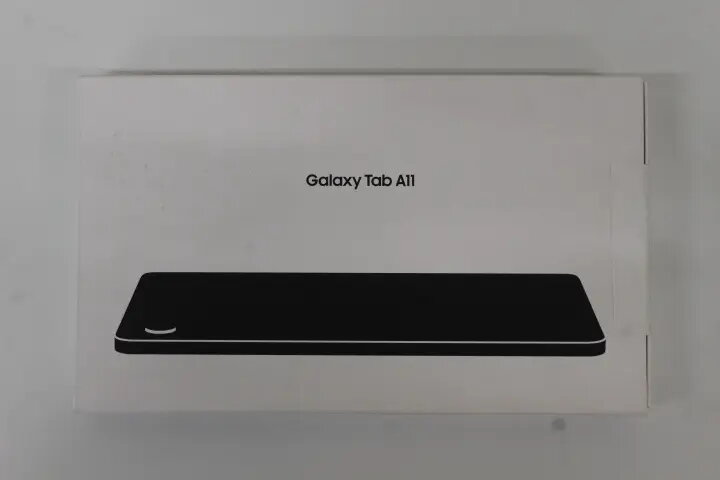
Samsung Galaxy Tab A11 (X130) 8.7-inch Tablet, Mediatek Helio G99, 4GB RAM, 64GB Storage, Android 15, Wi-Fi, Grey
The Samsung Galaxy Tab A11 (X130) is a compact and efficient 8.7-inch tablet designed for everyday digital tasks and media consumption. Powered by the Mediatek Helio G99 processor and equipped with 4GB of RAM, this device offers smooth performance for browsing, streaming, and light multitasking. It runs on the latest Android 15 operating system, providing a modern and intuitive user interface. With 64GB of internal storage and support for microSDXC cards, you have ample space for your essential apps and files.
This tablet stands out due to its portable 8.7-inch form factor, making it an excellent companion for travel or daily commutes. The integration of the Mediatek Helio G99 chipset ensures a responsive experience, while the 5100mAh battery provides reliable power for extended use. The inclusion of Bluetooth 5.3 allows for stable and fast wireless connectivity with peripherals, and the dual-camera setup provides the flexibility needed for video calls and quick snapshots.
This device may not be suitable for users requiring high-end performance for professional video editing, heavy 3D gaming, or complex multitasking that demands significant processing power and RAM. Additionally, as it relies solely on Wi-Fi for connectivity, it is not ideal for users who require constant cellular data access while away from wireless networks.
To begin using your Samsung Galaxy Tab A11, power on the device by holding the side button. Follow the on-screen prompts to connect to your local Wi-Fi network and sign in with your Google account to access the Play Store. You can customize your home screen, install your preferred applications, and manage your files through the settings menu. To expand your storage, insert a compatible microSDXC card into the designated slot on the side of the tablet.
Usage recommendations: To maintain optimal battery health, avoid letting the device fully discharge frequently and use the original charging equipment. Keep the software updated to the latest version provided by the manufacturer to ensure security and performance improvements.
{{highlightedFeature.featureTitle}}:
{{getProductFeatureValueById(product, highlightedFeature.featureId)}}
{{ productComparisonGenerationError }}