


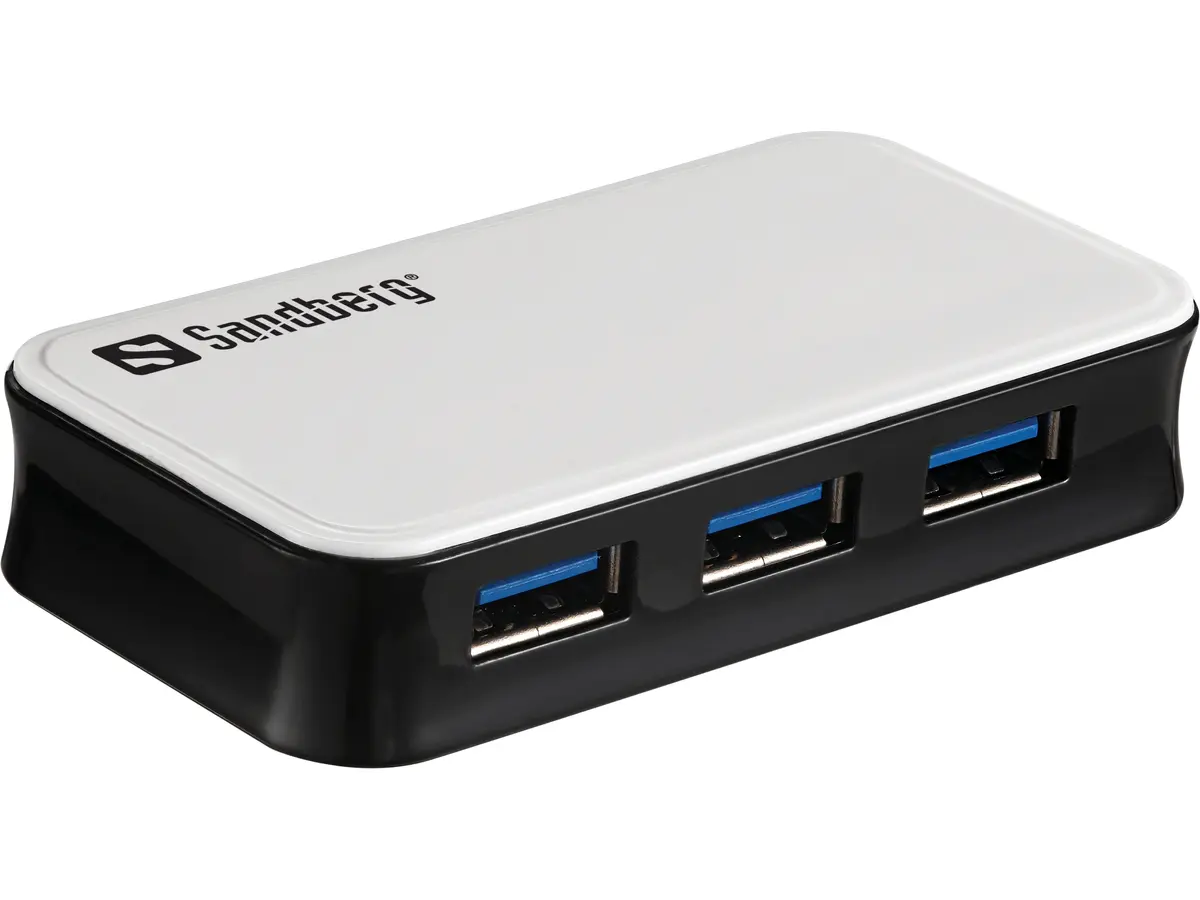
Sandberg 133-72 USB 3.0 Hub with 4 Ports USB Type-A Interfaces Host Interface USB Micro-B 5000 Mbit/s Data Transfer Rate

Discount 16%
You save: 6.00 €
The discount is valid from 01.11.2026 to 29.11.2026Short description


Cheapest delivery:
Unisend LV
Product information
Description
The Sandberg 133-72 USB 3.0 Hub with 4 Ports provides a practical way to expand the connectivity of desktop computers and laptops. Featuring a USB Micro-B host interface and four USB Type-A ports, this device allows users to connect multiple peripherals simultaneously. It is designed to facilitate efficient data exchange while maintaining compatibility with standard operating systems including Windows. The inclusion of a 1-meter cable offers flexible positioning on a desk or workstation, ensuring convenient access to all connected devices during daily tasks.
Advantages
This Sandberg USB 3.0 hub enables seamless connection of up to four USB Type-A peripherals through a single host port. It delivers data transfer rates up to 5000 Mbit/s, making it suitable for moving large files quickly. Built-in overload protection safeguards both the computer ports and the connected accessories against excessive power draws. Flexible power options through DC and USB sources ensure stable operation, while plug-and-play functionality allows automatic software installation on supported Windows systems without manual driver setup.
Suitable for
- Connecting multiple USB peripherals such as mice, keyboards, and flash drives
- Expanding laptop and desktop connectivity options
- Fast data transfer tasks requiring up to 5000 Mbit/s speed
- Office environments and daily home computing setups
When it may not be suitable
This device may not be suitable for connecting high-power-demand hardware that requires dedicated wall power without auxiliary adapters, as port power sharing applies. It is also not compatible with host systems lacking USB Micro-B or standard USB-A integration unless appropriate adapters are used.
Key specifications
- Data transfer rate up to 5000 Mbit/s
- Host interface: USB 3.2 Gen 1 Micro-B
- Hub interfaces: 4 x USB 3.2 Gen 1 Type-A
- Cable length: 1 m
- Power source: DC and USB
- Input voltage: 230 V
- Output voltage: 5 V
- Supported operating systems: Windows 10 and other compatible Windows versions
How to use
To start using the hub, connect the supplied cable from the USB Micro-B port on the device to an available USB port on your computer. Plug the power source if required for heavy loads. Once connected, Windows will automatically recognize the hardware and install the necessary drivers. You can then plug your USB Type-A peripherals directly into the four available ports on the hub for immediate use.
What to consider before purchase
- Check available USB ports on your computer for compatibility with the host interface
- Verify power requirements for your specific peripherals
- Ensure your operating system matches the supported Windows versions
Usage recommendations
For optimal performance and stable data transfer, use the provided cable and ensure the hub is placed on a flat, stable surface within reach of your computer and power source.
Features
- Data transfer rate:
- 5000 Mbit/s
- Host interface:
- USB 3.2 Gen 1 (3.1 Gen 1) Micro-B
- Ports quantity:
- 4
- Hub interfaces:
- USB 3.2 Gen 1 (3.1 Gen 1) Type-A

Product comparison
This product page presents the Sandberg 133-72 USB 3.0 Hub, compared alongside alternative USB hubs from Sandberg and Conceptronic. All compared models belong to the same category of peripheral expansion devices, sharing core capabilities such as high-speed USB data transfer, while differing in host interface types, port counts, and physical design.
⚙️ The specifications comparison table below evaluates key parameters including data transfer rates, host connection types, port quantities, and available interface variations to highlight practical technical differences.
| Parameter | Sandberg 133-72 | Sandberg 7 x USB 3.0 | Conceptronic 4-Port | Sandberg USB-C SAVER | Sandberg USB-C/A 4-Port | Sandberg USB-C to 4xUSB-C | Practical Conclusion |
|---|---|---|---|---|---|---|---|
| Data transfer rate | 5000 Mbit/s | 5000 Mbit/s | High speed (USB 3.0) | 5000 Mbit/s | 5000 Mbit/s | 10000 Mbit/s | Most models support up to 5000 Mbit/s, whereas the dedicated Type-C model reaches up to 10000 Mbit/s for faster data handling. |
| Host interface | USB Micro-B | USB Type-A + Type-C | USB Micro-B | USB Type-C | USB Type-A + Type-C | USB Type-C | The 133-72 uses a Micro-B connection cable, while alternative options offer modern Type-C ports or dual host connectors. |
| Ports quantity | 4 | 7 | 4 | 5 | 4 | 4 | Port counts range from 4 to 7, allowing users to select a compact hub or an expanded multi-port solution depending on setup needs. |
| Hub interfaces | USB Type-A | USB Type-A | USB Type-A | USB Type-A and Type-C | USB Type-A | USB Type-C | Options feature traditional Type-A connectivity or modern Type-C ports to match various generations of computer peripherals. |
◎ The suitability table below helps match each product to specific use cases, intended setups, and buyer requirements.
| Use case | Recommended product | Why |
|---|---|---|
| Standard desktop peripheral expansion | Sandberg 133-72 | Well suited for standard computers and laptops requiring flexible power sources and reliable daily operation. |
| Connecting many legacy USB devices | Sandberg 7 x USB 3.0 | Provides seven ports to accommodate multiple Type-A peripherals simultaneously without constant cable swapping. |
| Compatibility with mixed computer setups | Sandberg USB-C/A 4-Port | Features a dual Type-C and Type-A host interface for seamless connection across different systems. |
| High-speed data transfer workflows | Sandberg USB-C to 4xUSB-C | Delivers up to 10000 Mbit/s data transfer speeds for faster performance with compatible modern devices. |
The Sandberg 133-72 is a practical, reliable four-port USB hub designed for straightforward desktop and laptop expansion with flexible power options. Choose it if you need a dependable four-port Type-A hub with a Micro-B host connection. Consider the alternative models if you require modern Type-C connections, a higher port count, or doubled data transfer speeds.


