


JBL speakers and headphones for pure and deep sound!
In cart {{totalProductsCount}} item(s)
Your cart is empty
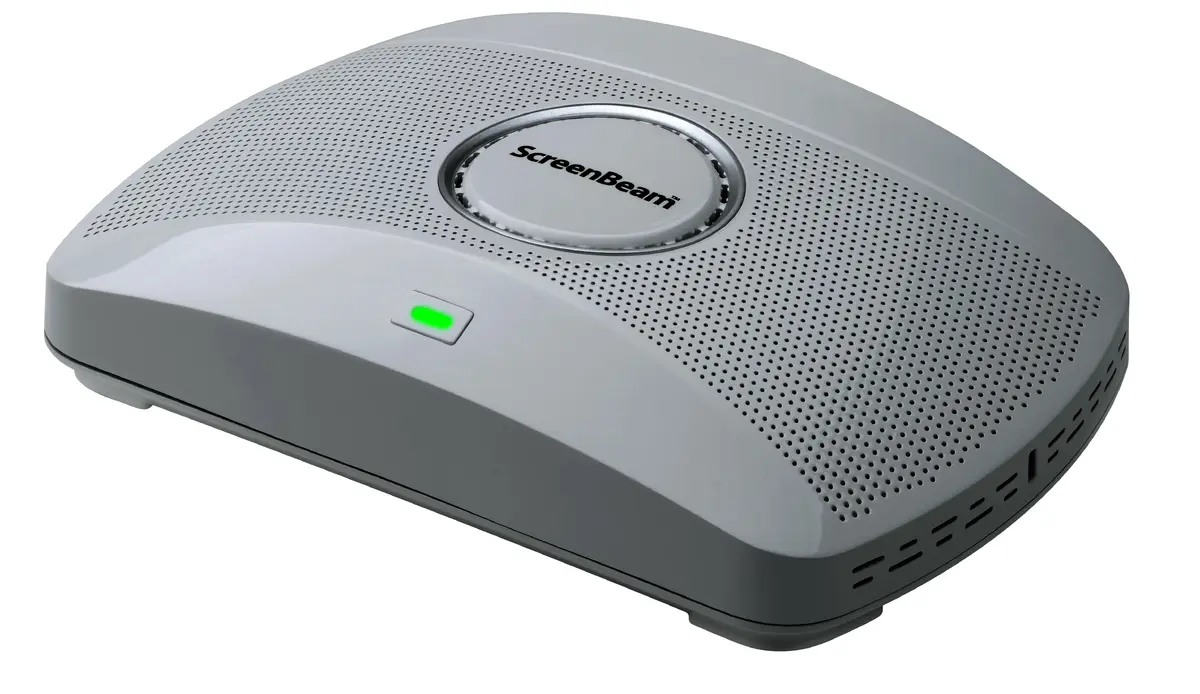
Wireless presentation system ScreenBeam 1000 EDU — Desktop, HDMI + VGA (D-Sub), 4K 3840×2160, Wi‑Fi 5, Gigabit Ethernet, 12V
ScreenBeam 1000 EDU is a desktop wireless presentation system designed for classrooms and meeting rooms. It provides app-free screen sharing from teacher and guest devices to a room display, with native support for Miracast, local Wi‑Fi mode and network infrastructure connectivity. The unit offers both HDMI and VGA (D‑Sub) video outputs and supports up to 4K UHD resolution (3840×2160). Network connectivity includes Wi‑Fi 5 (802.11ac) for wireless connections and a Gigabit Ethernet port for wired integration. The device is powered by a 12 V DC supply and accepts AC input for reliable operation and is certified to FCC, UL, CE, RED and RoHS standards.
ScreenBeam 1000 EDU enables app-free mirroring and screen sharing so users do not need to install software or carry adapters. The system supports high-resolution output up to 3840×2160, allowing detailed presentation of text, graphics and multimedia. Multiple connection options — Miracast, local Wi‑Fi and wired Ethernet — provide flexibility for different room network setups and levels of IT control. The unit also supports simultaneous display of multiple student screens and integration with Windows 10 features such as inking and annotation when used with compatible applications.
Connect the ScreenBeam 1000 EDU to the room display using HDMI or VGA depending on the display inputs available. Attach the provided 12 V DC power adapter and, if desired, connect the unit to the local network via the Gigabit Ethernet port for managed deployments. For wireless use, enable Miracast or connect devices through the device's local Wi‑Fi mode or the facility’s Wi‑Fi network. Teachers and guests can initiate screen sharing without installing an app; on compatible Windows 10 devices, inking and annotation in supported Office 365 apps are available while presenting.
For reliable performance at 4K resolution and multi-screen displays, use a stable wired Ethernet connection when available and ensure the local Wi‑Fi network supports 802.11ac. Position the unit to maintain a clear wireless path to presenter devices, and verify display input selection (HDMI or VGA) on the room display before starting a session.
{{highlightedFeature.featureTitle}}:
{{getProductFeatureValueById(product, highlightedFeature.featureId)}}
{{ productComparisonGenerationError }}
