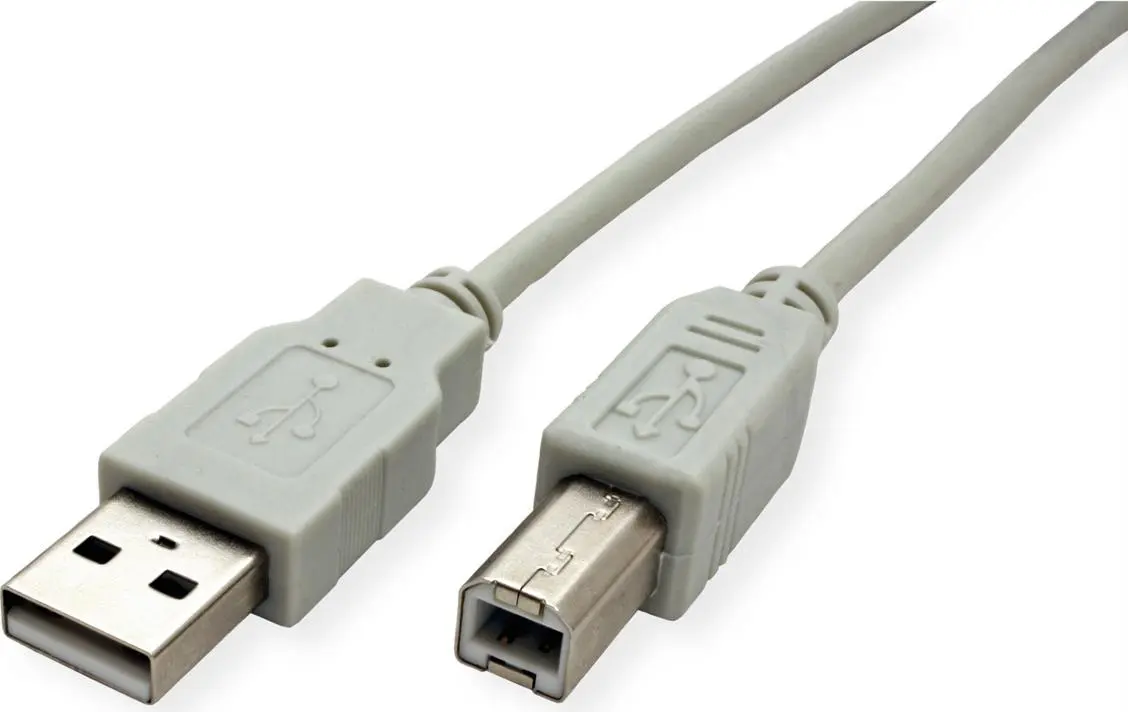
The Secomp STANDARD USB 2.0 Cable Type A to Type B Beige is compared with several alternative options from the same manufacturer: Secomp Standard USB 2.0 Cable Type A to Type B Beige (another modification), Secomp STANDARD USB 2.0 Cable Type A to Type B Beige 3 m (a 3-meter extended variant), Secomp USB 2.0 Cable, Type A to Type B, 0.8m, Beige (a short 0.8-meter variant), Secomp USB 2.0 Cable, Type A to Type B, 4.5 m, Beige (a 4.5-meter extended variant), and Secomp STANDARD USB 2.0 Extension Cable Type A-A Male to Female Beige 3m 11.55.3113 (an extension cable with Type A connectors). All of these products share the USB 2.0 standard, a neutral beige finish, and the primary purpose of connecting computers and peripheral devices. The main differences lie in connector types and cable lengths, which determine connection reach and hardware compatibility.
⚙️ Below is a comparison of characteristics such as connector types, cable length, data transmission standard, and the intended use for each of the compared items.
| Comparison parameter | Secomp STANDARD USB 2.0 Cable Type A to Type B Beige | Secomp Standard USB 2.0 Cable Type A to Type B Beige | Secomp STANDARD USB 2.0 Cable Type A to Type B Beige 3 m | Secomp USB 2.0 Cable, Type A to Type B, 0.8m, Beige | Secomp USB 2.0 Cable, Type A to Type B, 4.5 m, Beige | Secomp STANDARD USB 2.0 Extension Cable Type A-A Male to Female Beige 3m 11.55.3113 | Practical significance of differences |
|---|
| Connector types | Type A — Type B | Type A — Type B | Type A — Type B | Type A — Type B | Type A — Type B | Type A male — Type A female | Most cables connect printers and scanners, whereas the extension cable is used to extend an existing Type A interface line. |
| Cable length | Not specified | Not specified | 3 m | 0.8 m | 4.5 m | 3 m | Length determines equipment placement flexibility: short options suit compact setups, long options and extensions suit distant placements. |
| USB standard | USB 2.0 | USB 2.0 | USB 2.0 | USB 2.0 | USB 2.0 | USB 2.0 | All cables ensure standard data transfer speeds and reliable connection for office peripherals. |
◎ The table below evaluates how well each product matches different use cases, length requirements, and device setups.
| Use case | Recommended product | Why this choice is more suitable |
|---|
| Connecting standard peripherals at regular distances | Secomp STANDARD USB 2.0 Cable Type A to Type B Beige | Provides a basic and reliable connection between a computer and peripherals without excess wire length. |
| Connecting hardware at a 3-meter distance | Secomp STANDARD USB 2.0 Cable Type A to Type B Beige 3 m | Optimal length for placing peripheral equipment away from the computer unit. |
| Compact workspace with minimal wire clutter | Secomp USB 2.0 Cable, Type A to Type B, 0.8m, Beige | Short wire eliminates desk clutter when equipment is located close together. |
| Connecting hardware at a longer distance (4.5 meters) | Secomp USB 2.0 Cable, Type A to Type B, 4.5 m, Beige | Allows convenient placement of a printer or scanner in a distant part of the room. |
| Extending an existing cable | Secomp STANDARD USB 2.0 Extension Cable Type A-A Male to Female Beige 3m 11.55.3113 | Features Type A male and female connectors, designed specifically for extending an existing connection. |
The main product Secomp STANDARD USB 2.0 Cable Type A to Type B Beige differs from the alternatives primarily by not specifying a fixed length in its baseline description, whereas the other modifications are clearly tailored to specific distances (0.8 m, 3 m, 4.5 m) or offer an extension configuration. The main product is most versatile for standard peripheral connection tasks when a specific length is not strictly predetermined. Choosing an alternative is recommended if you specifically require a defined cable length for your workspace layout or need an extension cable.