


SecurityNET Cat.5e U/UTP PVC Network Patch Cable 1 Meter Grey PC-5EUTPPVC-GY1
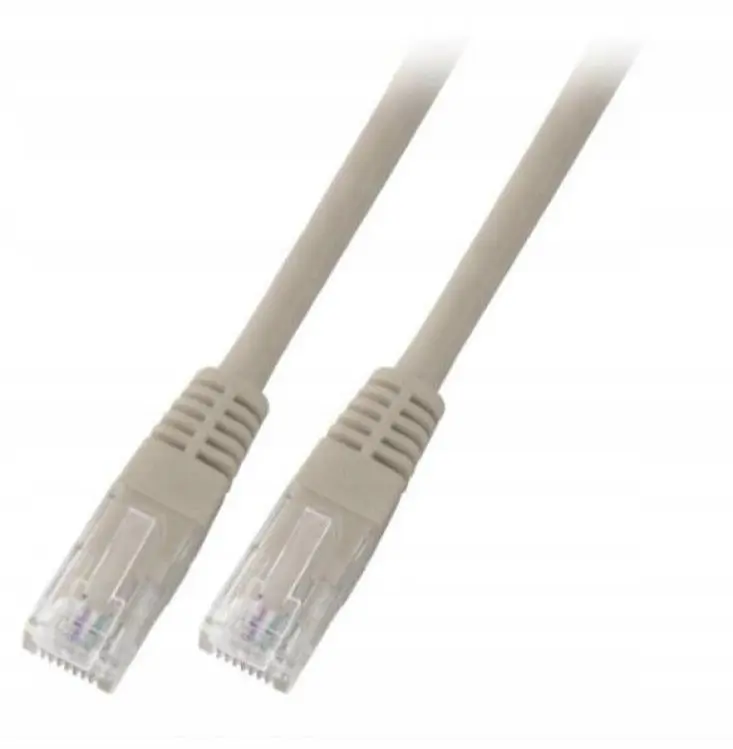
Short description

Cheapest delivery:
Unisend LV
Product information
Description
The SecurityNET Cat.5e U/UTP PVC Network Patch Cable in a 1-meter grey design provides dependable wired networking for your home or office setup. Built to standard Cat.5e specifications with an unshielded twisted pair construction and a durable PVC jacket, this patch cable ensures stable signal transmission for everyday internet browsing, file sharing, and local network communication.
Advantages
This network patch cable offers reliable connectivity for standard local area networks, maintaining steady data transfer speeds suitable for daily online activities. Its flexible PVC outer jacket protects the internal wires from everyday wear and tear while allowing easy routing through tight spaces, behind desks, or within network cabinets. The standardized connectors ensure a secure and stable fit in compatible ports without requiring specialized tools for installation.
Suitable for
- Connecting desktop computers and laptops to network routers or switches
- Linking local network peripherals such as printers and network-attached storage devices
- Setting up wired connections in small office or home network environments
- Patching connections within network wall outlets and patch panels
When it may not be suitable
This cable is not designed for outdoor installations or harsh industrial environments lacking environmental protection. Additionally, networks requiring high-bandwidth shielding against electromagnetic interference or long-distance structured cabling over several tens of meters will require higher-category or shielded cable types.
Key specifications
- Category 5e performance standard
- U/UTP unshielded twisted pair construction
- Durable PVC outer jacket
- 1-meter cable length
- Grey color finish
How to use
To establish a network connection, insert one RJ45 connector of the patch cable into the LAN port of your network device, such as a computer, printer, or gaming console. Insert the opposite connector into an available port on your network router, switch, or wall socket until a click is heard, ensuring the locking tab is engaged. Verify that the network link indicator lights on your devices illuminate to confirm a successful connection.
What to consider before purchase
- Verify that the 1-meter length is sufficient for the physical distance between your connected devices
- Ensure your equipment utilizes standard RJ45 networking ports
- Assess whether unshielded Cat.5e performance meets your network speed and bandwidth requirements
Usage recommendations: Avoid sharp bends, heavy pinching, or excessive tension on the cable during installation to maintain optimal signal integrity and extend the lifespan of the connectors.


