Leave your address - as soon as the price of the product goes down, you'll know about it right away
USB data cable SENCOR USB-A to USB-C 2 m Black (YCU 302 BK)
In cart {{totalProductsCount}} item(s)
Your cart is empty
USB data cable SENCOR USB-A to USB-C 2 m Black (YCU 302 BK)
Leave your address - as soon as the price of the product goes down, you'll know about it right away
USB data cable SENCOR USB-A to USB-C 2 m Black (YCU 302 BK)
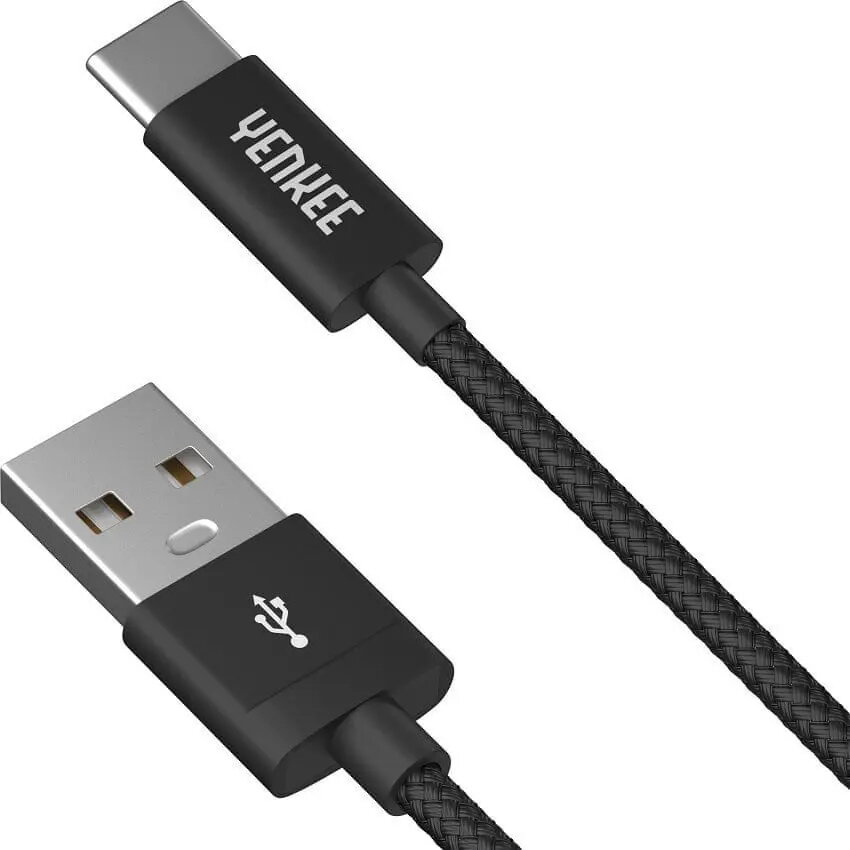
The SENCOR USB-A to USB-C 2 m Black (YCU 302 BK) is a two-meter USB data cable designed for reliable data transfer and charging between devices with USB-A and USB-C ports. Its extended length allows flexible placement in desktop setups, connection to wall chargers or power banks, and linking peripherals across a workspace. The black finish provides a neutral appearance suitable for home, office and travel use.
This USB-A to USB-C cable pairs a 2.0 m length with a compact connector design to enable convenient placement of connected devices while maintaining stable data throughput and charging capability. The cable is compatible with a broad range of smartphones, tablets, external drives and other USB-C peripherals when connected to a USB-A host or charger. Construction supports everyday plug-and-play operation without additional drivers or software.
Insert the USB-A end into a compatible computer USB port, wall charger or power bank and connect the USB-C end to the target device. For data transfer, unlock the connected device and select the appropriate USB mode if prompted by the operating system. Use standard file transfer procedures on your host device and disconnect by pulling the connector straight out to avoid stressing the cable.
To extend cable lifespan, avoid sharp bends near connectors, keep the cable away from heat sources and liquids, and store it coiled without tight knots. When transferring data, use updated device software and safely eject external storage devices before unplugging to prevent data corruption.
{{highlightedFeature.featureTitle}}:
{{getProductFeatureValueById(product, highlightedFeature.featureId)}}