
Powerful EcoFlow stations for energy anywhere!
In cart {{totalProductsCount}} item(s)
Your cart is empty
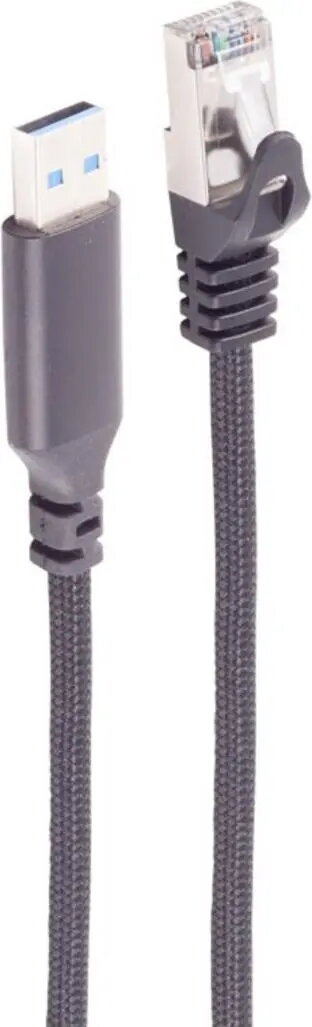
ShiverPeaks USB-A to RJ45 LAN Adapter Cable BS14-52055, 1 Gbps, USB Type-A to Ethernet, ALU, black, 5 m
The ShiverPeaks USB-A to RJ45 LAN Adapter Cable BS14-52055 delivers wired Ethernet connectivity up to 1 Gbps through a USB Type-A connector. Encased in an aluminum housing with a black finish and featuring a 5 m cable length, this adapter cable is designed for desktops and laptops that lack a built-in Ethernet port. It provides a stable network connection suitable for streaming, file transfers and general wired internet access where wireless networks are insufficient or unstable.
This USB-A to RJ45 adapter offers plug-and-play convenience on compatible systems, enabling a reliable 1 Gbps Ethernet connection without internal hardware changes. The aluminum housing improves durability and heat dissipation, while the 5 m length gives flexibility for device placement relative to routers or switches. The black finish integrates unobtrusively into most workstations and home setups.
This adapter provides up to 1 Gbps throughput; it is not suitable where multi-gigabit (2.5 Gbps, 5 Gbps or 10 Gbps) speeds are required. Compatibility depends on the host device's USB-A port and operating system drivers; some older systems may require driver installation. The cable length and single-port design are not intended to replace structured cabling or network switches in complex office installations.
Insert the USB Type-A plug into an available USB-A port on the host device and connect the RJ45 end to a router, switch, or wall outlet providing Ethernet. On most modern operating systems the adapter will be detected automatically and configured as a network interface. If the host does not automatically recognize the adapter, install the appropriate drivers provided by the operating system or the device manufacturer. After connection, verify link status and network settings in the system network manager to ensure DHCP or static IP configuration as required.
For stable performance, connect directly to a gigabit-capable router or switch and avoid running the cable near sources of strong electromagnetic interference. If driver installation is required, obtain drivers from the operating system vendor or the adapter manufacturer to ensure full functionality and security updates.
{{highlightedFeature.featureTitle}}:
{{getProductFeatureValueById(product, highlightedFeature.featureId)}}
{{ productComparisonGenerationError }}