
Save time and money with our discounts!
In cart {{totalProductsCount}} item(s)
Your cart is empty
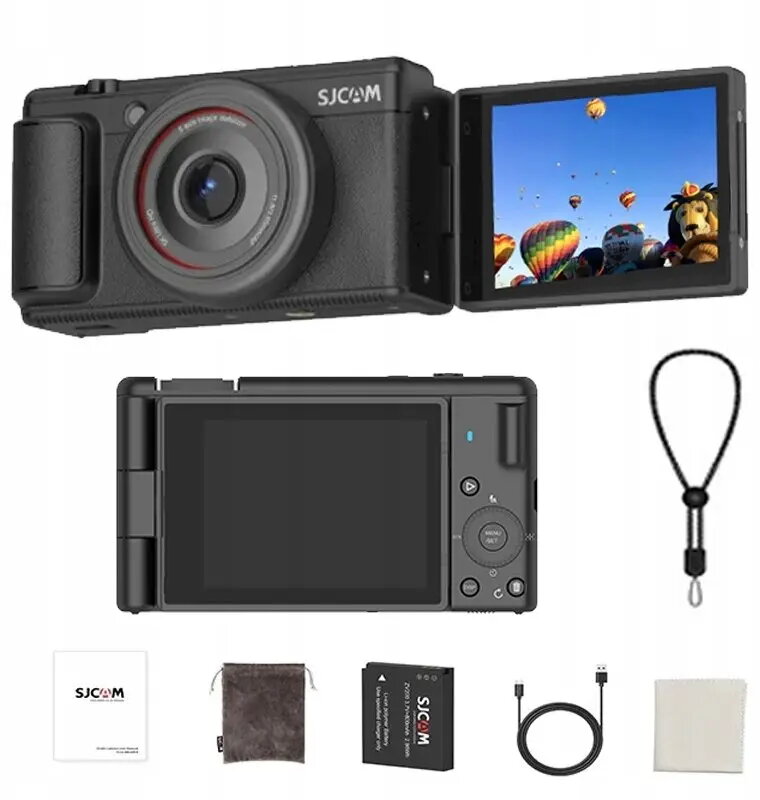
Digital Camera SJCam ZV200 — webcam function, 5K video, 80 MP stills
SJCam ZV200 is a compact digital camera that combines high-resolution stills and video with an integrated webcam function for streaming and video calls. The device records up to 5K video and captures up to 80 MP still images, offering a lightweight and portable solution for everyday photography, social media clips, online lessons and remote communication. Its small footprint and straightforward controls make it suitable for teens and casual creators who need both recording and live-streaming capabilities in a single device.
The camera delivers 5K video recording for detailed footage and an 80 MP capture mode for high-resolution stills, enabling clear images and crisp frames. An integrated webcam mode allows direct connection to a computer for live streaming and videoconferencing without extra adapters. The compact and lightweight design supports easy handheld use and comfortable transport, while the intuitive controls reduce setup time for non-professional users. Built-in connectivity options simplify sharing and integrating footage into social-media workflows.
Turn the camera on and select the required mode: video for recording up to 5K, photo for high-resolution stills, or webcam mode to use the camera as a video input for a computer. Frame your subject using the viewfinder or display, adjust basic exposure or focus settings if necessary, then start recording or capture the image. To use the webcam function, connect the camera to a computer via the supplied cable or recommended connection method and select the camera as the input source in your streaming or conferencing software. Follow on-screen menus for format and quality settings.
Use 5K recording for projects where extra detail is required and crop flexibility is needed in post-production; select 80 MP still mode for prints or images requiring high resolution. For stable handheld video, enable any available stabilization features and keep the camera close to the body. When using webcam mode for extended video calls, ensure the camera has a stable power source and a reliable connection to the computer to avoid interruptions.
{{highlightedFeature.featureTitle}}:
{{getProductFeatureValueById(product, highlightedFeature.featureId)}}
{{ productComparisonGenerationError }}