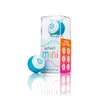
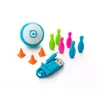
-
Type:
-
Robot
-
Weight:
-
0.046 kg
-
Certification:
-
FCC ID: SXO-RAV1 / IC: 10016A-RAV1, CAN ICES-3 (B)/NMB-3(B), 2002/96/EC
-
Battery technology:
-
Lithium Polymer (LiPo)
-
Material:
-
Polycarbonate, Plastic
-
Operating temperature (T-T):
-
0 - 40
-
Number of batteries supported:
-
1
-
Height:
-
42 mm
-
Width:
-
42 mm
-
Depth:
-
42 mm
-
Battery life (max):
-
1 h
-
Product colour:
-
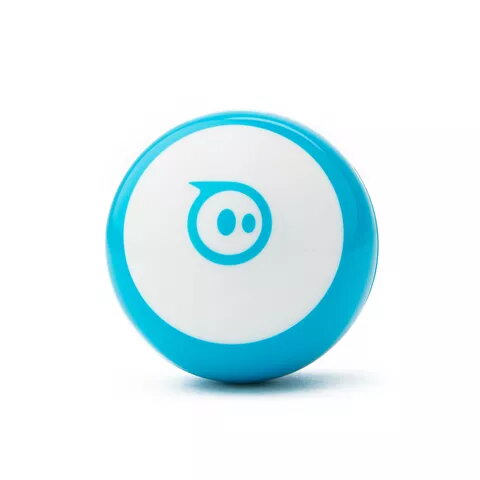
Blue, White
-
Frequency band:
-
2.4
-
Cables included:
-
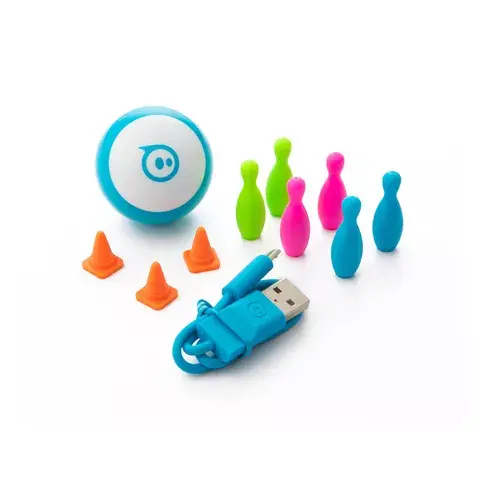
Micro-USB
-
Maximum operating distance:
-
10 m
-
Bluetooth:
-
Yes
-
Compatible products:
-
BB-8, R2-D2, BB-9E, Force Band, Sphero, Ultimate Lightning McQueen, Spider-Man, Ollie & Darkside, Sphero SPRK Edition, SPRK+, Sphero Original
-
USB 2.0 ports quantity:
-
1
-
Number of motors:
-
1
-
Manual:
-
Yes
-
Package type:
-
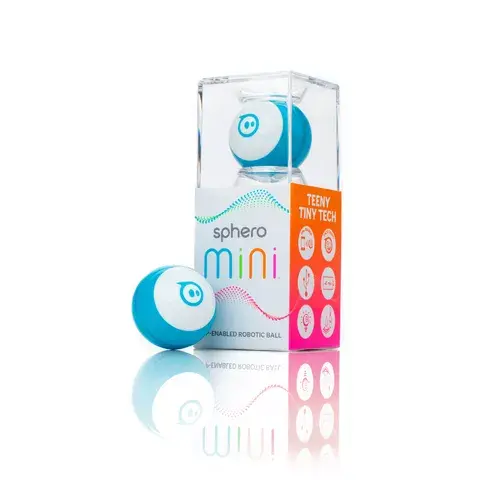
Window box
-
Battery voltage:
-
5 V
-
Motor type:
-
Brushless
-
Recommended usage:
-
Indoor
-
Mobile operating systems supported:
-
Android, Android 5.0, Android 5.1, Android 6.0, Android 7.1, iOS, iOS 10.0, iOS 11.0
-
Maximum speed:
-
0.001
-
Accelerometer:
-
Yes
-
Gyroscope:
-
Yes
-
Smartphone/tablet remote support:
-
Yes
-
Construction type:
-
Ready-to-Run (RTR)
-
Battery life:
-
45 min
-
Reparable:
-
Yes
-
Recommended gender:
-
Boy/Girl
-
Character:
-
Ball
-
Quantity per pack:
-
1 pc(s)
-
Batteries required:
-
Yes
-
Engine type:
-
Electric engine
-
Recommended age (min):
-
8 yr(s)
-
Preassembled:
-
Yes
-
Light effects:
-
Yes
-
Built-in smart sensors:
-
Yes
-
EU TSD warning:
-
Not for children under 36 months, Only for domestic use
-
Learning & training skills:
-
Hand-eye coordination development, Colours learning, Shapes learning