


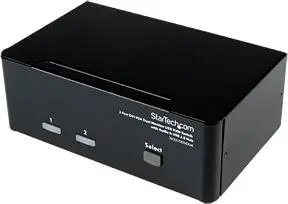
KVM Switch StarTech.com 2 Port DVI VGA Dual Monitor USB Audio Hub


Offer for a legal entity, non-cash payment.
Short description

Cheapest delivery:
Unisend LV
Product information
Description
The StarTech.com SV231DDVDUA 2‑port Dual Monitor KVM Switch (DVI+VGA) lets you share one USB keyboard and mouse, one VGA and one DVI monitor, and audio between two multimedia computers. Each computer connection provides a DVI‑I and VGA interface and the unit includes an integrated 2‑port USB 2.0 hub in a compact metal desktop chassis designed for durable everyday use. The switch supports high‑resolution video and is intended to be used with DVI‑D cabling where possible to ensure correct digital signaling.
Advantages
This KVM switch supports dual‑display setups with both DVI and VGA interfaces, enabling mixed PC configurations without requiring extra software or drivers. The built‑in USB 2.0 hub and mic/audio ports allow sharing of USB peripherals and audio between two computers, reducing the need to buy duplicate devices. The steel housing delivers robust, long‑lasting performance, and the unit is backed by StarTech.com three‑year warranty and free lifetime technical support.
Suitable for
- Workstations that require control of two multimedia PCs with one console
- Environments using a combination of DVI and VGA displays
- Offices or home setups needing shared USB peripherals and audio between systems
Key specifications
- Model: SV231DDVDUA
- Ports: 2 computer ports (each with DVI‑I and VGA), 1 USB console (keyboard/mouse), 2‑port USB 2.0 hub
- Video support: DVI‑D (digital) recommended; VGA (analog) supported
- Controls: Keyboard, mouse switching via USB; audio/mic switching supported
- Number of computers: 2
- Keyboard/Mouse port type: USB
- Colour: Black
- Weight: 0.75 kg
- Manufacturer warranty: 3 years
How to use
Connect each computer to the KVM using the appropriate DVI‑I and VGA connectors; where possible use DVI‑D cabling for the digital DVI connections to ensure proper signaling. Attach a USB keyboard and mouse to the console USB ports and connect monitors to the console DVI and VGA outputs. Plug in audio and microphone cables if required and connect any USB peripherals to the integrated USB 2.0 hub. Use the KVM’s front panel or hotkey commands (per the StarTech documentation) to switch control between the two connected computers.
Usage recommendations
For reliable digital video output, employ DVI‑D cabling for all P C‑to‑KVM and KVM‑to‑console connections when possible. Contact StarTech technical support if you need help identifying compatible cables or adapters for mixed DVI/VGA setups.
Features
- Built-in display:
- No
- Rack mounting:
- No
- Maximum resolution:
- 1920 x 1200
- HD type:
- WUXGA
- Video port type:
- VGA/DVI-I
- Mouse port type:
- USB
- Keyboard port type:
- USB
- Number of computers controlled:
- 2
- Product colour:
- Black
- Console ports:
- VGA (D-Sub), DVI-I, 3.5mm headphone

Stock data
| Warehouse | Stock | Delivery to the store | Store Price | |
| WH355 | 3 | 07.12.2026 | 208.99 € | Add to cart |
- 208.99 €Stock: 3Delivery Date: 07.12.2026Warehouse: WH355Add to cart
| Warehouse | Stock | Delivery to the store | Store Price | |
| WH109 | 3 | 21.12.2026 | 203.99 € | Add to cart |
- 203.99 €Stock: 3Delivery Date: 21.12.2026Warehouse: WH109Add to cart


