
Powerful EcoFlow stations for energy anywhere!
In cart {{totalProductsCount}} item(s)
Your cart is empty
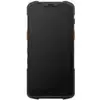
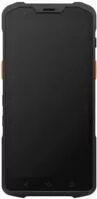
Handheld terminal SUNMI L2S Pro GMS, 3GB RAM 32GB storage, 13MP rear + 2MP front cameras, 1101 2D scanner, Wi‑Fi, 4G, NFC, IP67
The SUNMI L2S Pro GMS is a rugged handheld terminal designed for mobile data capture and on-the-go operations. Equipped with 3GB of RAM and 32GB of internal storage, the device runs Google Mobile Services (GMS) compatible software and integrates a 13MP rear camera, a 2MP front camera and a built‑in 1101 2D barcode scanner. Connectivity options include Wi‑Fi, 4G and NFC, and an IP67 rating provides protection against dust and temporary immersion in water. The terminal is intended for environments that require reliable scanning, data entry and wireless communications while retaining a compact, durable form factor.
The SUNMI L2S Pro GMS combines ruggedness and modern connectivity to support continuous field operations. Its integrated 1101 2D scanner and high‑resolution rear camera enable accurate barcode capture and visual documentation. With 3GB RAM and 32GB storage the device handles data collection apps and background synchronization, while Wi‑Fi and 4G provide flexible network access. NFC support allows secure short‑range transactions and tag reading. IP67 protection reduces downtime in dusty or wet conditions and the overall construction is optimized for frequent handling and mobile use.
Power on the SUNMI L2S Pro and complete initial setup using the GMS setup wizard to sign in with a Google account if required for applications. Install or launch the required data capture, inventory or POS applications from supported app sources. Use the rear camera for visual documentation and the integrated 1101 2D scanner for barcode reading; align barcodes in the scanner aiming zone and trigger the scan using the device scan button or on-screen command. Connect to available Wi‑Fi networks or enable 4G for mobile connectivity; configure NFC in the system settings for contactless transactions or tag reading. Follow standard device maintenance procedures such as charging the battery, keeping camera and scanner windows clean, and updating software when prompted.
For reliable scanning performance, keep the scanner window free of dust and scratches and maintain appropriate distance and angle to the barcode. Use protective cases or holsters if the device is used in high‑impact environments, and configure automatic data synchronization to reduce manual uploads and ensure timely recordkeeping.
{{highlightedFeature.featureTitle}}:
{{getProductFeatureValueById(product, highlightedFeature.featureId)}}
{{ productComparisonGenerationError }}