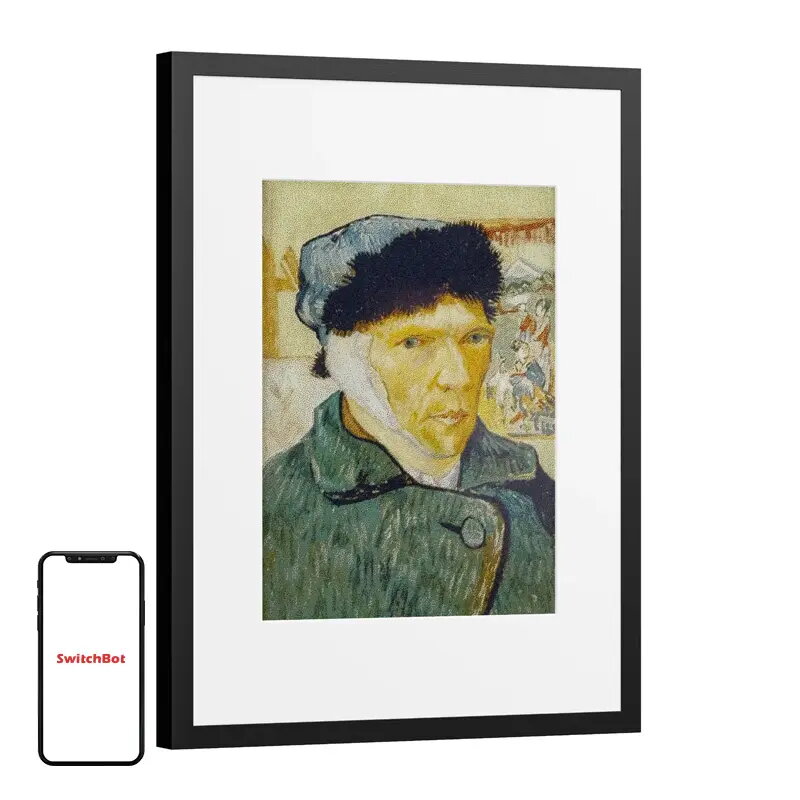
The SwitchBot AI Art Frame 13.3-inch digital photo frame is a sophisticated home decor solution that blends advanced display technology with the aesthetic appeal of traditional wall art. Utilizing an E Ink Spectra 6 color display, this device provides a matte, paper-like finish that avoids the harsh glare of standard LCD screens. It serves as a versatile platform for showcasing personal photography, digital art, and AI-generated imagery, seamlessly integrating into any modern interior.
Advantages
The primary benefit of this device is its unique E Ink technology, which mimics the appearance of a physical art print by reflecting ambient light rather than emitting artificial backlighting. This design choice significantly reduces eye strain, making it suitable for long-term viewing in living spaces or offices. The frame is completely wireless, powered by a long-lasting battery that can provide up to two years of operation based on weekly image updates. Furthermore, the integrated AI capabilities allow users to generate custom artwork or apply artistic filters to existing photos, providing a dynamic and ever-changing visual experience without the need for constant manual updates.
Suitable for
- Displaying personal family photos and memories
- Showcasing digital art and illustrations
- Creating AI-generated visual content for home decor
- Office or study environments where eye comfort is a priority
- Minimalist interior designs requiring a clean, cable-free look
When it may not be suitable
This device is not intended for displaying high-motion content, such as videos or animations, due to the nature of e-paper technology which requires a refresh time of approximately 33 seconds. It is also not suitable for environments requiring high-speed image transitions or interactive touch-screen functionality.
Key specifications
- 13.3-inch E Ink Spectra 6 full-color display
- 1200 × 1600 pixel resolution
- Supports up to 65,000 colors
- Wireless connectivity via 2.4 GHz Wi-Fi and Bluetooth 4.2
- Battery life up to 2 years with weekly image changes
- Aluminum alloy frame construction
- Dimensions: 41 × 31 × 2.5 cm
- Supports portrait and landscape orientation
How to use
To begin using the frame, download the SwitchBot app on your smartphone and pair it with the device via Bluetooth or Wi-Fi. Once connected, you can upload your own images from your mobile device or utilize the built-in AI tools to generate new artwork. The app allows you to manage your library, set up slideshows, and adjust display settings. The frame can be mounted on a wall or placed on a flat surface using the included stand, offering flexibility in how you present your chosen visuals.
What to consider before purchase
- The refresh rate is approximately 33 seconds, which is not suitable for video playback.
- AI features may require an optional subscription after the initial trial period.
- The device is designed for indoor use within a temperature range of 0°C to 40°C.
- Ensure your Wi-Fi network supports 2.4 GHz frequency for initial setup and cloud features.
Usage recommendations: For the best visual results, place the frame in a well-lit area where ambient light can illuminate the screen surface. To maximize battery life, avoid frequent manual refreshes and utilize the scheduled slideshow mode.