
Dreame vacuums for fast and efficient cleaning!
In cart {{totalProductsCount}} item(s)
Your cart is empty
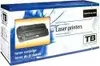
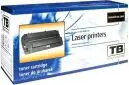
Toner cartridge TB Print TC-EP27N for Canon EP-27, black, compatible replacement
TB Print TC-EP27N is a black toner cartridge designed as a compatible replacement for printers that accept Canon EP-27 series cartridges. Intended for monochrome laser printing, this cartridge supplies black toner for text documents, invoices, reports and other standard office or home printing needs. The cartridge is built to match the physical fit and basic performance expectations of EP-27 compatible devices and offers straightforward installation and use.
This compatible toner cartridge offers consistent black output for everyday monochrome printing, helping maintain readable text and sharp lines on plain paper. It is designed for easy installation and removal, following the same mechanical interface as EP-27 type cartridges. The cartridge supports standard laser printer workflows and is suitable for replacing an empty black toner quickly without special tools or procedures.
Turn off the printer and open the toner access panel according to the printer manufacturer's instructions. Remove the empty EP-27 style cartridge by releasing any locking levers or tabs, then carefully unpack the TB Print cartridge from its protective packaging. Align the cartridge with the guide rails and slide it into place until it clicks or locks. Close the access panel and power on the printer. Run a test print or printer status check to confirm the cartridge is recognized and prints correctly.
Store unused cartridges in a cool, dry place away from direct sunlight. Handle the cartridge by its edges to avoid contact with the drum or toner outlet. If prints show streaks or poor density after installation, run the printer's cleaning or calibration routine and ensure the cartridge is seated correctly.
{{highlightedFeature.featureTitle}}:
{{getProductFeatureValueById(product, highlightedFeature.featureId)}}
{{ productComparisonGenerationError }}