


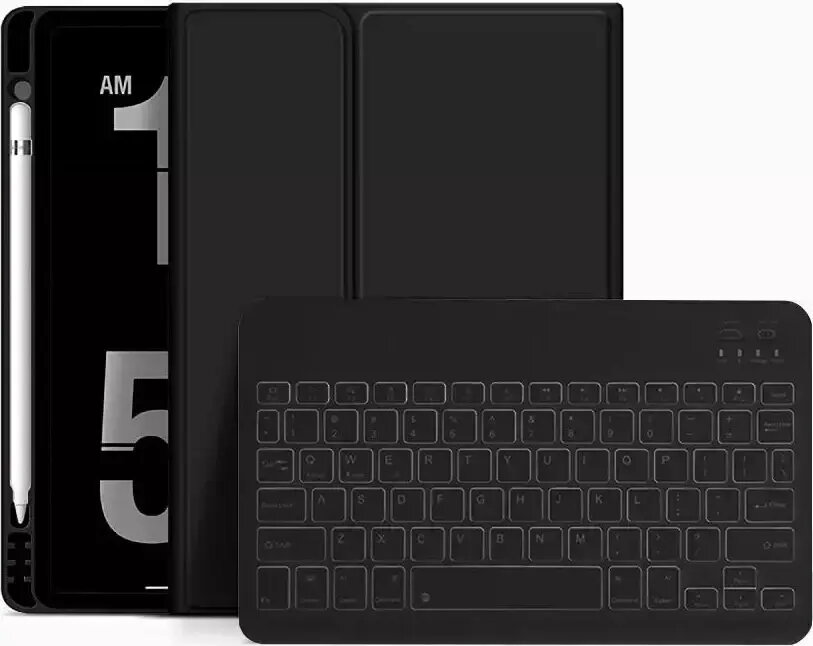
Stylus Pen and Keyboard Tech-Protect for iPad 10.9 (2022) — Black
Short description

Cheapest delivery:
Unisend LV
Product information
Description
Combo accessory set from Tech‑Protect that includes a stylus pen and a detachable keyboard designed for iPad 10.9 (2022). The stylus provides precise touch input and handwriting capabilities while the keyboard supplies a compact physical typing surface for faster text entry. This set is intended to expand the iPad’s input options for note‑taking, document editing, web browsing and general productivity tasks.
Advantages
The stylus delivers fine-point control for accurate selections, handwriting and sketching, and the keyboard offers tactile feedback with a layout suited to tablet use. Together they reduce reliance on on‑screen controls, improve typing speed and enable more comfortable extended work sessions. The combo is lightweight and designed to maintain the iPad’s portability.
Suitable for
- Taking handwritten notes and annotations
- Editing documents and composing emails
- Web browsing and research with faster text entry
- Light sketching and markup
- Portable productivity on the go
Key specifications
- Compatibility: iPad 10.9‑inch (2022) model
- Includes: stylus pen and detachable keyboard
- Stylus type: precision tip for handwriting and touch control
- Keyboard layout: compact physical keys designed for tablet use
- Connection: keyboard connects to the iPad via tablet‑compatible interface (wireless or connector as supported by the iPad)
- Color: black
- Portability: lightweight combo suitable for travel
How to use
Attach or pair the keyboard to the iPad following the device’s connection method so the tablet recognizes the external input. Use the stylus directly on the touchscreen for handwriting, drawing or precise tapping. Switch between stylus and keyboard input as needed: use the keyboard for text entry and the stylus for annotations or selection tasks. Keep both accessories charged or fitted with fresh batteries according to the manufacturer instructions to ensure uninterrupted use.
Usage recommendations
For best results, verify that your iPad 10.9 (2022) system software is up to date and check the keyboard connection method in the iPad settings. Store the stylus tip covered when not in use and protect the keyboard from spills and excessive pressure to prolong service life.


