


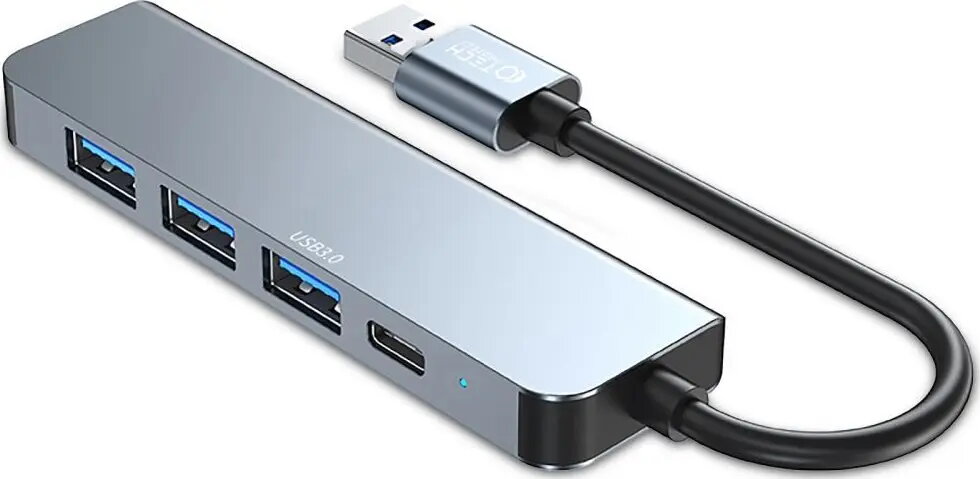
Hub adapter Tech-Protect V0-HUB — 5-in-1, grey
Short description

Cheapest delivery:
Unisend LV
Product information
Description
Tech-Protect V0-HUB — 5-in-1, grey is a compact hub adapter designed to expand connectivity for compatible laptops, tablets and other devices. The accessory integrates five functions in a single grey enclosure to provide extra ports for peripherals, file transfer and power passthrough where supported. Its compact form factor and straightforward plug-and-play operation make it suitable for use at home, in the office or on the go.
Advantages
The hub combines multiple connection types in one small unit, reducing the number of separate adapters required. It supports simultaneous use of connected devices and simplifies cable management by centralizing ports. The grey housing is designed for everyday handling and easy storage. No driver installation is required for typical operating systems, enabling quick setup and immediate availability of added ports.
Suitable for
- Connecting external storage devices such as USB flash drives and external hard drives
- Attaching input devices: mouse, keyboard or game controller
- Transferring files between devices
- Extending the number of available ports for a laptop or tablet
- Using additional peripherals during travel or remote work
Key specifications
- Form factor: compact 5-in-1 hub adapter with integrated cable
- Color: grey
- Connector types: multiple port interfaces to expand device connectivity (5 functions integrated)
- Compatibility: designed for use with devices that support standard external hubs and port expansion
- Operation: plug-and-play on supported operating systems without additional drivers
How to use
Connect the hub to the host device using the integrated connector, then plug peripherals into the available ports. Ensure connected devices are powered if they require external power. For file transfers, use the host operating system’s file manager to copy or move data between the host and connected storage devices. When finished, safely eject storage media from the operating system before disconnecting to avoid data corruption.
Usage recommendations
Place the hub on a stable surface and avoid bending the integrated cable sharply. If multiple high-power devices are attached, monitor the host device’s power delivery and, where applicable, use externally powered peripherals or a powered hub to ensure reliable operation.


