-
Contrast ratio (typical):
-
1200:1
-
Viewing angle, horizontal:
-
178 °
-
Viewing angle, vertical:
-
178 °
-
Power supply type:
-
Internal
-
Package weight:
-
60000 g
-
Display diagonal:
iagonal of the visible part of the screen expressed in centimeters and inches.
-
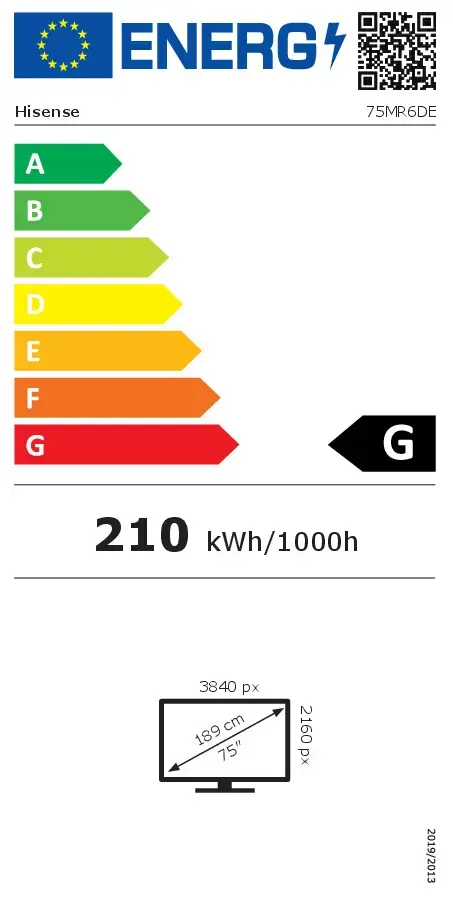
75 "
-
Ethernet LAN:
-
Yes
-
Display brightness:
-
350 cd/m²
-
Response time:
-
8 ms
-
Display resolution:
-
3840 x 2160
-
Remote control included:
-
Yes
-
Product colour:
-
Black
-
Cables included:
-
AC
-
Power consumption (off):
-
0.5 W
-
Power consumption (standby):
-
0.5 W
-
Ethernet LAN (RJ-45) ports:
-
1
-
DVI port:
-
No
-
Built-in speaker(s):
-
Yes
-
Purpose:
-
Universal
-
Operating system installed:
-
Android
-
Wi-Fi:
-
Yes
-
Placement supported:
-
Indoor
-
Audio (L/R) out:
-
1
-
HDMI ports quantity:
-
3
-
Package depth:
-
240 mm
-
Package height:
-
1165 mm
-
Package width:
-
1850 mm
-
Panel mounting interface:
-
600 x 600
-
RS-232 interface:
-
Yes
-
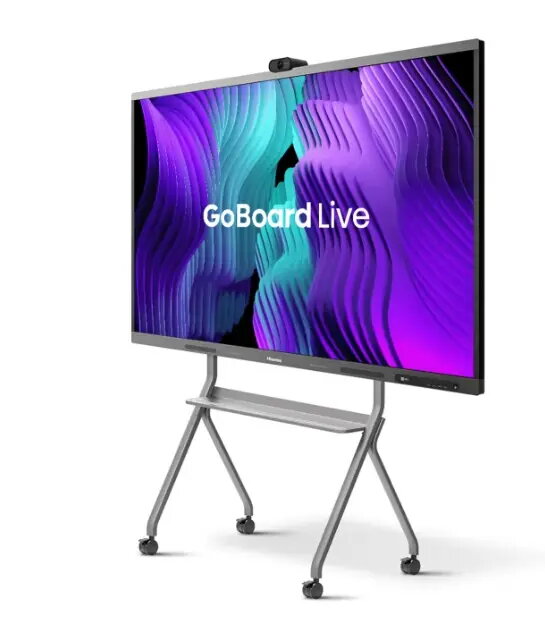
Touchscreen:
-
Yes
-
Product design:
-
Digital signage flat panel
-
Operating system version:
-
13
-
Built-in processor:
-
No
-
Stylus pen:
-
Yes
-
AC input frequency:
-
50 - 60
-
AC input voltage:
-
100 - 240
-
Power consumption (max):
-
350 W
-
Display technology:
-
LED
-
Display depth:
-
126 mm
-
Display height:
-
1060 mm
-
Display weight:
-
45800 g
-
Native aspect ratio:
-
16:9
-
HD type:
-
4K Ultra HD
-
Panel life:
-
50000 h
-
Display width:
-
1710 mm
-
VESA mounting:
-
Yes
-
USB 3.2 Gen 1 (3.1 Gen 1) Type-C ports quantity:
-
1
-
USB port:
-
Yes
-
Computer system:
-
Yes
-
Display number of colours:
-
1.07 billion colours
-
Number of stylus pens:
-
2
-
Native refresh rate:
-
60 Hz
-
Energy efficiency class (SDR):
Energy efficiency class is a standard classification that is used all over Europe and which is understandable at first sight. Products can be efficiently compared according to classes, starting from A (the most energy efficient class), and ending with G (the most energy-intensive class). The classification of energy efficiency is based on annual energy consumption which is being calculated on the basis of several different parameters.
-
G
-
Energy efficiency class (HDR):
Energy efficiency class is a standard classification that is used all over Europe and which is understandable at first sight. Products can be efficiently compared according to classes, starting from A (the most energy efficient class), and ending with G (the most energy-intensive class). The classification of energy efficiency is based on annual energy consumption which is being calculated on the basis of several different parameters.
-
Not available
-
Energy consumption (SDR) per 1000 hours:
Power consumption in switched-on state expressed in W.
-
210.3 kWh