-
Maximum internal memory:
The maximum internal memory which is available in the product.
-
32 GB
-
Internal memory:
A computer's memory which is directly accessible to the CPU.
-
16 GB
-
Optical drive type:
An optical drive uses laser to read optical discs such as CDs, DVDs and Blu-Ray. Some types of optical drive are: CD ROM drive, CR-RW (CD writer) drive, DVD-ROM.
-
No
-
Storage media:
Used for the storage of data e.g. HDD (hard disk drive), SSD (solid-state drive).
-
SSD
-
Total storage capacity:
The total amount of data that can be stored on the device.
-
256 GB
-
Top Wi-Fi standard:
Connection of this device is done via Wi-Fi in a high standard.
-
Wi-Fi 6 (802.11ax)
-
Mobile network connection:
-
Yes
-
HDMI ports quantity:
The number of sockets (ports) for HDMI connections. HDMI (High-Definition Multimedia Interface) is a compact audio/video interface for transferring uncompressed video data and compressed/uncompressed digital audio data from a HDMI-compliant device ("the source device") to a compatible computer monitor, video projector, digital television, or digital audio device. HDMI is a digital replacement for existing analog video standards.
-
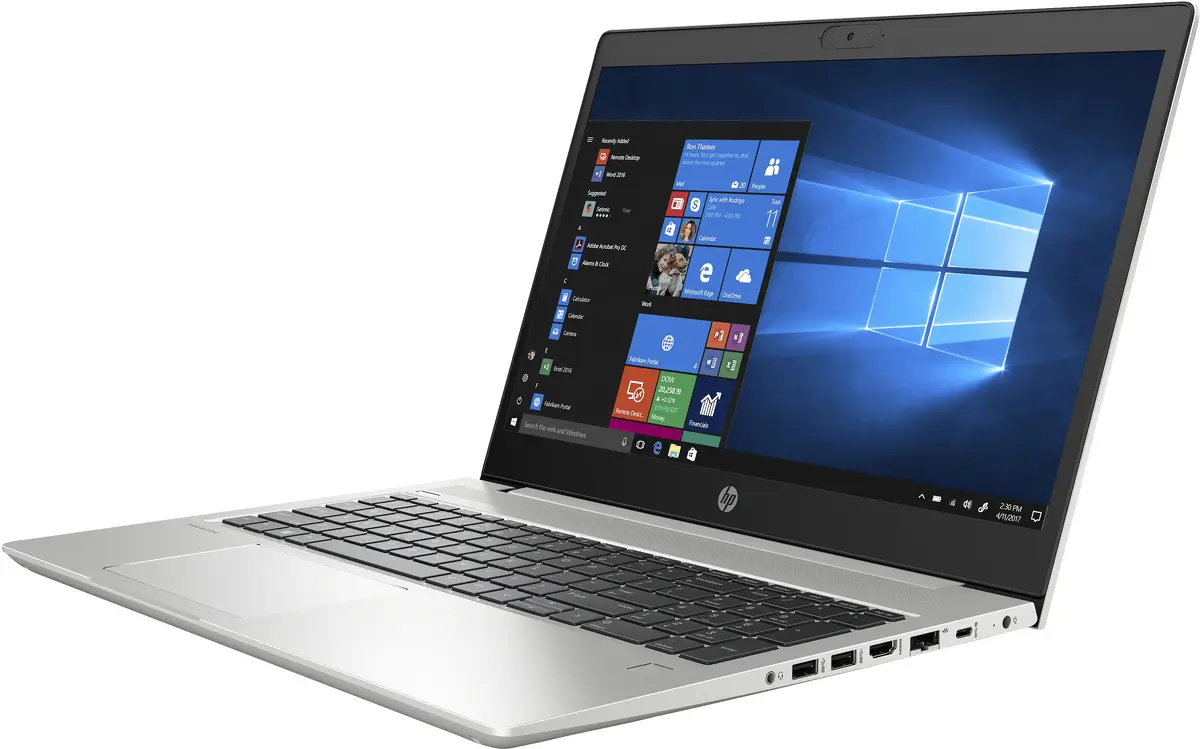
1
-
USB 3.2 Gen 1 (3.1 Gen 1) Type-C ports quantity:
Number of USB 3.0 (3.1 Gen 1) ports with Type-C connector. USB 3.0 (3.1 Gen 1) is USB interface version which supports transfer rate up to 5 Gbit/s (SuperSpeed). USB Type-C connector has symmetrical design architecture and compatible with Thunderbolt 3 interface.
-
1
-
USB 3.2 Gen 1 (3.1 Gen 1) Type-A ports quantity:
-
2
-
USB 2.0 ports quantity:
Number of USB 2.0 ports (connecting interfaces) in the device. USB 2.0 was released in April 2000 (now called "Hi-Speed"), adding higher maximum signaling rate of 480 Mbit/s (effective throughput up to 35 MB/s or 280 Mbit/s), USB 2.0 ports are usually black.
-
1
-
Weight:
Weight of the product without packaging (net weight). If possible, the net weight is given including standard accessories and supplies. Please note that sometimes the manufacturer leaves out the weight of accessories and/or supplies.
-
2 kg
-
Battery capacity:
A measure of the charge stored by the battery. Determined by the mass of active material contained in the battery.
-
45 Wh
-
Operating system installed:
Type of operating system on a device e.g. IOS on Apple devices, Android for mobile devices.
-
Windows 11 Pro
-
Numeric keypad:
Small, palm-sized, seventeen key section of a computer keyboard, usually on the very far right. The numeric keypad features digits 0 to 9, addition (+), subtraction (-), multiplication (*) and division (/) symbols, a decimal point (.) and Num Lock and Enter keys. Laptop keyboards often do not have a numpad, but may provide numpad input by holding a modifier key (typically labelled "Fn") and operating keys on the standard keyboard.
-
Yes
-
On-board graphics card model:
"Graphic adapter" is the hardware that produces images on a display. "On-board" means that the graphics adapter is intergrated inside the motherboard.
-
Intel® UHD Graphics
-
Discrete graphics card model:
A graphics adapter (often known as a video card) generates images for a display. A discrete graphics adapter plugs into the motherboard, and usually produces much better graphics than an integrated graphics adapter. There are various models of discrete graphics adapters.
-
Not available
-
Discrete graphics card:
-
No
-
On-board graphics card:
Graphics hardware which is built into the motherboard or CPU, as opposed to a separate graphics adapter (video card). On-board graphics uses CPU and RAM for graphics processing.
-
Yes
-
Processor frequency:
The speed that the microprocessor executes each instruction or each vibration of the clock. The CPU requires a fixed number of clock ticks, or cycles, to execute each instruction. The faster the clocks rate, the faster the CPU, or the faster it can execute instructions. Clock Speeds are usually determined in MHz, 1 MHz representing 1 million cycles per second, or in GHz, 1 GHz representing 1 thousand million cycles per second. The higher the CPU speed, the better a computer will perform.
-
1.6 GHz
-
Processor model:
The model number for the processor in a computer.
-
i5-10210U
-
Processor family:
A family of processors is a group of processors produced by one company over a short period of time e.g. Intel Pentium processors.
-
Intel Core i5
-
Processor manufacturer:
The manufacturer that produced the processor.
-
Intel
-
Touchscreen:
A screen of a laptop, smartphone, etc., that responds to touch so you can control the interface using your fingers.
-
No
-
Display resolution:
The number of distinct pixels in each dimension that can be displayed. It is usually quoted as width × height, with the units in pixels: for example, "1024 × 768" means the width is 1024 pixels and the height is 768 pixels. The higher the number of pixels, the sharper the image.
-
1920 x 1080
-
Display diagonal:
Size of the display for this product, measured diagonally, usually in inches.
-
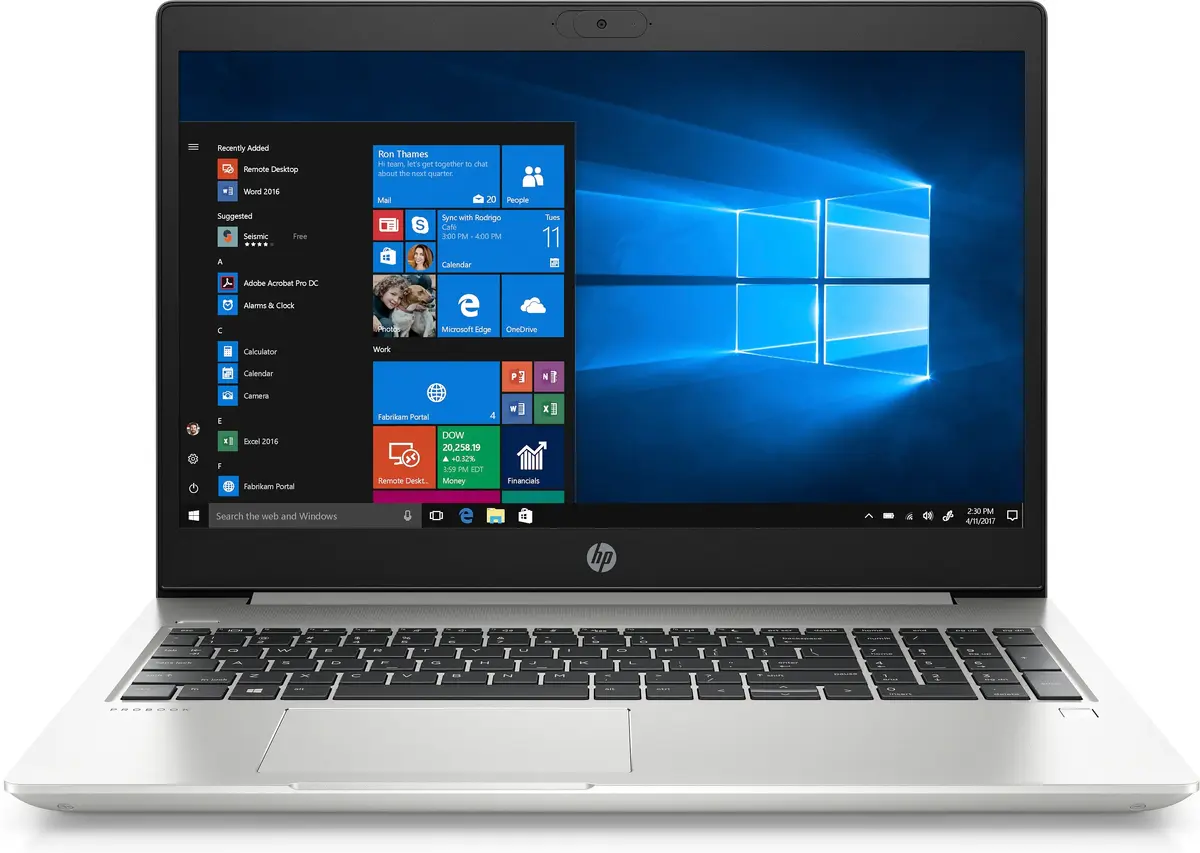
15.6 "
-
Form factor:
The shape or design of the product.
-
Clamshell
-
Product type:
The sub-category of the product.
-
Laptop
-
Product colour:
The colour e.g. red, blue, green, black, white.
-
Silver