
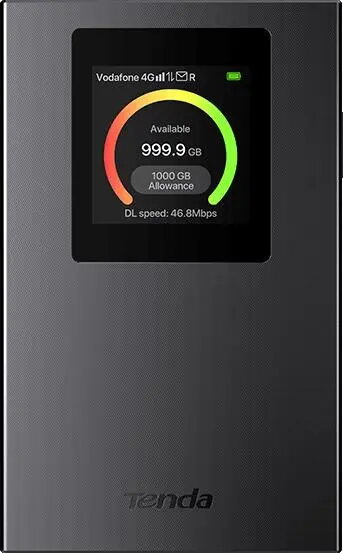
Tenda MF6 v2.0 4G LTE Mobile Wi-Fi Router
{{selectedOffer && selectedOffer.price | formatAmount}}
{{selectedOffer && selectedOffer.price | formatAmount}}
Short description
The Tenda MF6 v2.0 is a portable 4G LTE mobile Wi-Fi router designed to provide high-speed internet connectivity on the go. This compact device supports 4G LTE networks, allowing multiple devices to connect simultaneously via Wi-Fi. Ideal for travelers, remote work, or areas with limited wired internet access, it ensures a stable and reliable wireless connection for browsing, streaming, and professional tasks.

Cheapest delivery:
Unisend LV
Pick-up points
Unisend LV
Cost
1.99 €
Deliver
{{selectedOffer.parcelStationDeliveryString}}
Customer service center
2b. Kengaraga str., Riga, Latvia, LV-1063
16.10.2026
{{selectedOffer.officeDeliveryString}}
free
Courier Delivery
Please note that in case of a large parcel additional delivery costs may apply!
From 4.99 € (Weight: 0.13 kg)
Parcel couriers
Unisend LV / Venipak Pickup LV / Venipak Locker LV / DPD Paku skapis / Omniva LV / Latvijas Pasts pakomāts / Latvijas Pasts nodaļa
21.10.2026
{{selectedOffer.parcelStationDeliveryString}}
From 1.99 €

Payment Methods:
Bank transfer, Bank cards on-line, Apple Pay, Google Pay


