Leave your address - as soon as the price of the product goes down, you'll know about it right away
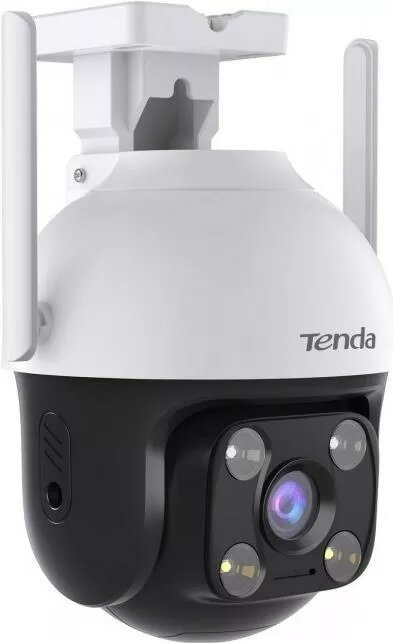
Surveillance Camera Tenda RH3-WCA Outdoor IP65 Wi-Fi FullHD
In cart {{totalProductsCount}} item(s)
Your cart is empty
Surveillance Camera Tenda RH3-WCA Outdoor IP65 Wi-Fi FullHD
Leave your address - as soon as the price of the product goes down, you'll know about it right away
Surveillance Camera Tenda RH3-WCA Outdoor IP65 Wi-Fi FullHD
The Tenda RH3-WCA is an outdoor Wi‑Fi surveillance camera offering Full HD 1080p resolution and an IP65 weatherproof rating. Designed for exterior monitoring, it includes night‑vision LEDs and two‑way audio to capture clear video and provide basic audio communication. The camera supports motion detection and is managed through a user‑friendly mobile app for live view and playback.
The camera combines Full HD image quality with an IP65 rating for reliable outdoor use. Night‑vision LEDs enable monitoring in low light, while two‑way audio allows basic interaction. Wi‑Fi connectivity and an intuitive app simplify installation and remote control. Motion detection helps notify users of activity and reduces the need for continuous recording.
Mount the camera on a stable exterior surface using the supplied bracket and fasteners, ensuring the lens faces the area to be monitored and is protected from direct rain where possible. Connect the camera to local Wi‑Fi following the instructions in the Tenda app, create or log in to your account, and add the device by scanning the QR code or following the in‑app setup steps. Configure motion detection sensitivity, notification preferences and storage options within the app. Use the live view to verify alignment and adjust the angle as needed.
Place the camera under an eave or small shelter to extend its service life while maintaining the required field of view. For reliable Wi‑Fi performance, position the camera within the router’s effective range or use a Wi‑Fi extender. Regularly check firmware updates in the app and secure the device with a strong account password.
{{highlightedFeature.featureTitle}}:
{{getProductFeatureValueById(product, highlightedFeature.featureId)}}