
Filters you can trust. Pure water every day.
In cart {{totalProductsCount}} item(s)
Your cart is empty
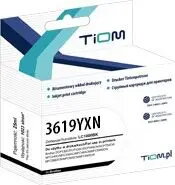
Ink Cartridge Tiom for Brother MFC-J2330DW / MFC-J2730DW — Yellow (Ti-B3619YXN)
Yellow ink cartridge Tiom for Brother MFC-J2330DW / MFC-J2730DW supplies pigment yellow ink compatible with the specified inkjet printers. Intended as a replacement consumable, it restores the yellow channel of CMYK output to enable accurate color reproduction for documents and photos printed on inkjet-compatible media. The cartridge is designed for straightforward installation and integration into home and small office printing workflows.
This Tiom yellow replacement cartridge provides consistent pigment-based yellow for CMYK printing, supporting stable color balance and legible graphics. It is formulated to work with Brother MFC-J2330DW and MFC-J2730DW printers to maintain expected print performance and avoid common issues like streaking or uneven fill when installed and used according to printer guidelines.
Ensure the printer is powered on and open the cartridge access cover according to the printer manual. Remove the empty yellow cartridge and unpack the replacement cartridge, taking care to remove any protective tape or seals before insertion. Slide the cartridge into the designated yellow slot until it clicks into place, then close the cover. Run the printer’s cartridge recognition or nozzle check procedure to verify correct installation and alignment before beginning a print job.
Store unused cartridges in a cool, dry place away from direct sunlight. Use genuine-compatible ink designed for the specified printer models and perform regular nozzle checks and cleaning cycles as recommended by the printer manufacturer to maintain print quality and prevent clogs.
{{highlightedFeature.featureTitle}}:
{{getProductFeatureValueById(product, highlightedFeature.featureId)}}
{{ productComparisonGenerationError }}