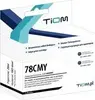
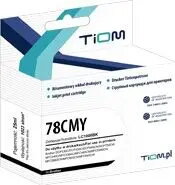
Tiom HP 78 (Ti-H78D) is a compatible ink cartridge designed as a replacement for original HP 78 cartridges used in a range of HP DeskJet printers, including models 180, 310, 3810 and 9300. The cartridge supplies black or color ink for everyday document and photo printing, supporting basic home and small office needs while preserving printer compatibility and printhead function when installed correctly.
Advantages
The Tiom HP 78 compatible cartridge offers a cost-effective alternative to OEM cartridges while maintaining compatibility with the specified HP DeskJet models. It is produced to fit standard cartridge slots, enabling straightforward installation and reliable ink flow for typical printing tasks. Users can expect consistent text output for documents and acceptable color reproduction for casual photo or graphic prints when used within recommended settings.
Suitable for
- Home printing of documents, school assignments and personal photos
- Small office tasks such as letters, invoices and reports
- Replacement supply for HP DeskJet 180, 310, 3810 and 9300 series printers
- Users seeking a lower-cost alternative to OEM black or color cartridges
When it may not be suitable
This compatible cartridge may not meet the needs of high-volume print environments where OEM supplies with extended yield or professional print quality are required. It may also be less suitable for color-critical photographic or proofing work where exact color matching and archival-grade inks are essential.
Key specifications
- Compatibility: designed for use in HP DeskJet 180, 310, 3810 and 9300 printer series
- Ink type: dye-based ink for standard text and color prints
- Color options: available in black and color variants
- Form factor: replaceable single cartridge fitting standard HP 78 slots
- Intended use: consumer and small office printing of documents and casual photos
How to use
Before installation, power on the printer and open the cartridge access door to allow the carriage to move into the replaceable position. Remove the used cartridge by gently pressing or lifting as required by your printer model, then unpackage the Tiom cartridge and remove any protective tape or seals without touching the ink outlet or electrical contacts. Insert the new cartridge into the correct color slot until it clicks into place, close the access door and follow any on-screen prompts to align or initialize the cartridge. Print a test page to confirm proper installation and nozzle performance.
What to consider before purchase
- Verify printer model compatibility: ensure your printer is listed among supported DeskJet models
- Choose the correct color variant (black or color) according to your needs
- Consider expected print volume and whether a standard-yield compatible cartridge meets your requirements
- Check seller policies for returns and warranty on compatible consumables
Usage recommendations
For reliable results, store cartridges in a cool, dry place and use the cartridge within the manufacturer's recommended period after opening. Run occasional nozzle checks and cleaning cycles if print quality degrades, and always follow HP DeskJet maintenance guidelines to preserve printhead performance.