
Leave your address - as soon as the price of the product goes down, you'll know about it right away
Paper Stickers Titanum 6 Sheets — Letters and Numbers Set, 1,362 pcs
In cart {{totalProductsCount}} item(s)
Your cart is empty
Paper Stickers Titanum 6 Sheets — Letters and Numbers Set, 1,362 pcs
Leave your address - as soon as the price of the product goes down, you'll know about it right away
Paper Stickers Titanum 6 Sheets — Letters and Numbers Set, 1,362 pcs
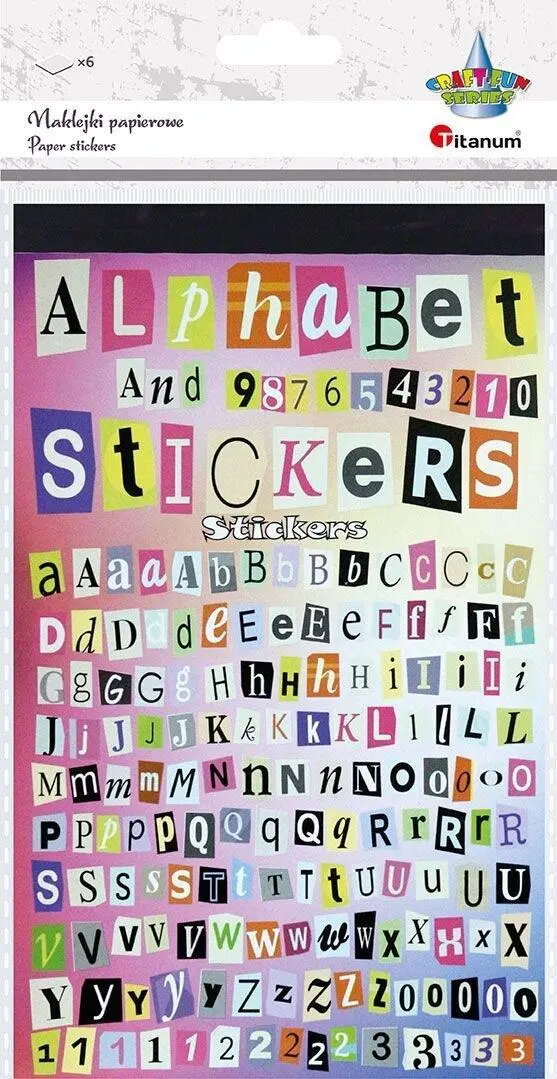
Titanum Paper Stickers set contains 6 sheets with a total of 1,362 pieces of letters and numbers. The lightweight paper stickers are cut to standard character shapes and are intended for use on paper, cardboard and other similar flat surfaces. This set provides a large assortment of alphabetic and numeric characters useful for crafting, labeling and educational activities; the stickers peel off easily and adhere quickly to compatible porous surfaces.
The Titanum stickers are lightweight and easy to handle, enabling precise placement for detailed craft and scrapbooking work. Their paper composition makes them compatible with common stationery materials and easy to write on with pencils or pens if additional marking is required. With 6 sheets and a high total count of characters, the set reduces the need to repeatedly purchase individual letters or numbers for small projects.
Separate a sheet and carefully peel the required character from the backing. Align the sticker on a clean, dry surface and press firmly for a few seconds to ensure adhesion. If you need to write on the sticker, use a compatible pen or pencil and allow any ink to dry before handling. Avoid applying stickers to wet, dusty or oily surfaces to maintain adhesion.
For best results, store the sticker sheets flat in a cool, dry place and use them on clean paper or cardboard. Test a small sticker first on your material to verify adhesion and writeability before applying the rest.
{{highlightedFeature.featureTitle}}:
{{getProductFeatureValueById(product, highlightedFeature.featureId)}}