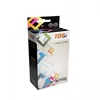
The Compatible TopJet Epson T01D4 XXL Ink Cartridge in Yellow is a high-capacity printing solution engineered to deliver consistent, vibrant color output for your Epson inkjet printer. Designed as a reliable alternative to original supplies, this cartridge ensures that your documents and images maintain professional clarity and sharp detail throughout the entire lifespan of the ink. Its high-yield capacity makes it an efficient choice for users who require frequent printing, helping to reduce the frequency of cartridge replacements and lowering overall printing costs.
Advantages
This ink cartridge offers significant benefits for both home and office environments, primarily through its high-volume capacity which allows for extended printing sessions without interruption. The ink formulation is optimized to work seamlessly with compatible Epson hardware, ensuring that print heads remain clean and functional while producing accurate color reproduction. By choosing this compatible option, users benefit from a cost-effective printing solution that maintains high standards of quality and reliability, making it an excellent choice for budget-conscious printing tasks.
Suitable for
- High-volume document printing in office environments
- Printing colorful charts, graphs, and presentations
- Daily home printing needs including school projects and photos
- Cost-effective printing for small businesses
When it may not be suitable
This cartridge may not be suitable for users who require archival-grade, museum-quality prints that must withstand extreme environmental conditions over many decades. Additionally, it is not intended for use in printer models outside of the specific Epson series for which it was designed.
Key specifications
- Color: Yellow
- Cartridge type: High-yield XXL
- Compatibility: Designed for specific Epson inkjet printers
- Print quality: Sharp text and vibrant color reproduction
How to use
To install the cartridge, open the printer cover and wait for the carriage to move to the replacement position. Remove the empty cartridge by pressing the release tab and pulling it out of the slot. Take the new TopJet cartridge out of its packaging, remove the protective yellow tape or clip as indicated on the housing, and insert it firmly into the corresponding color slot until it clicks into place. Close the printer cover and allow the printer to perform its automatic initialization process before starting your print job.
What to consider before purchase
- Verify your printer model is listed as compatible with the T01D4 series
- Ensure you have the correct color slot available for the yellow cartridge
- Check current ink levels to confirm the need for replacement
Usage recommendations
For optimal print quality and to prevent nozzle clogging, it is recommended to perform at least one print job per week. If the printer is not used for an extended period, run a standard print head cleaning cycle before printing important documents.