{{ totalProductsCount }}

In cart {{totalProductsCount}} item(s)

Total:
{{sum | formatAmount}}

Your cart is empty

header-product TP-Link Archer BE220 Dual-band Wireless Router Wi-Fi 7 Gigabit Ethernet Black
125.99 €

TP-Link Archer BE220 Dual-band Wireless Router Wi-Fi 7 Gigabit Ethernet Black

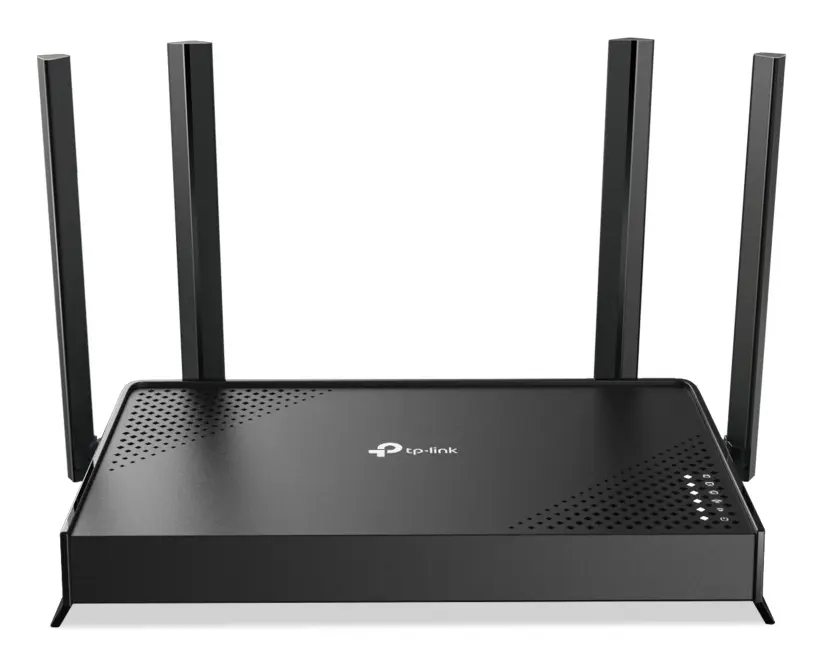
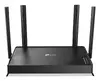
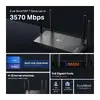
TP-Link Archer BE220 Wireless Router Photo 1
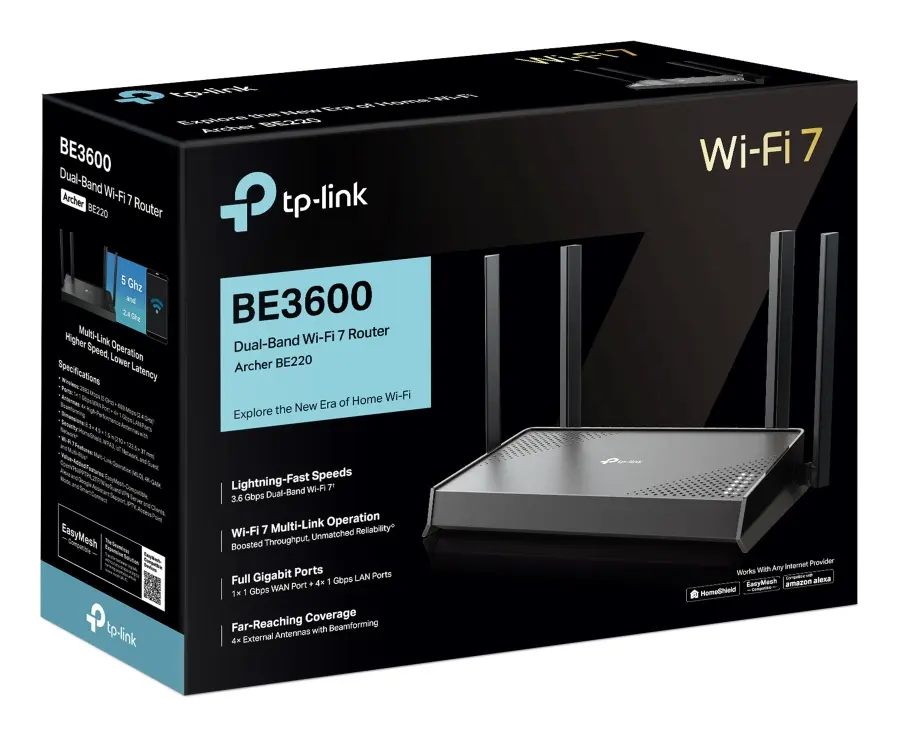
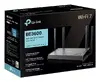
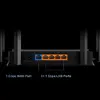
TP-Link Archer BE220 Wireless Router Photo 2
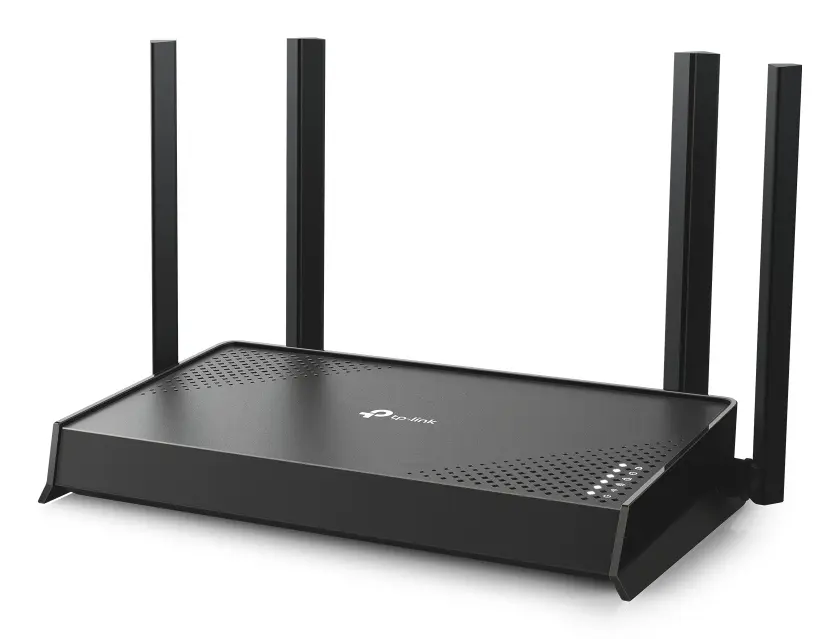
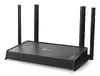
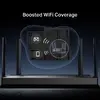
TP-Link Archer BE220 Wireless Router Photo 3
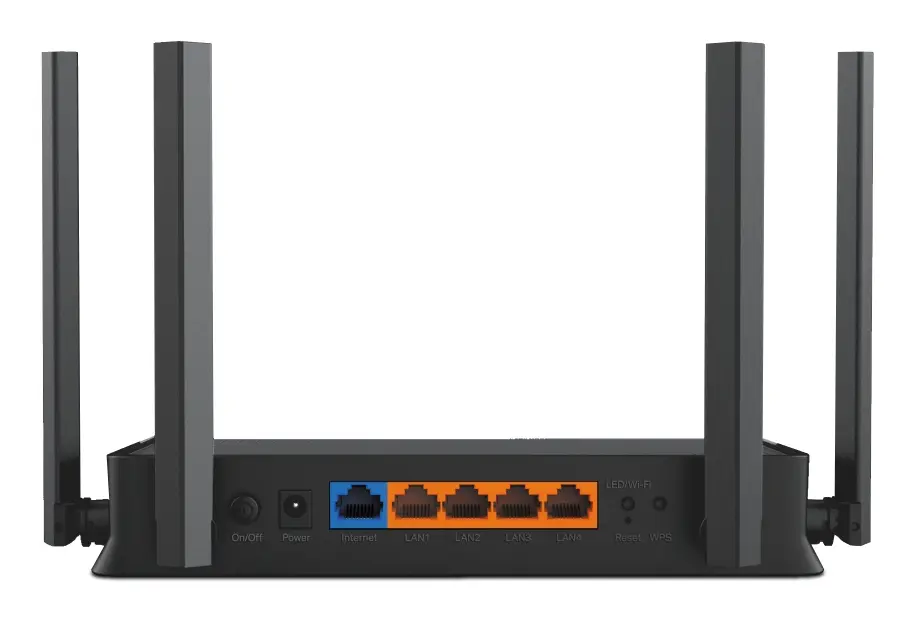
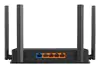
TP-Link Archer BE220 Wireless Router Photo 4
TP-Link Archer BE220 Wireless Router Photo 5
TP-Link Archer BE220 Wireless Router Photo 6
TP-Link Archer BE220 Wireless Router Photo 7
TP-Link Archer BE220 Wireless Router Photo 8
TP-Link Archer BE220 Wireless Router Photo 9
TP-Link Archer BE220 Wireless Router Photo 10
TP-Link Archer BE220 Wireless Router Photo 11
TP-Link Archer BE220 Wireless Router Photo 1
TP-Link Archer BE220 Wireless Router Photo 2
TP-Link Archer BE220 Wireless Router Photo 3
TP-Link Archer BE220 Wireless Router Photo 4
TP-Link Archer BE220 Wireless Router Photo 5
TP-Link Archer BE220 Wireless Router Photo 6
TP-Link Archer BE220 Wireless Router Photo 7
TP-Link Archer BE220 Wireless Router Photo 8
TP-Link Archer BE220 Wireless Router Photo 9
TP-Link Archer BE220 Wireless Router Photo 10
TP-Link Archer BE220 Wireless Router Photo 11

New arrival!

Keep track of price changes You keep track of price changes
Watch the price drop

Leave your address - as soon as the price of the product goes down, you'll know about it right away

You keep track of price changes

TP-Link Archer BE220 Dual-band Wireless Router Wi-Fi 7 Gigabit Ethernet Black

{{email}}
You keep track of price changes

TP-Link Archer BE220 Dual-band Wireless Router Wi-Fi 7 Gigabit Ethernet Black

{{email}}
{{selectedOffer && selectedOffer.price | formatAmount}}

Short description

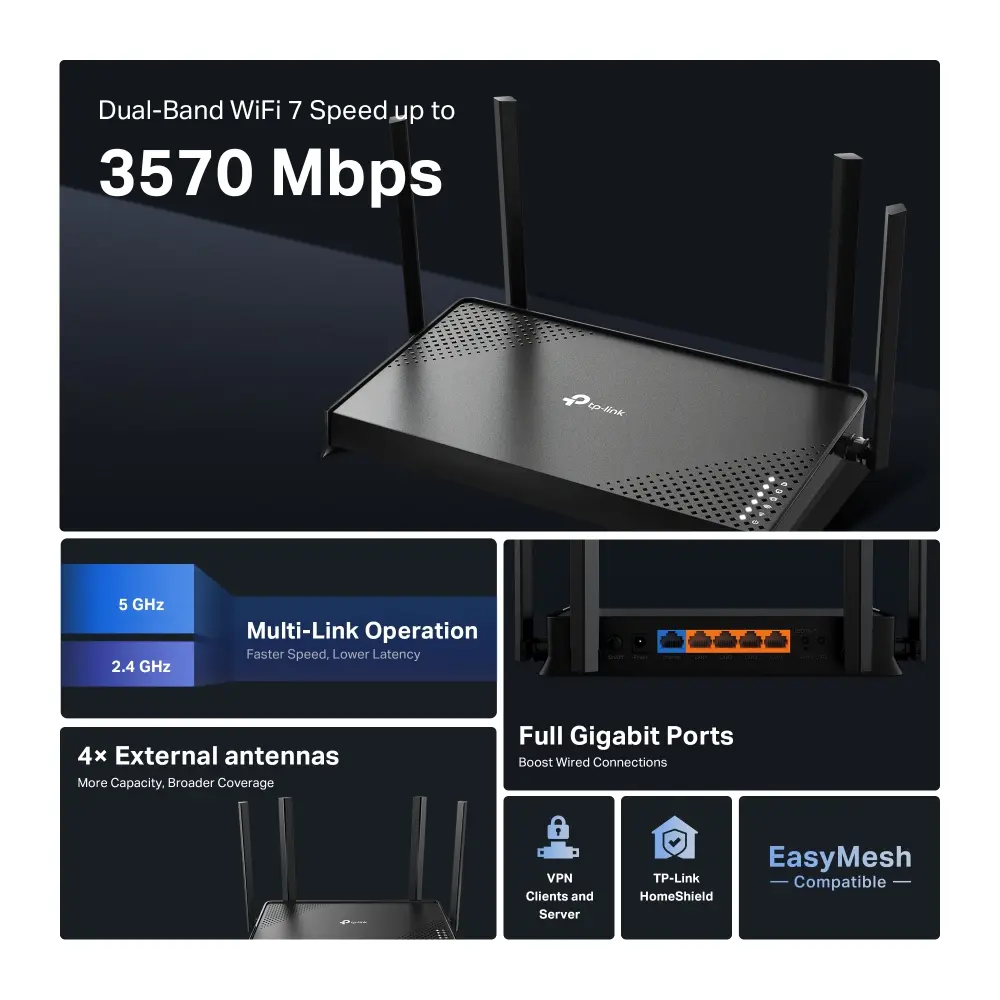
TP-Link Archer BE220 wireless router featuring dual-band Wi-Fi 7 support with speeds up to 2882 Mbit/s, Gigabit Ethernet ports, external antennas, and WPA3 security. Discover this tabletop router for high-speed networking with delivery in Riga, Latvia, and across Europe.
Available at price 125.99 €: 20 pcs.
Total available for order: 40 pcs.
Warranty: 2 Years
SKU: 12756932
Charging device included Charging device included
free shipment

Cheapest delivery:

Unisend LV

Pick-up points

Unisend LV

Cost

1.99 €

Deliver

{{selectedOffer.parcelStationDeliveryString}}

Customer service center
2b. Kengaraga str., Riga, Latvia, LV-1063
24.11.2026 {{selectedOffer.officeDeliveryString}}
free
Courier Delivery Please note that in case of a large parcel additional delivery costs may apply!
27.11.2026 {{selectedOffer.courierDeliveryString}}
From 4.99 € (Weight: 0.85 kg)
Parcel couriers
Unisend LV / Venipak Pickup LV / Venipak Locker LV / DPD Paku skapis / Omniva LV / Latvijas Pasts pakomāts / Latvijas Pasts nodaļa
27.11.2026 {{selectedOffer.parcelStationDeliveryString}}
From 1.99 €
0 credit

Esto — pay in 6 equal parts

today

0 €

afterward

6 mth. × 21 €

overpayment

0 €

All payment Methods:
Bank transfer, Bank cards on-line, Apple Pay, Google Pay, Installment
36 months installment: from 3.50 euros per month
Together cheaper
{{product.price | formatAmount}}
{{product.title}}
{{productBundle.reference.specialPrice | formatAmount}}
{{productBundle.title}}
{{productBundlePreviousPrice | formatAmount}}
{{productBundleSpecialPrice | formatAmount}}

You saving {{productBundleYouSave | formatAmount}}

Product information

Description

The TP-Link Archer BE220 Dual-band Wireless Router Wi-Fi 7 Gigabit Ethernet Black is an advanced networking device designed to bring next-generation connectivity to your home or office. Featuring modern Wi-Fi 7 technology, this tabletop router provides high-speed wireless performance with data rates up to 2882 Mbit/s across dual frequency bands. Built with reliability and speed in mind, it ensures that multiple connected devices can stream, game, and browse simultaneously without experiencing lag or interruptions.

Advantages

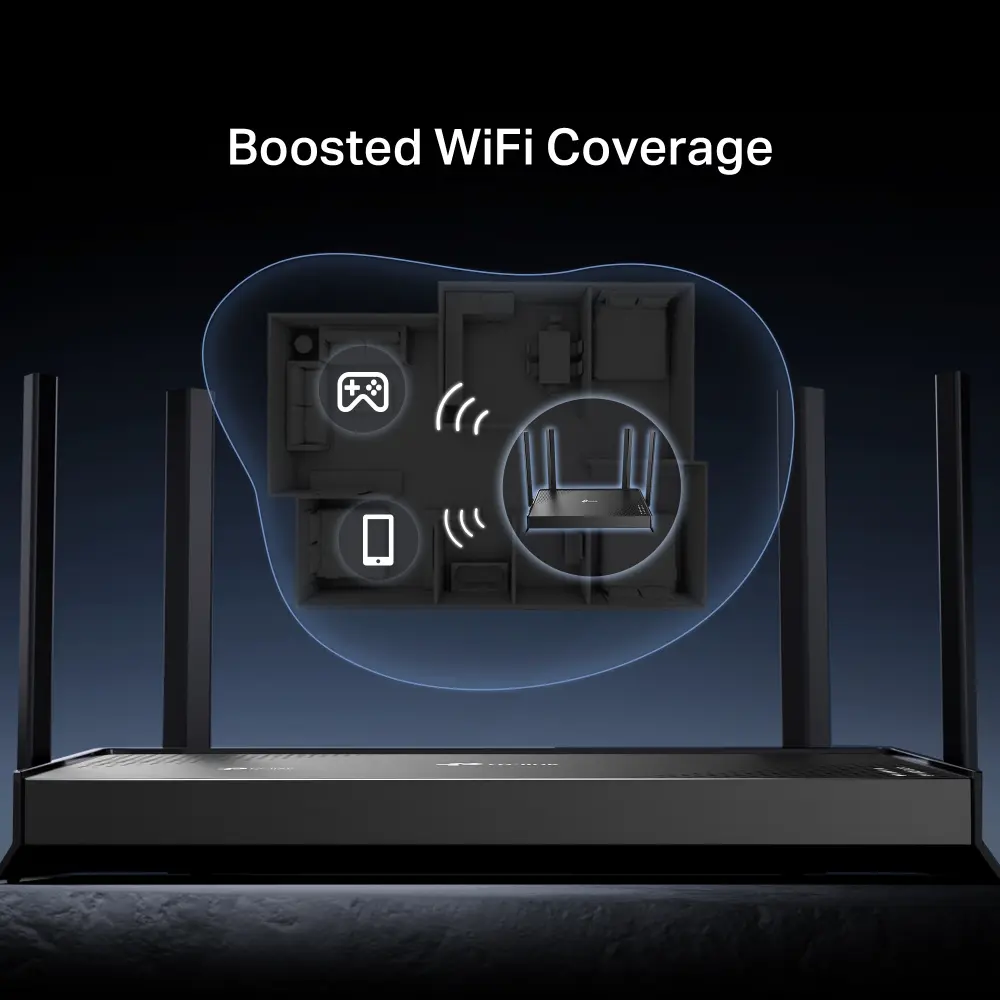
This wireless router leverages the capabilities of Wi-Fi 7 to deliver exceptional network speeds and improved efficiency for modern households. Equipped with external antennas and beamforming technology, it focuses wireless signals directly toward connected devices to reduce interference and extend coverage. The inclusion of Gigabit Ethernet ports allows for fast, stable wired connections for desktop computers, gaming consoles, and smart televisions. Furthermore, its black tabletop design integrates discreetly into any home interior while providing robust security and easy management options.

Suitable for

  • Streaming 4K and 8K video content without buffering
  • Online gaming with low latency and stable connections
  • Connecting multiple smart home devices simultaneously
  • Setting up high-speed wired local networks using Gigabit Ethernet ports

When it may not be suitable

This device may not be the ideal choice for users requiring cellular backup, as it lacks a SIM card slot and 3G/4G USB modem compatibility. Additionally, households or businesses dependent on DSL or specialized fiber lines without a separate RJ-45 modem might need supplementary equipment to establish an internet connection.

Key specifications

  • Dual-band 2.4 GHz and 5 GHz Wi-Fi 7 operation
  • Maximum WLAN data transfer rate up to 2882 Mbit/s
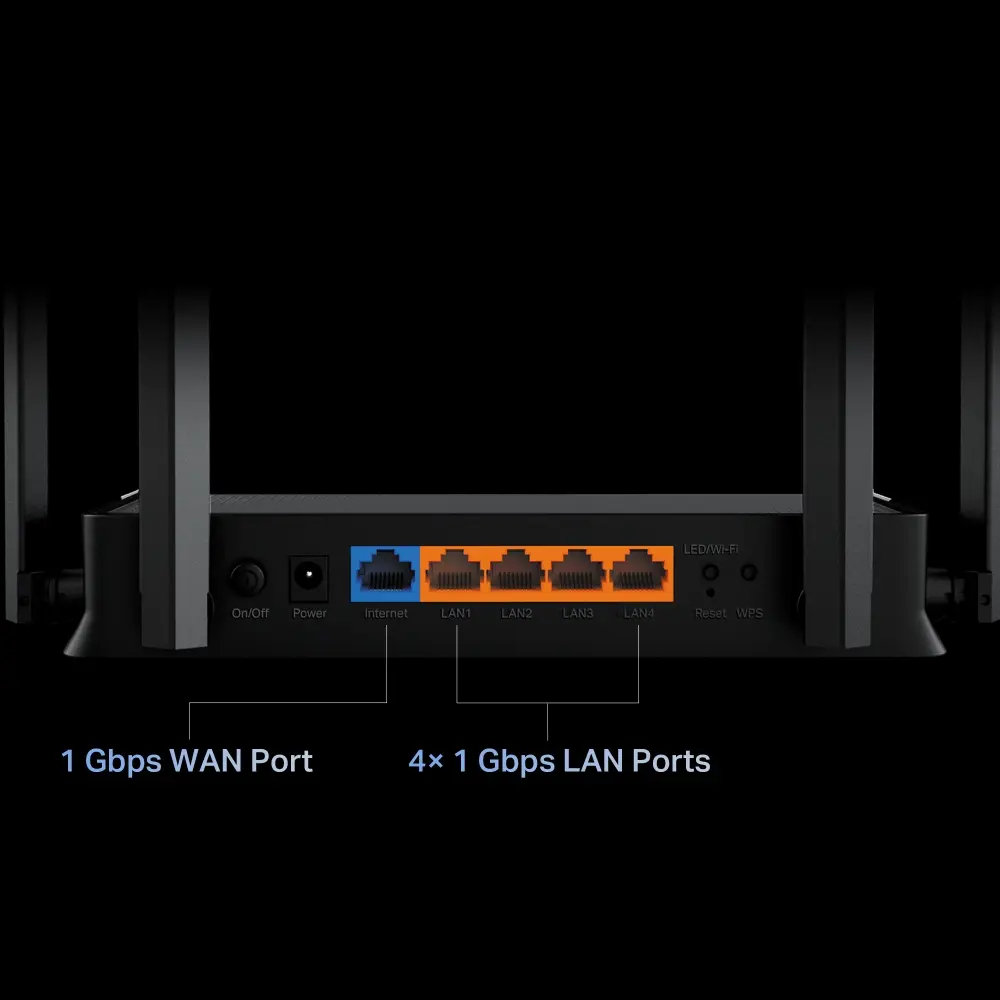
  • Four Gigabit Ethernet LAN ports and one Ethernet WAN port
  • External antenna design with four high-performance antennas
  • AC power source operation
  • WPA3 wireless security support

How to use

To set up the router, connect it to your existing modem using an Ethernet cable plugged into the WAN port, and plug the power adapter into an electrical outlet. Power on the device and use a computer or smartphone to connect to the default Wi-Fi network name printed on the bottom label. Alternatively, you can use the mobile application for guided configuration. Follow the on-screen prompts to set your custom network name and password, secure your connection, and manage connected devices.

What to consider before purchase

  • Verify that your internet service provider utilizes an Ethernet-based RJ-45 connection type
  • Check whether your current client devices support Wi-Fi 7 to take full advantage of maximum speeds
  • Assess your physical space to ensure adequate placement for a tabletop device with external antennas

For optimal network performance, place the TP-Link Archer BE220 in a central location elevated off the floor, away from large metal objects and thick walls that could obstruct wireless signals.

Specifications

Antenna design:
External
USB port: The device features a socket into which a USB cable can be plugged.
No
Ethernet LAN (RJ-45) ports: Number of Ethernet LAN (RJ-45) ports (connecting interfaces) in the device. Ethernet LAN (RJ-45) ports allow a computer to connect to the ethernet.
4
Ethernet LAN interface type: The characteristics of the Ethernet LAN interface.
Gigabit Ethernet
Ethernet LAN: An Ethernet LAN (Local Area Network) interface is present, for a wired conection via a cable.
Yes
WLAN data transfer rate (max):
2882 Mbit/s
Top Wi-Fi standard: Connection of this device is done via Wi-Fi in a high standard.
Wi-Fi 7 (802.11be)
Wi-Fi band: The frequency bands the product features.
Dual-band (2.4 GHz / 5 GHz)
3G/4G USB modem compatibility:
No
SIM card slot: Whether the device features a SIM card slot.
No
DSL WAN: Whether or not the product features a DSL WAN (Wide Area Network) connection option.
No
Product colour: The colour e.g. red, blue, green, black, white.
Black
Power source type: What the power source is.
AC
All features

System requirements

Mac compatibility: Product can be used with Apple Mac software and/or hardware.
Yes
Browser supported: List of supported browsers for this product.
Microsoft Edge, Firefox, Chrome, Safari, or other JavaScript-enabled browser

Operational conditions

Operating relative humidity (H-H):
10 - 90
Operating temperature (T-T): The minimum and maximum temperatures at which the product can be safely operated.
0 - 40

Features

Firmware upgradeable:
Yes
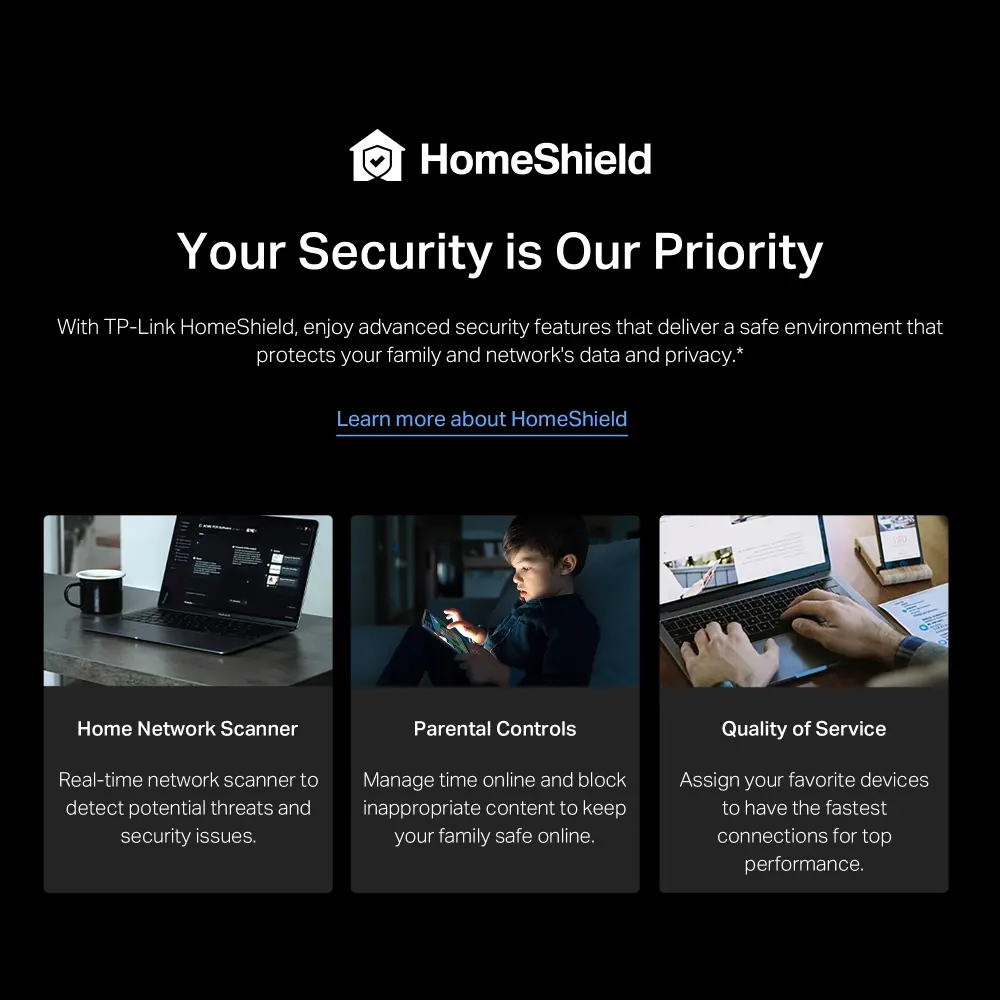
Parental control:
Yes
Universal Plug and Play (UPnP):
Yes
Firewall security: Part of a computer system or network which is designed to block unauthorized access while permitting outward communication.
SPI Firewall
Port forwarding:
Yes
Quality of Service (QoS) support:
Yes

Antenna

Receive power:
97
Antenna type: Type of antenna, also known an aerial, e.g. external, internal.
2x2
Antenna design:
External

Packaging content

Quick installation guide:
Yes
Cables included:
LAN (RJ-45)
AC adapter included:
Yes

Certificates

Compliance certificates: Indicates which regulatory, safety, and environmental standards the product complies with, as verified by recognized authorities or certification bodies.
RoHS, CE, Federal Communications Commission (FCC)

Design

On/off switch: The button which is pressed to switch the device on or off.
Yes
Reset button:
Yes
Transmit power:
30
Antennas quantity:
4
Product type: The sub-category of the product.
Tabletop router
Product colour: The colour e.g. red, blue, green, black, white.
Black

Security

DMZ support:
Yes
Access Control List (ACL):
Yes
Firewall:
Yes

Management features

MU-MIMO technology:
Yes
WPS push button:
Yes

Ports & interfaces

Ethernet WAN:
Yes
USB port: The device features a socket into which a USB cable can be plugged.
No
Ethernet LAN (RJ-45) ports: Number of Ethernet LAN (RJ-45) ports (connecting interfaces) in the device. Ethernet LAN (RJ-45) ports allow a computer to connect to the ethernet.
4

Network

VPN server:
: OpenVPN, PPTP, L2TP, Wireguard VPN Server
Port triggering:
Yes
Ethernet LAN interface type: The characteristics of the Ethernet LAN interface.
Gigabit Ethernet
Ethernet LAN: An Ethernet LAN (Local Area Network) interface is present, for a wired conection via a cable.
Yes

Wireless LAN features

Dynamic DNS (DDNS):
Yes
Number of guest networks (2.4 GHz):
1
Security algorithms: Security algorithms are used to provide authentication, cipher key generation, integrity and radio link privacy to users on mobile networks. The security algorithms supported are the ones that can be used with this product.
WPA3, WPA2, WPA
Number of guest networks (5 GHz):
1
Modulation: Modulation is the process of varying one or more properties of a periodic waveform, called the carrier signal (High Frequency Signal), with a modulating signal which typically contains information to be transmitted. The aim of digital modulation is to transfer a digital bit stream over an analog bandpass channel, for example over the public switched telephone network (where a bandpass filter limits the frequency range to between 300 and 3400 Hz), or over a limited radio frequency band. The aim of analog modulation is to transfer an analog baseband (or lowpass) signal, for example an audio signal or TV signal, over an analog bandpass channel at a different frequency, for example over a limited radio frequency band or a cable TV network channel.
OFDMA
WLAN data transfer rate (second band):
2882 Mbit/s
WLAN data transfer rate (first band):
688 Mbit/s
WLAN data transfer rate (max):
2882 Mbit/s
Wi-Fi standards: The type of wireless local area network (LAN). It can be ad-hoc, where units in a network communicate peer-to-peer, or Infrastructure, where units communicate with each other via an access point A LAN interconnects computers in a small area e.g. home, school or office.
Wi-Fi 6E (802.11ax), 802.11a, 802.11b, 802.11g, Wi-Fi 4 (802.11n), Wi-Fi 5 (802.11ac), Wi-Fi 6 (802.11ax), Wi-Fi 7 (802.11be)
Top Wi-Fi standard: Connection of this device is done via Wi-Fi in a high standard.
Wi-Fi 7 (802.11be)
Wi-Fi band: The frequency bands the product features.
Dual-band (2.4 GHz / 5 GHz)

Weight & dimensions

Height: The measurement of the product from head to foot or from base to top.
37 mm
Depth: The distance from the front to the back of something.
123.5 mm
Width: The measurement or extent of something from side to side.
210 mm

WAN connection

WAN connection type:
RJ-45
3G/4G USB modem compatibility:
No
SIM card slot: Whether the device features a SIM card slot.
No
DSL WAN: Whether or not the product features a DSL WAN (Wide Area Network) connection option.
No

Power

Output voltage:
12
Power source type: What the power source is.
AC

Similar products

{{product.title}}
Show details Hide details

{{highlightedFeature.featureTitle}}:

{{getProductFeatureValueById(product, highlightedFeature.featureId)}}

{{product.price | formatAmount}}

Product comparison

The TP-Link Archer BE220 wireless router is compared against several alternative TP-Link devices, including models featuring Wi-Fi 7, Wi-Fi 5, and mobile SIM card connectivity. All compared products share dual-band Wi-Fi and wired Ethernet capabilities, but they differ significantly in maximum wireless speeds, network interface types, presence of USB ports and SIM card slots, and Wi-Fi standards.

⚙️ The table below compares the key specifications of the models: Wi-Fi standard, maximum wireless data transfer rate, Ethernet port type, USB and SIM card support, and their practical significance.

SpecificationTP-Link Archer BE220TP-Link Archer GE230TP-Link Archer MR500TP-Link BE3600TP-Link Archer AX73TP-Link Archer Air R5Practical significance
Wi-Fi standardWi-Fi 7Wi-Fi 7Wi-Fi 5Wi-Fi 7Wi-Fi 6Wi-Fi 6Newer Wi-Fi standards offer higher data speeds and improved network efficiency for multiple connected wireless clients compared to older standards.
Maximum Wi-Fi speed2882 Mbit/s3570 Mbit/s867 Mbit/s2882 Mbit/s5400 Mbit/s2976 Mbit/sHigher wireless speeds are essential for smooth large file transfers and high-definition video streaming.
Ethernet ports4 x Gigabit Ethernet5 x 2.5 Gigabit4 x Gigabit Ethernet1 x 2.5 Gigabit4 x Gigabit Ethernet1 x Gigabit Ethernet2.5 Gigabit Ethernet interfaces deliver maximum wired connection speeds for compatible high-performance PCs and network storage.
USB and SIM cardNo USB / No SIMUSB included / No SIMNo USB / SIM slot includedUSB included / No SIMUSB included / No SIMUSB included / No SIMA SIM card slot enables mobile internet usage as a primary or backup connection, while a USB port expands peripheral sharing options.

◎ The table below evaluates which products are most suitable for different user needs and usage scenarios.

Use caseRecommended productWhy
Standard home internet with Wi-Fi 7TP-Link Archer BE220Offers modern Wi-Fi 7 technology and standard gigabit wired ports for typical home broadband setups without paying extra for specialized features.
Gaming and maximum wired network speedTP-Link Archer GE230Features 2.5 Gigabit Ethernet ports and increased wireless bandwidth for heavy network loads and demanding multi-user environments.
Mobile internet usage without wired broadbandTP-Link Archer MR500Equipped with a built-in SIM card slot, making it the right choice for remote locations or areas lacking fixed-line internet access.
Wired device connection with Wi-Fi 7TP-Link BE3600Combines next-generation Wi-Fi 7 performance and a 2.5 Gigabit wired interface with a streamlined port configuration.
Maximum Wi-Fi 6 wireless speedTP-Link Archer AX73Delivers high speeds up to 5400 Mbit/s using Wi-Fi 6, suitable for larger households with numerous active wireless devices.
Compact placement in modern interiorsTP-Link Archer Air R5Features a slim enclosure with internal antennas and USB power delivery, designed to blend seamlessly into home living spaces.
The TP-Link Archer BE220 router stands out for offering a balanced combination of advanced Wi-Fi 7 technology and reliable gigabit wired connectivity. It is best suited for users who need a fast, modern wireless network for everyday tasks and streaming without paying extra for dedicated gaming interfaces or SIM card slots found in alternative models.
Might be useful
{{product.manufacturerName}}
{{product.categoryName}}
{{product.title}}
{{product.specialPrice}}
{{product.price}}
Stock data
Warehouse Stock Delivery to the store Store Price
WH94 20 24.11.2026 Best delivery
125.99 € Best price
EU3 20 24.11.2026 Best delivery
New
127.49 €
125.99 €
Stock: 20
Delivery Date: 24.11.2026 Best delivery
Warehouse: WH94
New
127.49 €
Stock: 20
Delivery Date: 24.11.2026 Best delivery
Warehouse: EU3

Customer reviews

Customer questions

FAQ

How much does the TP-Link Archer BE220 Wireless Router cost, and is it available for purchase?

The price is 125.99 € (valid at the time of publication and already includes all taxes). The item is available for order — 40 pcs. are in stock, and you can place your purchase right now with delivery across Latvia and Europe or choose pickup at the Riga collection point. We offer favorable purchase terms, including the option to split the payment into convenient monthly installments. Availability and price are updated in real time, so we recommend placing your order in advance.

If I order this product today, when will I receive my order?

If you place your order today, delivery will be as fast and convenient as possible. You will be able to pick up your order on 24.11.2026 at the Riga pickup point or choose delivery across Latvia and Europe. We carefully inspect every purchase and pack it securely for safe transportation.

What payment options are available?

AiO.lv offers several payment methods: Bank transfer, Bank cards on-line, Apple Pay, Google Pay, Installment. All transactions are 100% secure and encrypted.

Can TP-Link Archer BE220 Wireless Router be purchased with a lease?

Yes, the purchase is available both on credit and with an interest-free installment plan. We work with leading banks and leasing companies in Latvia, allowing you to make your purchase on convenient terms — with a minimal down payment and a repayment period from 3 to 36 months. You can apply for credit or installments for the TP-Link Archer BE220 Wireless Router online, and the application process is as simple as possible:
  • Select the product on the website and add it to your cart;
  • When placing your order, choose the payment method “Installments”;
  • Fill in the required details for the lending partner;
  • Receive a decision within a few minutes.
For more information about available payment options, interest-free installment terms, and credit conditions in Latvia, please visit the Payment page.

Can this product be purchased for a company (with VAT)?

Yes. AiO.lv works with legal entities in Latvia and across Europe. The product price already includes VAT. For certain product categories, as well as for companies from other EU countries with a valid VAT number, a 0% VAT rate may apply. We issue the invoice immediately after the order is placed, support electronic BIS invoices, and automatically generate all necessary accounting documents. You can complete the purchase for a company online — simply select the company profile and choose bank transfer as the payment method during checkout.

What is the warranty period?

All TP-LINK products come with an official 2 Years warranty. It covers all manufacturing defects and malfunctions that may occur during use. The warranty is valid at all authorized TP-LINK service centers and through AiO.lv

Can the product be returned after purchase?

Yes, you can return the product within 14 days of purchase if you bought it as a consumer (not a legal entity). Returns are possible without giving any reason — the main condition is that the product retains its original appearance and full set of accessories. We will make the process as simple and convenient as possible: just contact our customer support team, and we will help you arrange the return.

Where should I contact for warranty service?

For warranty-related questions you can contact the AiO.lv (SIA VSPRO) customer support team. We will assist with consultation, warranty claim processing, and coordination with certified service centers.

How can I tell if this product suits my needs?

When making a choice, we recommend paying attention to the key features: antenna design, usb port, ethernet lan (rj-45) ports, ethernet lan interface type, ethernet lan, wlan data transfer rate (max), top wi-fi standard, wi-fi band, 3g/4g usb modem compatibility, sim card slot, dsl wan, product colour, power source type, compatibility with your devices or usage conditions, material quality, functionality, and warranty terms. These characteristics will help you determine how well the model meets your needs.

Where can I download the instructions for TP-Link Archer BE220 Wireless Router?

You can download the instructions in PDF format from the “Instructions” section on the product description page. The file contains complete information about installation, setup, and usage.
warranty
14-Day Return Policy
We are confident in our quality, but if the purchase doesn’t fit — you have 14 days to return the product with peace of mind.
shipping
Fast Delivery
Get your orders as quickly as possible — right to your door, parcel lockers, or pickup points across Latvia and the EU.
payment
Secure Payment
Pay the way you prefer: cash, VISA, MasterCard, Apple Pay, Google Pay, bank transfer, or 0% installment plan.
warranty
Quality Since 2008
AiO.lv has been on the market for over 18 years and has earned trust — with more than 6000 genuine positive reviews on Google.