Leave your address - as soon as the price of the product goes down, you'll know about it right away
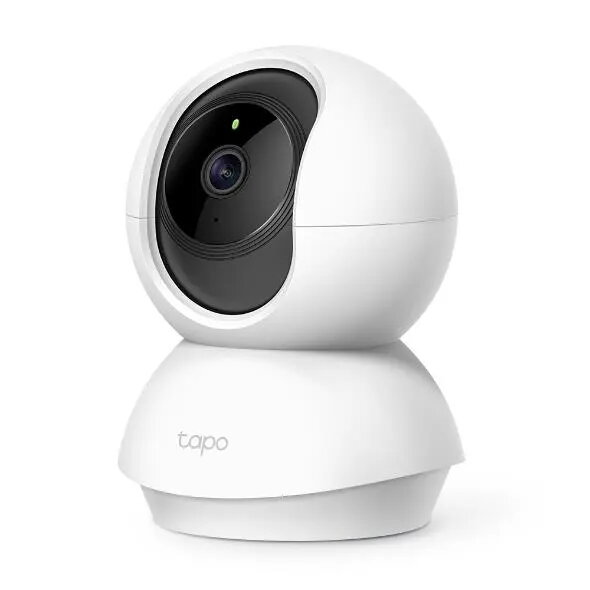
TP-Link Tapo C210 WiFi Surveillance Camera, 3 MP, 360-degree Pan and Tilt
In cart {{totalProductsCount}} item(s)
Your cart is empty
TP-Link Tapo C210 WiFi Surveillance Camera, 3 MP, 360-degree Pan and Tilt
Leave your address - as soon as the price of the product goes down, you'll know about it right away
TP-Link Tapo C210 WiFi Surveillance Camera, 3 MP, 360-degree Pan and Tilt
The TP-Link Tapo C210 is a high-definition 3 MP WiFi surveillance camera engineered for comprehensive indoor monitoring. With its advanced pan and tilt functionality, this device offers a 360-degree horizontal view, effectively eliminating blind spots in any room. It integrates seamlessly into your home or office network, providing reliable real-time video streaming and remote access through the dedicated mobile application.
This camera provides exceptional clarity with its 3 MP resolution, ensuring that fine details are captured accurately. The motorized pan and tilt mechanism allows users to adjust the camera angle remotely, offering complete coverage of the monitored area. Additionally, the integrated night vision technology ensures clear visibility even in total darkness, while the motion detection system provides instant notifications to your smartphone, keeping you informed of any activity in real-time.
This camera is designed specifically for indoor use and is not weather-resistant, meaning it should not be installed outdoors or in environments with high humidity or extreme temperature fluctuations. It also requires a stable WiFi connection to function correctly, so it may not be suitable for locations with poor wireless signal coverage.
To set up the TP-Link Tapo C210, connect the device to a power source and download the Tapo application on your smartphone. Follow the in-app instructions to connect the camera to your local WiFi network. Once configured, you can mount the camera on a flat surface or use the included mounting hardware to attach it to a ceiling or wall. The application allows you to customize motion detection zones, set recording schedules, and view live feeds from anywhere.
For optimal performance, place the camera in a central location to maximize the pan and tilt coverage. Regularly check the application for firmware updates to ensure the device remains secure and functions with the latest features.
{{highlightedFeature.featureTitle}}:
{{getProductFeatureValueById(product, highlightedFeature.featureId)}}