Leave your address - as soon as the price of the product goes down, you'll know about it right away
Network Adapter TP-Link TF-3239DL 10/100Mbps PCI
In cart {{totalProductsCount}} item(s)
Your cart is empty
Network Adapter TP-Link TF-3239DL 10/100Mbps PCI
Leave your address - as soon as the price of the product goes down, you'll know about it right away
Network Adapter TP-Link TF-3239DL 10/100Mbps PCI
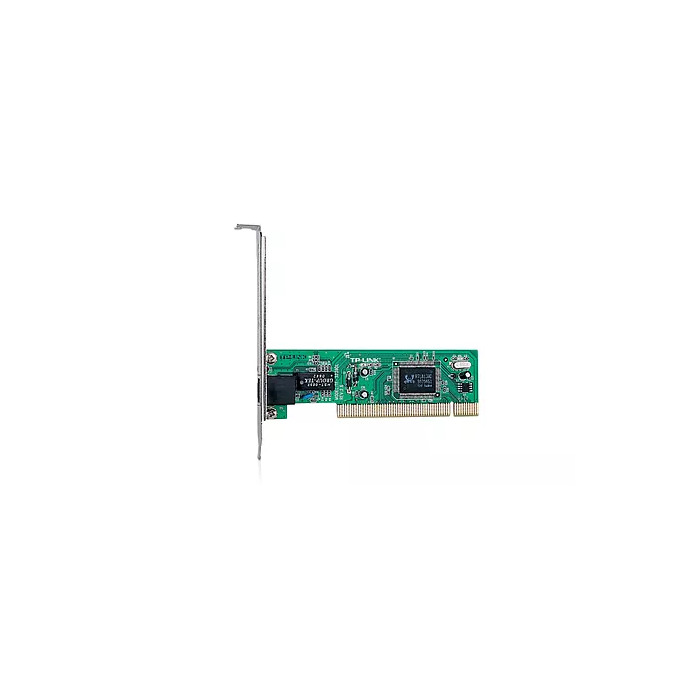
The TP-LINK TF-3239DL Fast Ethernet Adapter is a wired 10/100Mbps PCI network adapter that adds Ethernet connectivity to desktop computers. It supports IEEE 802.3, IEEE 802.3u and IEEE 802.3x standards and provides a PCI bus interface for 32-bit performance. The adapter supports both 10 Mbps and 100 Mbps speeds and works in Half-Duplex and Full-Duplex modes with Auto-Negotiation to detect the network speed.
The TF-3239DL offers a cost-effective way to upgrade a computer from 10 Mbps to 100 Mbps wired networks while maintaining compatibility with a wide range of operating systems. It includes IEEE 802.3x flow control for improved performance in Full-Duplex mode, one LED for link/activity status, and diagnostic software to assist with installation and troubleshooting. The compact PCI form factor ensures simple integration into standard desktop systems.
Power off the computer and open the case. Insert the TF-3239DL adapter into an available 32-bit PCI slot and secure it with the mounting screw. Close the case and power on the computer. Install the appropriate driver for your operating system if it is not automatically detected. Connect an Ethernet cable from the adapter’s RJ-45 port to a switch, router or modem. The adapter will negotiate link speed and duplex automatically.
For best performance, connect the adapter to switch ports that support 100 Mbps and enable Full-Duplex where possible. Keep drivers up to date and use CAT5e or better cabling for reliable 100 Mbps operation.
{{highlightedFeature.featureTitle}}:
{{getProductFeatureValueById(product, highlightedFeature.featureId)}}