
{{ totalProductsCount }}

In cart {{totalProductsCount}} item(s)

Total:
{{sum | formatAmount}}

Your cart is empty

header-product Wireless Adapter TP-Link TL-WN822N
13.99 €

Wireless Adapter TP-Link TL-WN822N

Fast shipping
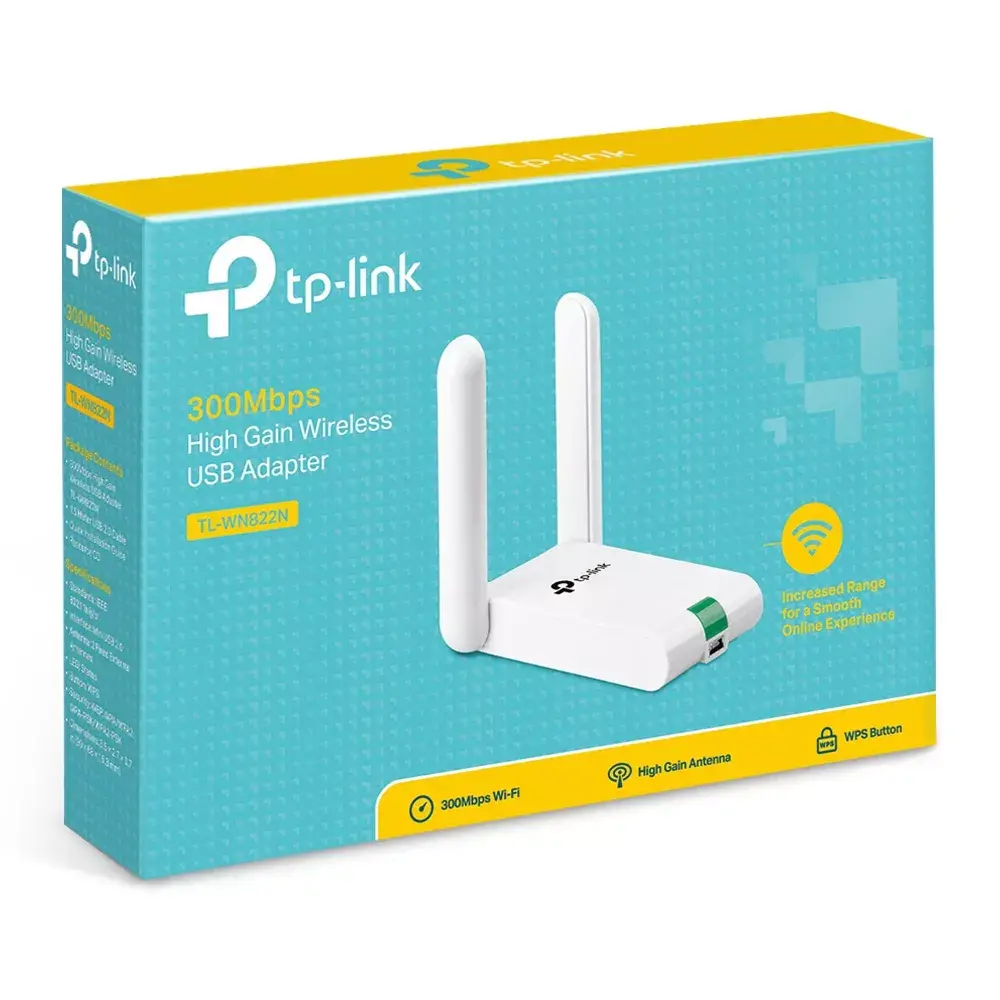
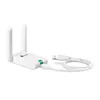
Wireless Adapter TP-Link TL-WN822N Photo 1
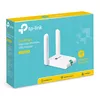
Wireless Adapter TP-Link TL-WN822N Photo 2
Wireless Adapter TP-Link TL-WN822N Photo 3
Wireless Adapter TP-Link TL-WN822N Photo 4
Wireless Adapter TP-Link TL-WN822N Photo 5
Wireless Adapter TP-Link TL-WN822N Photo 1
Wireless Adapter TP-Link TL-WN822N Photo 2
Wireless Adapter TP-Link TL-WN822N Photo 3
Wireless Adapter TP-Link TL-WN822N Photo 4
Wireless Adapter TP-Link TL-WN822N Photo 5
Keep track of price changes You keep track of price changes
Watch the price drop

Leave your address - as soon as the price of the product goes down, you'll know about it right away

You keep track of price changes

Wireless Adapter TP-Link TL-WN822N

{{email}}
You keep track of price changes

Wireless Adapter TP-Link TL-WN822N

{{email}}
{{selectedOffer && selectedOffer.price | formatAmount}}

Short description

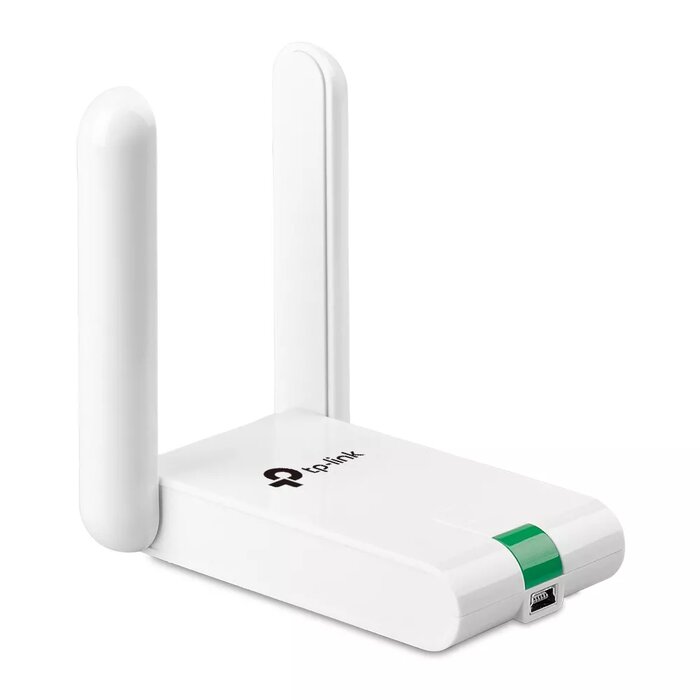
The TP-Link TL-WN822N is a wireless adapter with a maximum data transfer rate of 300 Mbit/s. It supports Wi-Fi 4 (802.11n) on the 2.4 GHz band and features a Mini-USB host interface. With its dual omni antennas, it ensures a stable connection and improved signal strength. The compact white design makes it easy to carry and use on the go.

Available at price 13.99 €: 1 pcs.
Total available for order: 34 pcs.
Warranty: 2 Years
SKU: 19925
free shipment

Cheapest delivery:

Unisend LV

Pick-up points

Unisend LV

Cost

1.99 €

Deliver

{{selectedOffer.parcelStationDeliveryString}}

Customer service center
2b. Kengaraga str., Riga, Latvia, LV-1063
Monday {{selectedOffer.officeDeliveryString}}
free
Courier Delivery Please note that in case of a large parcel additional delivery costs may apply!
22.10.2026 {{selectedOffer.courierDeliveryString}}
From 4.99 € (Weight: 0.21 kg)
Parcel couriers
Unisend LV / Venipak Pickup LV / Venipak Locker LV / DPD Paku skapis / Omniva LV / Latvijas Pasts pakomāts / Latvijas Pasts nodaļa
22.10.2026 {{selectedOffer.parcelStationDeliveryString}}
From 1.99 €
payment
Payment Methods:
Cash payment, Bank transfer, Bank cards on-line, Apple Pay, Google Pay
Together cheaper
{{product.price | formatAmount}}
{{product.title}}
{{productBundle.reference.specialPrice | formatAmount}}
{{productBundle.title}}
{{productBundlePreviousPrice | formatAmount}}
{{productBundleSpecialPrice | formatAmount}}

You saving {{productBundleYouSave | formatAmount}}

Product information

Description

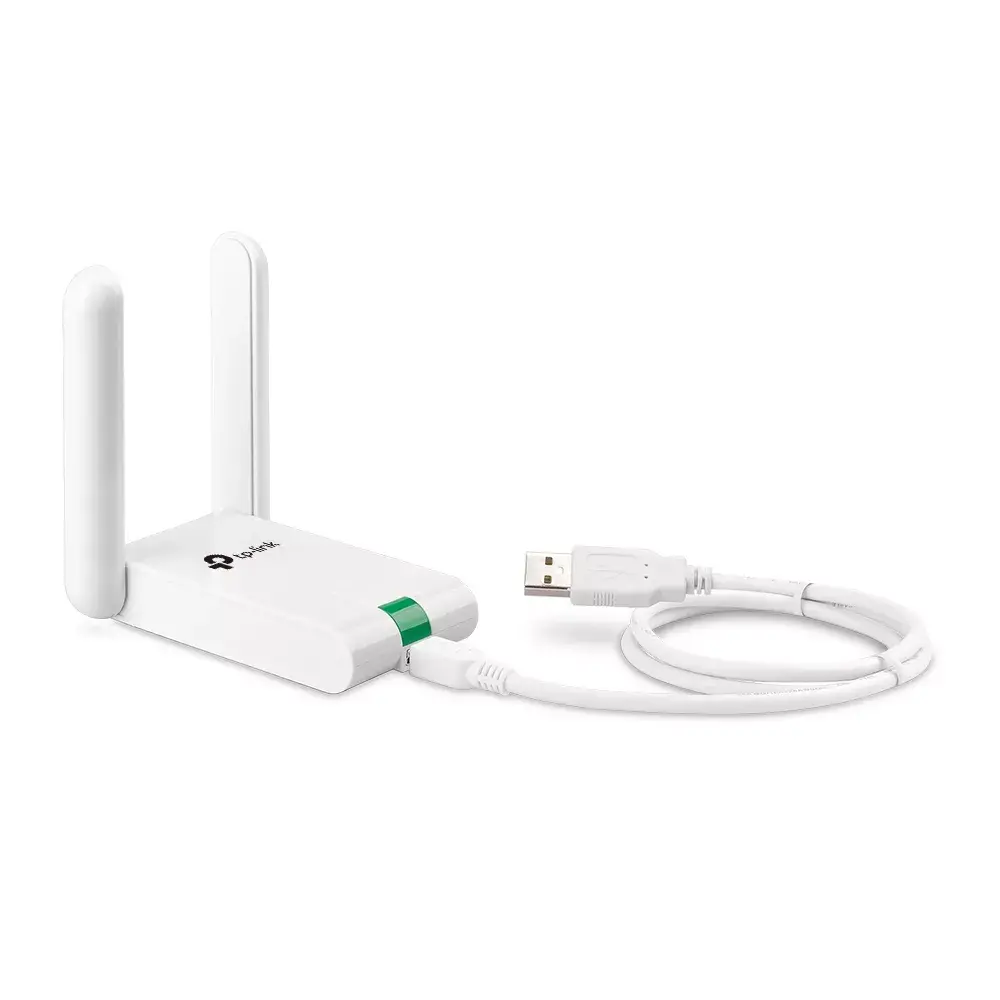
The TP-Link TL-WN822N is a 300Mbps wireless USB adapter that connects computers to 2.4 GHz Wi‑Fi networks using IEEE 802.11b/g/n standards. Featuring dual high-gain external omni antennas and a compact white desktop-style body with a 1.5 m USB extension cable, it is designed to improve signal reception and provide a stable wireless connection for laptops and desktops via a Mini-USB host interface.

Advantages

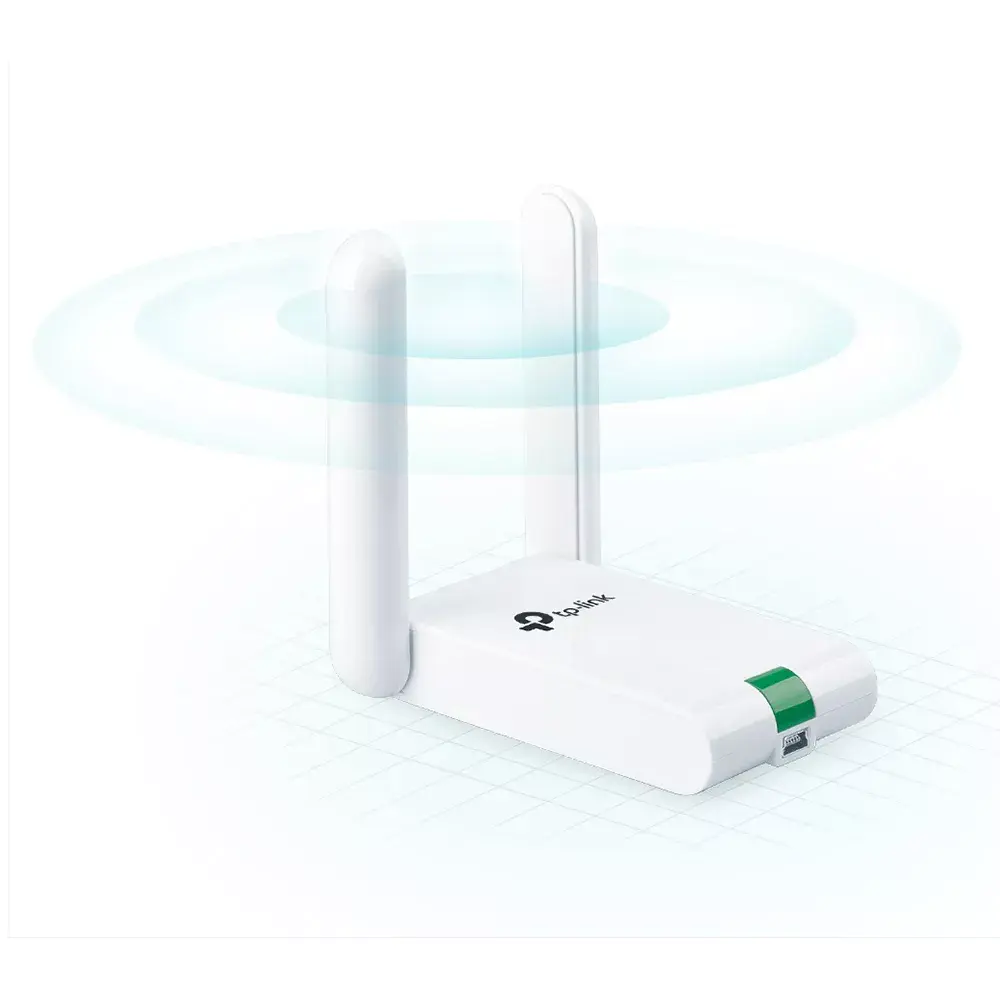
Dual high-gain external antennas enhance transmission and reception to extend Wi‑Fi coverage and improve signal stability. The included 1.5 m USB extension cable and desktop-style form factor make positioning for optimal reception easier. A WPS button enables quick wireless security setup, and broad OS support covers Windows, macOS and Linux for wide compatibility.

Suitable for

  • Adding wireless connectivity to a desktop or laptop without built-in Wi‑Fi
  • Improving signal reception in rooms with weak coverage or where the router is on a different floor
  • Basic web browsing, email, and streaming on 2.4 GHz networks

Key specifications

  • Maximum data transfer rate: 300 Mbit/s
  • Wireless standards: IEEE 802.11b/g/n (Wi‑Fi 4), 2.4 GHz band
  • Antennas: Dual high‑gain external omni antennas
  • Interface: Mini‑USB host; includes 1.5 m USB extension cable
  • Product colour: White
  • Operating systems supported: Windows, macOS, Linux

How to use

Connect the adapter to the computer using the Mini‑USB connection and, if needed, attach the 1.5 m extension cable to position the adapter for better reception. Install drivers and the setup utility supplied on the CD or download the latest drivers from the TP‑Link support site. Use the WPS button on the adapter and your router to quickly establish a secured connection, or configure wireless settings manually through the provided setup interface.

Usage recommendations

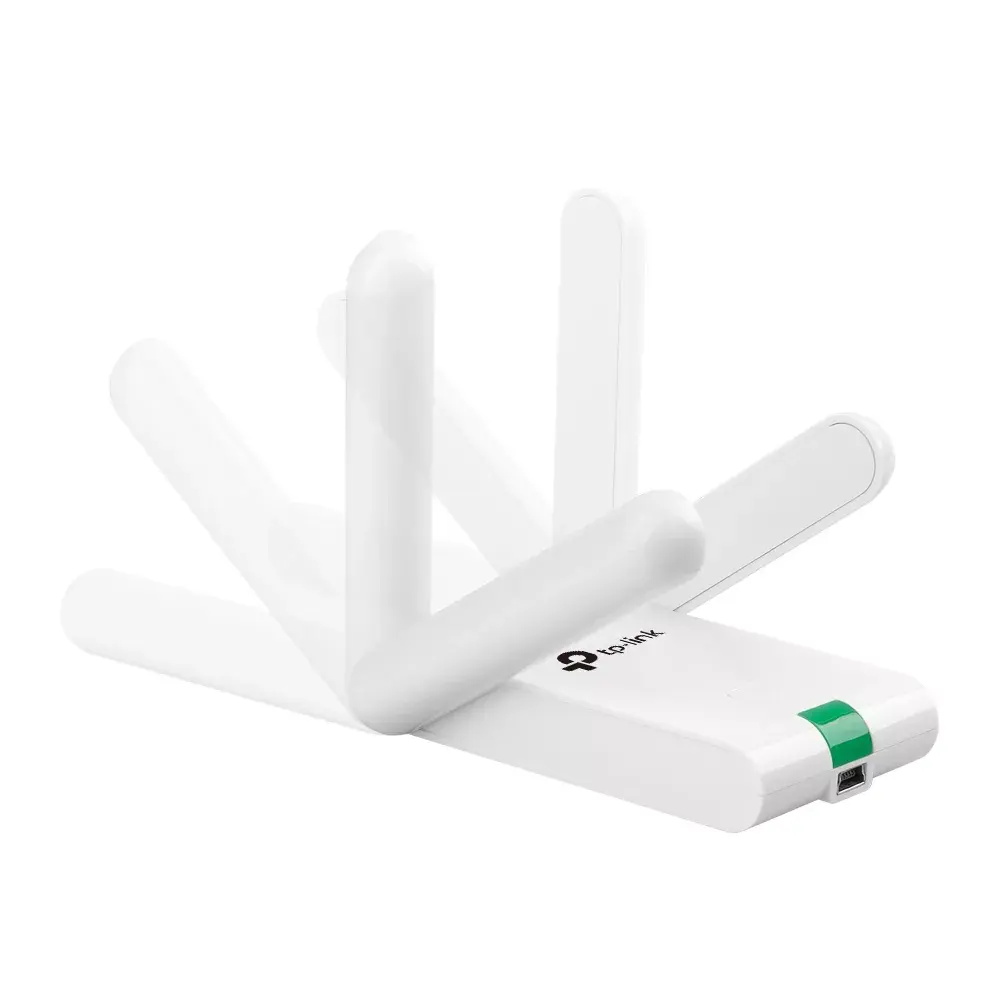
Place the adapter and its extension cable in a higher or unobstructed location and orient the external antennas vertically for best reception. For stable throughput, use on the 2.4 GHz network for typical internet tasks; consider wired or dual‑band solutions for high‑bandwidth applications.

Specifications

Connectivity technology: The technology that enables connectivity of the device, e.g. wired or wireless.
Wireless
Interface: Interface ports to connect pieces of equipment. USB (Universal Serial Bus) has become the most popular wired interface to connect peripherals. USB 2.0 supports speeds up to 480 Mbit/s (USB 1: 12 Mbit/s). The interface FireWire is also known as the IEEE 1394 standard. Enhanced IDE (EIDE)is sometimes referred to as Fast ATA, Fast IDE or ATA-2.
WLAN
Host interface: Interface that enables a host controller to communicate with a driver.
Mini-USB
Maximum data transfer rate: The maximum speed with which data can be transmitted from one device to another.
300 Mbit/s
Networking standards: The way in which the network is working, e.g. IEEE 802.11a, IEEE 802.11b, IEEE 802.11g.
IEEE 802.11b, IEEE 802.11g, IEEE 802.11n
Product colour: The colour e.g. red, blue, green, black, white.
White
All features
Wi-Fi standards: The type of wireless local area network (LAN). It can be ad-hoc, where units in a network communicate peer-to-peer, or Infrastructure, where units communicate with each other via an access point A LAN interconnects computers in a small area e.g. home, school or office.
802.11b, 802.11g, Wi-Fi 4 (802.11n)
Antenna gain level (max): Antenna gain is the measurement of an antenna's ability to amplify the incoming microwave signals in a particular direction, compared with the sensitivity of an isotropic antenna in any direction, or a dipole antenna in the equatorial direction.
3 dBi
Resource CD:
Yes
Harmonized System (HS) code:
85176990
Antenna direction type:
Omni-directional
Antenna design:
External

Ports & interfaces

Connectivity technology: The technology that enables connectivity of the device, e.g. wired or wireless.
Wireless
Interface: Interface ports to connect pieces of equipment. USB (Universal Serial Bus) has become the most popular wired interface to connect peripherals. USB 2.0 supports speeds up to 480 Mbit/s (USB 1: 12 Mbit/s). The interface FireWire is also known as the IEEE 1394 standard. Enhanced IDE (EIDE)is sometimes referred to as Fast ATA, Fast IDE or ATA-2.
WLAN
Host interface: Interface that enables a host controller to communicate with a driver.
Mini-USB
Internal: The product is built in.
No
USB version: Universal Serial Bus (USB) is an industry standard developed in the mid-1990s that defines the interface used for connection, communication and power supply between computers and electronic devices. Every new version - for example 1.1, 2.0, 3.0 - is much faster than the previous one.
2.0
USB ports quantity:
1

Bandwidth

Maximum data transfer rate: The maximum speed with which data can be transmitted from one device to another.
300 Mbit/s

Network

Networking standards: The way in which the network is working, e.g. IEEE 802.11a, IEEE 802.11b, IEEE 802.11g.
IEEE 802.11b, IEEE 802.11g, IEEE 802.11n
Modulation: Modulation is the process of varying one or more properties of a periodic waveform, called the carrier signal (High Frequency Signal), with a modulating signal which typically contains information to be transmitted. The aim of digital modulation is to transfer a digital bit stream over an analog bandpass channel, for example over the public switched telephone network (where a bandpass filter limits the frequency range to between 300 and 3400 Hz), or over a limited radio frequency band. The aim of analog modulation is to transfer an analog baseband (or lowpass) signal, for example an audio signal or TV signal, over an analog bandpass channel at a different frequency, for example over a limited radio frequency band or a cable TV network channel.
16-QAM, 64-QAM, CCK, DBPSK, OFDM, DQPSK

Wireless LAN features

Wi-Fi: Popular technology that allows an electronic device to exchange data or connect to the internet wirelessly using radio waves.
Yes
Wi-Fi band: The frequency bands the product features.
Single-band (2.4 GHz)
Top Wi-Fi standard: Connection of this device is done via Wi-Fi in a high standard.
Wi-Fi 4 (802.11n)
WLAN data transfer rates supported:
11, 54, 300

Antenna

Antenna type: Type of antenna, also known an aerial, e.g. external, internal.
2x Omni
Gain:
3 dBi
Antenna:
Yes
Frequency range:
2.4 - 2.4835

Performance

Security algorithms: Security algorithms are used to provide authentication, cipher key generation, integrity and radio link privacy to users on mobile networks. The security algorithms supported are the ones that can be used with this product.
WPA2-PSK, WPA-PSK, 128-bit WEP, 64-bit WEP
Cable length: How long the cable is.
1.5 m
Receiver sensitivity:
270M: -68dBm@10% PER 130M: -68dBm@10% PER 108M: -68dBm@10% PER 54M: -68dBm@10% PER 11M: -85dBm@8% PER 6M: -88dBm@10% PER 1M: -90dBm@8% PER
Windows operating systems supported: Windows vesions wich can be used with the device.
Windows XP, Windows 8.1, Windows 8, Windows 7, Windows 10
Mac operating systems supported: Mac operating systems e.g. OS X can be used with the device.
Yes
Linux operating systems supported: 8 RT. Linux (9.4, 9.5), Red Hat Enterprise Linux 5.0 (supported with a pre-built package); SUSE Linux (10.3, 11.0, 11, 11.1, 11.2), Fedora (9, 9.0, 10, 10.0, 11.0, 11, 12, 12.0), Ubuntu (8.04, 8.04.1, 8.04.2, 8.10, 9.04, 9.10, 10.04), Debian (5.0, 5.0.1, 5.0.2, 5.0.3)
Yes

Design

Product colour: The colour e.g. red, blue, green, black, white.
White

Weight & dimensions

Package weight: Weight of the packaged product.
210 g
Height: The measurement of the product from head to foot or from base to top.
16.8 mm
Width: The measurement or extent of something from side to side.
90 mm
Depth: The distance from the front to the back of something.
68 mm
Package depth: The distance from the front to the back of the packaging.
150 mm
Package height: The distance from the top to the bottom of the packaging.
39 mm
Package width: The distance from one side of the packaging to the other.
200 mm

Operational conditions

Operating relative humidity (H-H):
10 - 90
Storage temperature (T-T): The minimum and maximum temperatures at which the product can be safely stored.
-40 - 70
Operating temperature (T-T): The minimum and maximum temperatures at which the product can be safely operated.
0 - 40
Storage relative humidity (H-H):
5 - 90

Certificates

Certification:
CE, FCC, RoHS

Packaging content

Cables included:
USB
Quick installation guide:
Yes

Other features

Dimensions (WxDxH): Dimensions of the product (Width x Depth x Height).
90 x 68 x 16.8
Compliance industry standards: List of characteristics that describe methods of compliance to industry-defined standards for the product
IEEE 802.11b/g/n
Dimensions (W x D x H) (imperial):
88.9 x 68.6 x 17.8
Operating temperature (T-T):
32 - 104
Compatible operating systems: List of desktop operating systems tested as compatible with this product.
Windows 2000 / XP / Vista / 7

Description

Machine translation.

Similar products

{{product.title}}
Show details Hide details

{{highlightedFeature.featureTitle}}:

{{getProductFeatureValueById(product, highlightedFeature.featureId)}}

{{product.price | formatAmount}}
Might be useful
{{product.manufacturerName}}
{{product.categoryName}}
{{product.title}}
{{product.specialPrice}}
{{product.price}}
Stock data
Warehouse Stock Delivery to the store Store Price
WH153 1 Monday Best delivery
Fast shipping
13.99 € Best price
WH353 33 29.10.2026
18.49 €
Fast shipping
13.99 €
Stock: 1
Delivery Date: Monday Best delivery
Warehouse: WH153
18.49 €
Stock: 33
Delivery Date: 29.10.2026
Warehouse: WH353

Customer reviews

Customer questions

FAQ

How much does the Wireless Adapter TP-Link TL-WN822N cost, and is it available for purchase?

The price is 13.99 € (valid at the time of publication and already includes all taxes). The item is available for order — 34 pcs. are in stock, and you can place your purchase right now with delivery across Latvia and Europe or choose pickup at the Riga collection point. We offer favorable purchase terms, including the option to split the payment into convenient monthly installments. Availability and price are updated in real time, so we recommend placing your order in advance.

If I order this product today, when will I receive my order?

If you place your order today, delivery will be as fast and convenient as possible. You will be able to pick up your order on Monday at the Riga pickup point or choose delivery across Latvia and Europe. We carefully inspect every purchase and pack it securely for safe transportation.

What payment options are available?

AiO.lv offers several payment methods: Cash payment, Bank transfer, Bank cards on-line, Apple Pay, Google Pay. All transactions are 100% secure and encrypted.

Can this product be purchased for a company (with VAT)?

Yes. AiO.lv works with legal entities in Latvia and across Europe. The product price already includes VAT. For certain product categories, as well as for companies from other EU countries with a valid VAT number, a 0% VAT rate may apply. We issue the invoice immediately after the order is placed, support electronic BIS invoices, and automatically generate all necessary accounting documents. You can complete the purchase for a company online — simply select the company profile and choose bank transfer as the payment method during checkout.

What is the warranty period?

All TP-LINK products come with an official 2 Years warranty. It covers all manufacturing defects and malfunctions that may occur during use. The warranty is valid at all authorized TP-LINK service centers and through AiO.lv

Can the product be returned after purchase?

Yes, you can return the product within 14 days of purchase if you bought it as a consumer (not a legal entity). Returns are possible without giving any reason — the main condition is that the product retains its original appearance and full set of accessories. We will make the process as simple and convenient as possible: just contact our customer support team, and we will help you arrange the return.

Where should I contact for warranty service?

For warranty-related questions you can contact the AiO.lv (SIA VSPRO) customer support team. We will assist with consultation, warranty claim processing, and coordination with certified service centers.

How can I tell if this product suits my needs?

When making a choice, we recommend paying attention to the key features: connectivity technology, interface, host interface, maximum data transfer rate, networking standards, product colour, compatibility with your devices or usage conditions, material quality, functionality, and warranty terms. These characteristics will help you determine how well the model meets your needs.

Where can I download the instructions for Wireless Adapter TP-Link TL-WN822N?

You can download the instructions in PDF format from the “Instructions” section on the product description page. The file contains complete information about installation, setup, and usage.
warranty
14-Day Return Policy We are confident in our quality, but if the purchase doesn’t fit — you have 14 days to return the product with peace of mind.
shipping
Fast Delivery Get your orders as quickly as possible — right to your door, parcel lockers, or pickup points across Latvia and the EU.
payment
Secure Payment Pay the way you prefer: cash, VISA, MasterCard, Apple Pay, Google Pay, bank transfer, or 0% installment plan.
warranty
Quality Since 2008 AiO.lv has been on the market for over 18 years and has earned trust — with more than 6000 genuine positive reviews on Google.