{{ totalProductsCount }}

In cart {{totalProductsCount}} item(s)

Total:
{{sum | formatAmount}}

Your cart is empty

header-product Router TP-Link TL-WR840N Single-band 2.4 GHz Wi-Fi 4
19.49 €

Router TP-Link TL-WR840N Single-band 2.4 GHz Wi-Fi 4

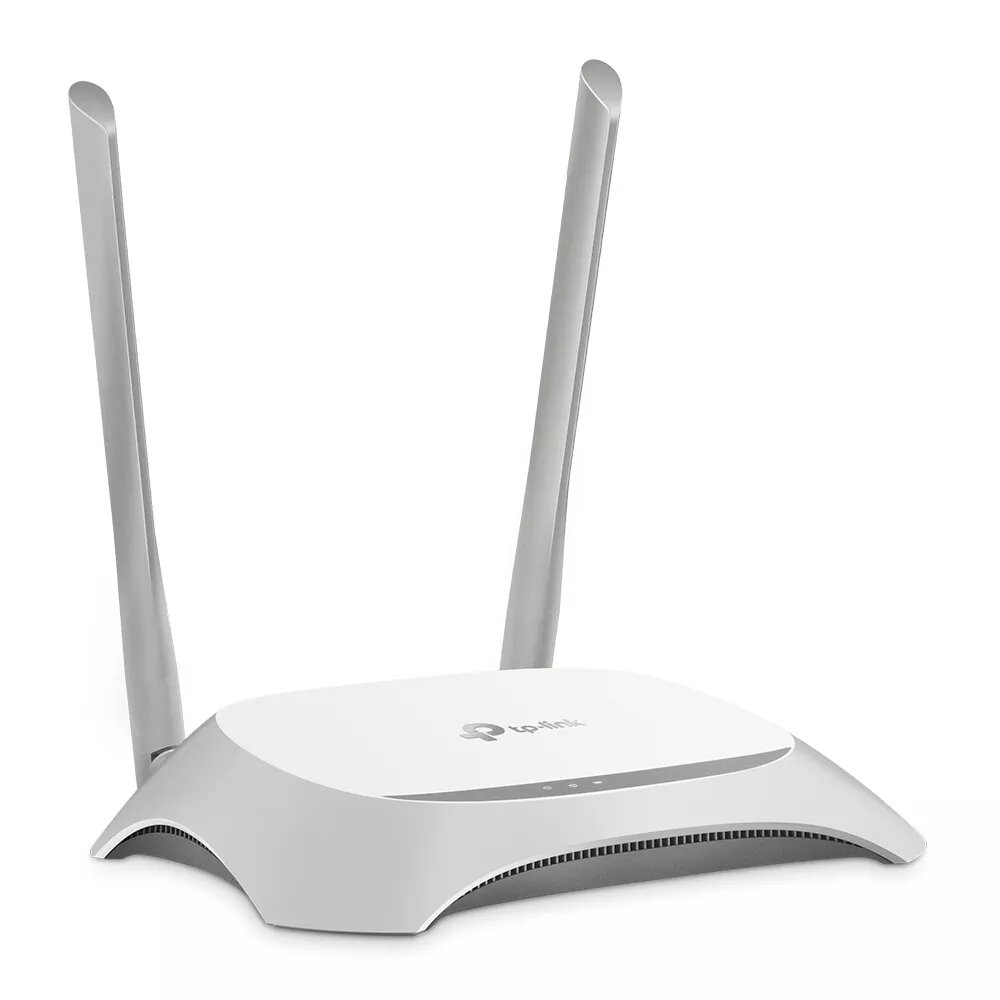
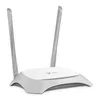
Router TP-Link TL-WR840N Photo 1
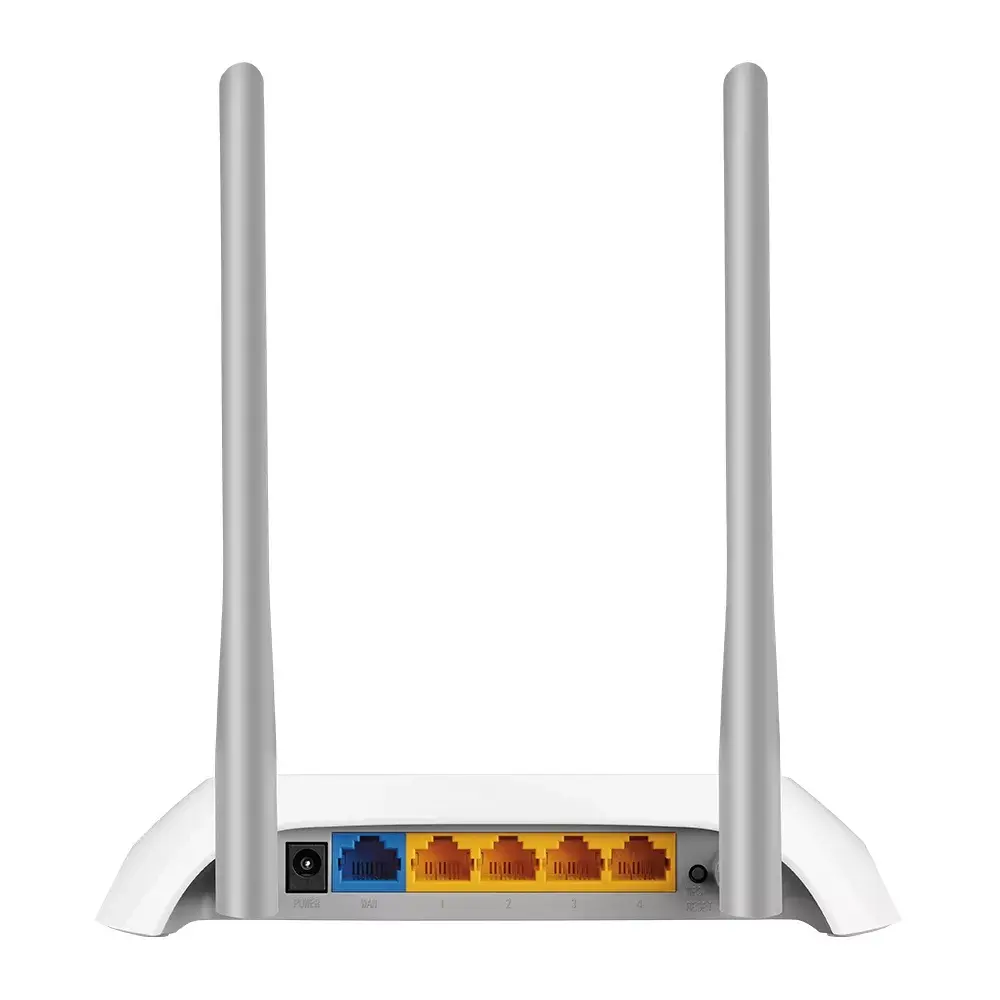
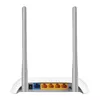
Router TP-Link TL-WR840N Photo 2
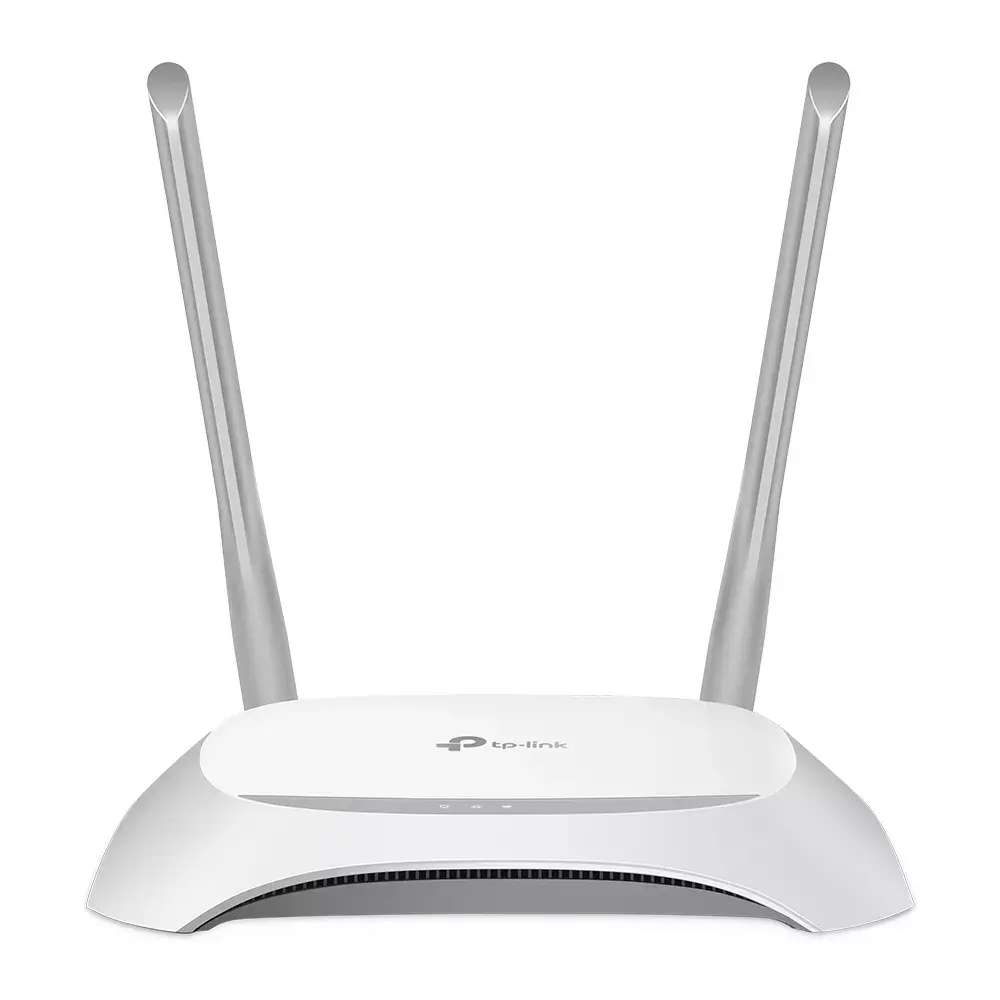
Router TP-Link TL-WR840N Photo 3
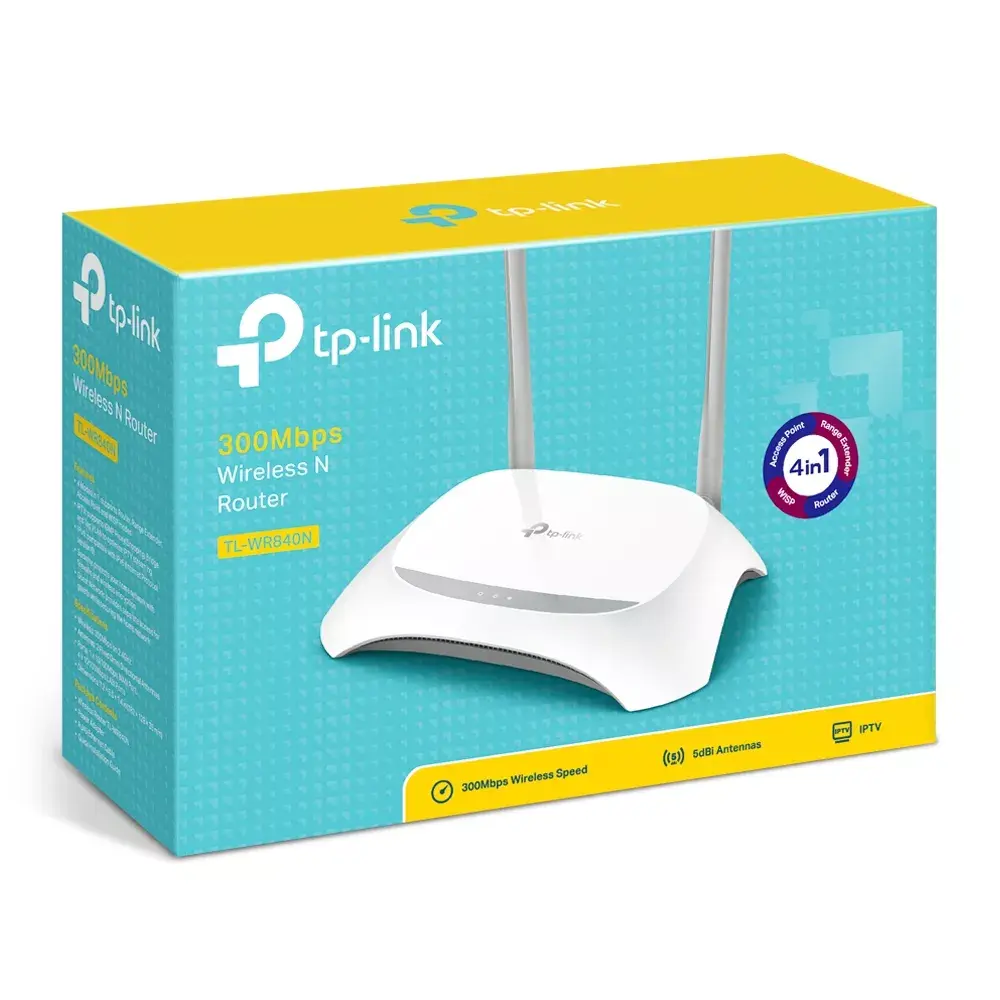
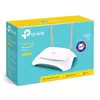
Router TP-Link TL-WR840N Photo 4
Router TP-Link TL-WR840N Photo 1
Router TP-Link TL-WR840N Photo 2
Router TP-Link TL-WR840N Photo 3
Router TP-Link TL-WR840N Photo 4
Keep track of price changes You keep track of price changes
Watch the price drop

Leave your address - as soon as the price of the product goes down, you'll know about it right away

You keep track of price changes

Router TP-Link TL-WR840N Single-band 2.4 GHz Wi-Fi 4

{{email}}
You keep track of price changes

Router TP-Link TL-WR840N Single-band 2.4 GHz Wi-Fi 4

{{email}}
{{selectedOffer && selectedOffer.price | formatAmount}}

Short description

The TP-Link TL-WR840N is a reliable wireless router featuring a single-band 2.4 GHz Wi-Fi 4 standard with a maximum data transfer rate of 300 Mbit/s. It supports Fast Ethernet with LAN data rates of 10/100 Mbit/s and offers robust security protocols including WEP, WPA, and WPA2. Ideal for home and small office use, it ensures stable connections and easy setup.
Available for order: 2 pcs.
Warranty: 2 Years
SKU: 111811
free shipment

Cheapest delivery:

Unisend LV

Pick-up points

Unisend LV

Cost

1.79 €

Deliver

{{selectedOffer.parcelStationDeliveryString}}

Customer service center
2b. Kengaraga str., Riga, Latvia, LV-1063
10.08.2026 {{selectedOffer.officeDeliveryString}}
free
Courier Delivery Please note that in case of a large parcel additional delivery costs may apply!
13.08.2026 {{selectedOffer.courierDeliveryString}}
From 4.99 € (Weight: 0.59 kg)
Parcel couriers
Unisend LV / Venipak Pickup LV / Venipak Locker LV / Latvijas Pasts pakomāts / DPD Paku skapis / Omniva LV / Latvijas Pasts nodaļa
13.08.2026 {{selectedOffer.parcelStationDeliveryString}}
From 1.79 €
payment
Payment Methods:
Bank transfer, Bank cards on-line, Apple Pay, Google Pay
Together cheaper
{{product.price | formatAmount}}
{{product.title}}
{{productBundle.reference.specialPrice | formatAmount}}
{{productBundle.title}}
{{productBundlePreviousPrice | formatAmount}}
{{productBundleSpecialPrice | formatAmount}}

You saving {{productBundleYouSave | formatAmount}}

Product information

Description

The TP-Link TL-WR840N is a single-band 2.4 GHz Wi-Fi 4 router that delivers up to 300 Mbps wireless speed and provides wired Fast Ethernet connections for small home and office networks. It features two external antennas, support for WEP/WPA/WPA2 security, easy setup tools and functions such as WPS, IP-based QoS and WDS bridging to expand or manage network usage.

Advantages

The TL-WR840N offers stable wireless performance with 2T2R MIMO and CCA channel selection to reduce interference, plus a 300 Mbps 802.11n link suitable for HD streaming, VoIP and online gaming. Built-in IP QoS lets administrators allocate bandwidth per device, while a WPS/QSS button simplifies secure Wi‑Fi setup. The router supports WDS bridging, parental controls, and standard Fast Ethernet ports for reliable wired connections.

Suitable for

  • Home internet access for web browsing, video streaming and online gaming
  • Small office networks requiring basic file sharing and VoIP
  • Environments that need simple parental controls or per‑IP bandwidth management
  • Extending an existing wireless network via WDS bridge

Key specifications

  • Wi‑Fi band: Single‑band 2.4 GHz
  • Wireless standard: IEEE 802.11b/g/n (Wi‑Fi 4)
  • Maximum WLAN data rate: 300 Mbps
  • Ethernet: 4 x Fast Ethernet (10/100 Mbps) LAN ports
  • Antennas: 2 external antennas (2T2R)
  • Security: WEP, WPA, WPA2; WPS/QSS button for quick encryption
  • Features: IP QoS (bandwidth control), WDS wireless bridge, parental controls, Wi‑Fi on/off button
  • Ports: No USB port
  • Colour: Grey / White

How to use

Connect the router to your modem using the WAN port and power it on. Use the included setup assistant (CD or web-based quick setup) to configure the internet connection type, set up wireless SSID and password, and enable encryption via the WPS/QSS button if desired. Configure IP QoS rules and parental control from the router web interface to manage bandwidth and access. Place the router centrally for best 2.4 GHz coverage and connect wired devices to the LAN ports as needed.

Usage recommendations

For optimal performance, place the TL-WR840N away from large metal objects and other 2.4 GHz sources (microwaves, cordless phones). Use WPA2 security, update the router firmware when available, and configure IP QoS to prioritise latency-sensitive services such as VoIP or gaming.

Specifications

Antenna design:
External
USB port: The device features a socket into which a USB cable can be plugged.
No
Ethernet LAN (RJ-45) ports: Number of Ethernet LAN (RJ-45) ports (connecting interfaces) in the device. Ethernet LAN (RJ-45) ports allow a computer to connect to the ethernet.
4
Ethernet LAN interface type: The characteristics of the Ethernet LAN interface.
Fast Ethernet
Ethernet LAN: An Ethernet LAN (Local Area Network) interface is present, for a wired conection via a cable.
Yes
WLAN data transfer rate (max):
300 Mbit/s
Top Wi-Fi standard: Connection of this device is done via Wi-Fi in a high standard.
Wi-Fi 4 (802.11n)
Wi-Fi band: The frequency bands the product features.
Single-band (2.4 GHz)
3G/4G USB modem compatibility:
No
SIM card slot: Whether the device features a SIM card slot.
No
DSL WAN: Whether or not the product features a DSL WAN (Wide Area Network) connection option.
No
Product colour: The colour e.g. red, blue, green, black, white.
Grey, White
Power source type: What the power source is.
DC
All features

Other features

WLAN data transfer rates supported:
11, 54, 300

System requirements

Linux operating systems supported: 8 RT. Linux (9.4, 9.5), Red Hat Enterprise Linux 5.0 (supported with a pre-built package); SUSE Linux (10.3, 11.0, 11, 11.1, 11.2), Fedora (9, 9.0, 10, 10.0, 11.0, 11, 12, 12.0), Ubuntu (8.04, 8.04.1, 8.04.2, 8.10, 9.04, 9.10, 10.04), Debian (5.0, 5.0.1, 5.0.2, 5.0.3)
Yes
Windows operating systems supported: Windows vesions wich can be used with the device.
Windows 2000, Windows 2000 Professional, Windows 7 Home Basic, Windows 7 Home Basic x64, Windows 7 Home Premium, Windows 7 Home Premium x64, Windows 7 Professional, Windows 7 Professional x64, Windows 7 Starter, Windows 7 Starter x64, Windows 7 Ultimate, Windows 7 Ultimate x64, Windows 8, Windows 8 Enterprise, Windows 8 Enterprise x64, Windows 8 Pro, Windows 8 Pro x64, Windows 8 x64, Windows Vista Business, Windows Vista Business x64, Windows Vista Enterprise, Windows Vista Enterprise x64, Windows Vista Home Basic, Windows Vista Home Basic x64, Windows Vista Home Premium, Windows Vista Home Premium x64, Windows Vista Ultimate, Windows Vista Ultimate x64, Windows XP Home, Windows XP Home x64, Windows XP Professional, Windows XP Professional x64

Operational conditions

Storage relative humidity (H-H):
5 - 90
Operating relative humidity (H-H):
10 - 90
Storage temperature (T-T): The minimum and maximum temperatures at which the product can be safely stored.
-40 - 70
Operating temperature (T-T): The minimum and maximum temperatures at which the product can be safely operated.
0 - 40

Features

DHCP client: Whether the product features a DHCP (Dynamic Host Configuration Protocol) to obtain IP addresses within a network.
Yes
DHCP server: A server is a system which that responds to requests across a computer network to provide, or help to provide, a network service. DCHP servers uses the DCHP (Dynamic Host Configuration Protocol), which is a standardized networking protocol used by servers on an IP network to allocate IP addresses to computers. The purpose of DHCP is to automate the IP address configuration of a computer without a network administrator. IP addresses are typically selected from a range of assigned IP addresses stored in a database on the server and issued to a computer which requests a new IP address. An IP address is assigned to a computer for a set interval, after which, the computer must renew the IP address or acquire a new one.
Yes
Universal Plug and Play (UPnP):
Yes
Mac operating systems supported: Mac operating systems e.g. OS X can be used with the device.
Yes
Firewall security: Part of a computer system or network which is designed to block unauthorized access while permitting outward communication.
SPI
Port forwarding:
Yes
Quality of Service (QoS) support:
Yes
Processor cores: The number of central processing units ('cores') in a processor. Some processors have 1 core, others have 2 (e.g. Intel Core Duo) or more (e.g. the Intel Xeon E7-2850 has 10 cores).
1
Built-in processor: Whether or not a processor is built into the device.
Yes

Antenna

Antenna gain level (max): Antenna gain is the measurement of an antenna's ability to amplify the incoming microwave signals in a particular direction, compared with the sensitivity of an isotropic antenna in any direction, or a dipole antenna in the equatorial direction.
5 dBi
Antenna design:
External

Packaging content

Quick installation guide:
Yes
Cables included:
LAN (RJ-45)
AC adapter included:
Yes

Certificates

Compliance certificates: Indicates which regulatory, safety, and environmental standards the product complies with, as verified by recognized authorities or certification bodies.
RoHS, Federal Communications Commission (FCC), CE

Design

On/off switch: The button which is pressed to switch the device on or off.
Yes
Reset button:
Yes
Antennas quantity:
2
LED indicators:
Yes
Product type: The sub-category of the product.
Tabletop router
Product colour: The colour e.g. red, blue, green, black, white.
Grey, White

Security

DMZ support:
Yes
URL filtering:
Yes
MAC address filtering: Security access control method whereby the 48-bit address assigned to each network card is used to determine access to the network. MAC addresses are uniquely assigned to each card, so using MAC filtering on a network permits and denies network access to specific devices through the use of blacklists and whitelists.
Yes
Filtering:
Yes
Firewall:
Yes

Packaging data

Package weight: Weight of the packaged product.
430 g
Package height: The distance from the top to the bottom of the packaging.
86 mm
Package depth: The distance from the front to the back of the packaging.
180 mm
Package width: The distance from one side of the packaging to the other.
265 mm

Management features

WPS push button:
Yes
Web-based management: Using a website/web application to manage something.
Yes

Ports & interfaces

DC-in jack: The socket/plug where the DC electricity supply connects to the device.
Yes
Ethernet WAN:
Yes
USB port: The device features a socket into which a USB cable can be plugged.
No
Ethernet LAN (RJ-45) ports: Number of Ethernet LAN (RJ-45) ports (connecting interfaces) in the device. Ethernet LAN (RJ-45) ports allow a computer to connect to the ethernet.
4

Network

Receiver sensitivity:
270M: -68dBm@10% PER 130M: -68dBm@10% PER 108M: -68dBm@10% PER 54M: -68dBm@10% PER 11M: -85dBm@8% PER 6M: -88dBm@10% PER 1M: -90dBm@8% PER
Port triggering:
Yes
Cabling technology: Type of cable technology performance.
10/100Base-T(X)
Ethernet LAN data rates: The different speed levels of the Ethernet LAN connection.
10, 100
Ethernet LAN interface type: The characteristics of the Ethernet LAN interface.
Fast Ethernet
Ethernet LAN: An Ethernet LAN (Local Area Network) interface is present, for a wired conection via a cable.
Yes

Wireless LAN features

VPN support:
PPTP, L2TP, IPSec
Guest access:
Yes
Number of guest networks (2.4 GHz):
1
Security algorithms: Security algorithms are used to provide authentication, cipher key generation, integrity and radio link privacy to users on mobile networks. The security algorithms supported are the ones that can be used with this product.
WEP, WPA, WPA-Enterprise, WPA2, WPA2-Enterprise
Networking standards: The way in which the network is working, e.g. IEEE 802.11a, IEEE 802.11b, IEEE 802.11g.
IEEE 802.11b, IEEE 802.11g, IEEE 802.11n, IEEE 802.3, IEEE 802.3u
WLAN data transfer rate (max):
300 Mbit/s
Wi-Fi standards: The type of wireless local area network (LAN). It can be ad-hoc, where units in a network communicate peer-to-peer, or Infrastructure, where units communicate with each other via an access point A LAN interconnects computers in a small area e.g. home, school or office.
802.11b, 802.11g, Wi-Fi 4 (802.11n)
Top Wi-Fi standard: Connection of this device is done via Wi-Fi in a high standard.
Wi-Fi 4 (802.11n)
Wi-Fi band: The frequency bands the product features.
Single-band (2.4 GHz)

Weight & dimensions

Height: The measurement of the product from head to foot or from base to top.
35 mm
Depth: The distance from the front to the back of something.
128 mm
Width: The measurement or extent of something from side to side.
182 mm

WAN connection

WAN connection type:
RJ-45
3G/4G USB modem compatibility:
No
SIM card slot: Whether the device features a SIM card slot.
No
DSL WAN: Whether or not the product features a DSL WAN (Wide Area Network) connection option.
No

Sustainability

Sustainability compliance:
Yes

Power

Output current:
0.6 A
Output voltage:
9
Power source type: What the power source is.
DC

Protocols

Supported network protocols: Network protocols tested as compatible with this product e.g. FTP,HTML, POP.
IPv4, IPv6

Description

Machine translation. Load original

Similar products

{{product.title}} Show details Hide details

{{highlightedFeature.featureTitle}}:

{{getProductFeatureValueById(product, highlightedFeature.featureId)}}

{{product.price | formatAmount}}
Might be useful
{{product.manufacturerName}}
{{product.categoryName}}
{{product.title}}
{{product.specialPrice}}
{{product.price}}

Customer reviews

Customer questions

FAQ

How much does the Router TP-Link TL-WR840N cost, and is it available for purchase?

The price is 19.49 € (valid at the time of publication and already includes all taxes). The item is available for order — 2 pcs. are in stock, and you can place your purchase right now with delivery across Latvia and Europe or choose pickup at the Riga collection point. We offer favorable purchase terms, including the option to split the payment into convenient monthly installments. Availability and price are updated in real time, so we recommend placing your order in advance.

If I order this product today, when will I receive my order?

If you place your order today, delivery will be as fast and convenient as possible. You will be able to pick up your order on 10.08.2026 at the Riga pickup point or choose delivery across Latvia and Europe. We carefully inspect every purchase and pack it securely for safe transportation.

What payment options are available?

AiO.lv offers several payment methods: Bank transfer, Bank cards on-line, Apple Pay, Google Pay. All transactions are 100% secure and encrypted.

Can this product be purchased for a company (with VAT)?

Yes. AiO.lv works with legal entities in Latvia and across Europe. The product price already includes VAT. For certain product categories, as well as for companies from other EU countries with a valid VAT number, a 0% VAT rate may apply. We issue the invoice immediately after the order is placed, support electronic BIS invoices, and automatically generate all necessary accounting documents. You can complete the purchase for a company online — simply select the company profile and choose bank transfer as the payment method during checkout.

What is the warranty period?

All TP-LINK products come with an official 2 Years warranty. It covers all manufacturing defects and malfunctions that may occur during use. The warranty is valid at all authorized TP-LINK service centers and through AiO.lv

Can the product be returned after purchase?

Yes, you can return the product within 14 days of purchase if you bought it as a consumer (not a legal entity). Returns are possible without giving any reason — the main condition is that the product retains its original appearance and full set of accessories. We will make the process as simple and convenient as possible: just contact our customer support team, and we will help you arrange the return.

Where should I contact for warranty service?

For warranty-related questions you can contact the AiO.lv (SIA VSPRO) customer support team. We will assist with consultation, warranty claim processing, and coordination with certified service centers.

How can I tell if this product suits my needs?

When making a choice, we recommend paying attention to the key features: antenna design, usb port, ethernet lan (rj-45) ports, ethernet lan interface type, ethernet lan, wlan data transfer rate (max), top wi-fi standard, wi-fi band, 3g/4g usb modem compatibility, sim card slot, dsl wan, product colour, power source type, compatibility with your devices or usage conditions, material quality, functionality, and warranty terms. These characteristics will help you determine how well the model meets your needs.

warranty
14-Day Return Policy We are confident in our quality, but if the purchase doesn’t fit — you have 14 days to return the product with peace of mind.
shipping
Fast Delivery Get your orders as quickly as possible — right to your door, parcel lockers, or pickup points across Latvia and the EU.
payment
Secure Payment Pay the way you prefer: cash, VISA, MasterCard, Apple Pay, Google Pay, bank transfer, or 0% installment plan.
warranty
Quality Since 2008 AiO.lv has been on the market for over 18 years and has earned trust — with more than 6000 genuine positive reviews on Google.