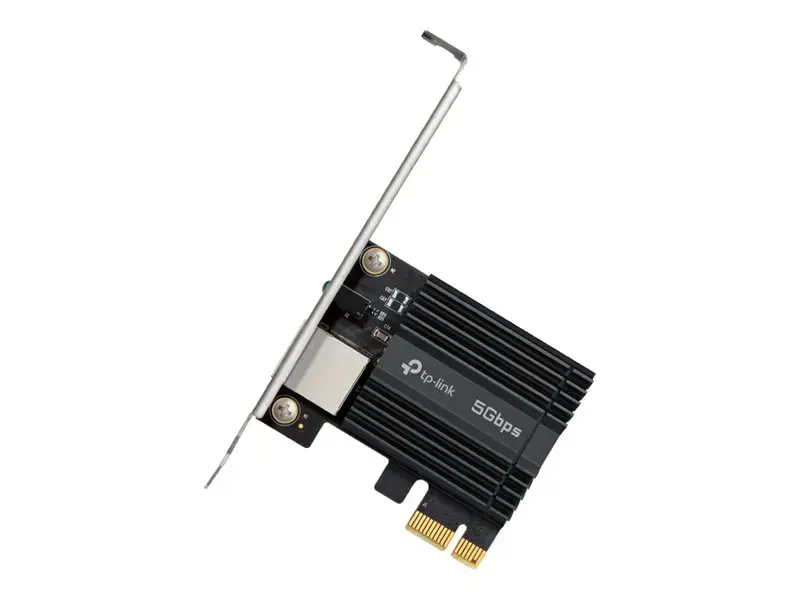
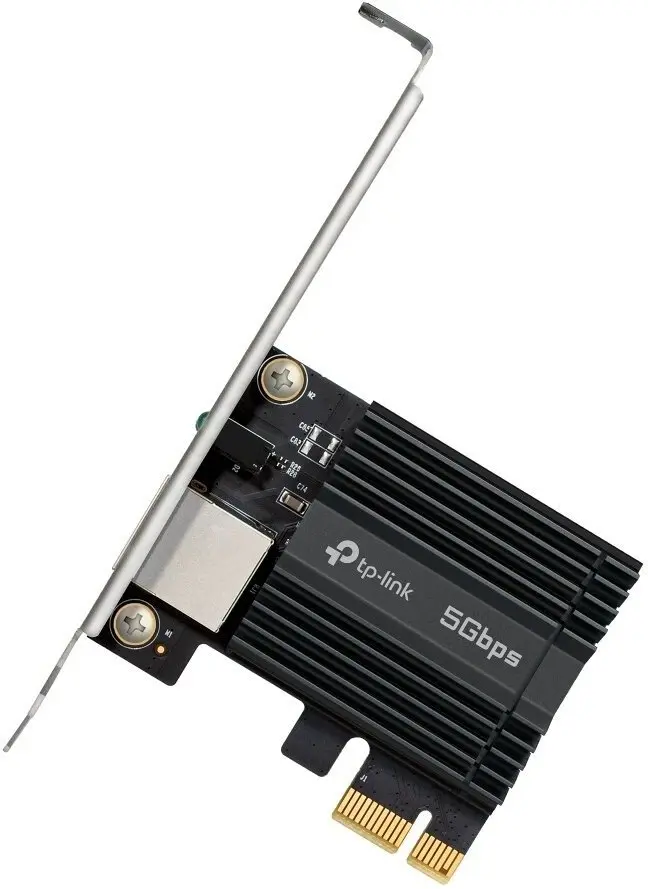
This comparison examines the TP-Link TX301 PCIe 3.1 Slot to 5 Gigabit Network Adapter alongside alternative networking and related devices from the same manufacturer: the TP-Link DECO X20 AX1800 Mesh Wi-Fi system, the TP-LINK Fosi Audio ZA3 48V amplifier, the TP-Link Omada 7 Max EAP787 access point, the TP-Link XZ000-G6 optical network terminal, and the TP-Link APM-200 mounting kit. While all these products belong to the TP-LINK brand, they serve entirely different purposes ranging from desktop wired network upgrades to whole-home wireless coverage, optical fiber connectivity, audio enhancement, and equipment installation. The key differentiator of the TP-Link TX301 is its PCIe expansion card form factor designed to deliver up to 5 Gigabit wired speeds for desktop computers, whereas the alternative products focus on wireless networking, fiber optics, sound reproduction, or physical hardware mounting.
⚙️ Below is a specification and purpose comparison to help you understand the core practical differences between the products.
| Comparison parameter | TP-Link TX301 | TP-Link DECO X20 (3-pack) | TP-Link Fosi Audio ZA3 | TP-Link Omada 7 Max EAP787 | TP-Link XZ000-G6 ONT | TP-Link APM-200 | Practical conclusion |
|---|
| Device type | PCIe network adapter | Mesh Wi-Fi system | Audio amplifier | Ceiling mount access point | Optical network terminal (ONT) | Mounting kit | The products fulfill completely different roles within communication and multimedia infrastructures |
| Primary purpose | Wired desktop connectivity up to 5 Gbps | Seamless whole-home Wi-Fi coverage | Power amplification for home audio systems | High-density enterprise Wi-Fi 7 | High-speed fiber optic internet connectivity | Secure pole and wall installation for outdoor APs | TP-Link TX301 is strictly built for desktop PCs, while the alternatives handle wireless, optical, audio, or physical mounting tasks |
| Installation environment | Inside desktop PCs (PCIe slot) | Indoor placement | Home audio setups | Indoor ceiling mounts | Home and office networks | Outdoor poles and walls | Each product is optimized for a specific physical environment and deployment scenario |
◎ The table below evaluates which product is most suitable for specific user needs and use cases.
| Use case | Recommended product | Why |
|---|
| Upgrading a desktop PC for ultra-fast wired networking | TP-Link TX301 | Installs directly into a computer PCIe slot to deliver up to 5 Gbps wired speed for heavy file transfers and gaming |
| Eliminating Wi-Fi dead zones across a multi-room household | TP-Link DECO X20 (3-pack) | A 3-pack mesh system providing seamless Wi-Fi 6 coverage, high capacity, and automatic switching |
| Enhancing sound reproduction and powering speakers | TP-LINK Fosi Audio ZA3 48V | An advanced audio amplifier designed to improve acoustic performance in entertainment setups |
| Deploying robust wireless connectivity in high-density enterprise spaces | TP-Link Omada 7 Max EAP787 | A tri-band Wi-Fi 7 ceiling access point featuring BE15000 speed and seamless roaming for businesses |
| Establishing high-speed fiber optic internet connection | TP-Link XZ000-G6 ONT | An optical network terminal supporting high upstream data rates for reliable fiber connectivity |
| Installing outdoor wireless access points securely | TP-Link APM-200 | A durable stainless steel mounting kit ensuring stable positioning in outdoor environments |
The TP-Link TX301 network adapter differs fundamentally from the alternative products by functioning as an internal desktop PC component rather than a standalone wireless, optical, or audio device. It is best suited for users who need maximum wired network speed and reliability on a desktop computer for demanding tasks like large file transfers and online gaming. Choose the TP-Link TX301 if your goal is to upgrade a stationary computer's wired capabilities, whereas the other brand alternatives are engineered for wireless coverage, optical fiber conversion, audio amplification, or physical hardware mounting.