
Filters you can trust. Pure water every day.
In cart {{totalProductsCount}} item(s)
Your cart is empty
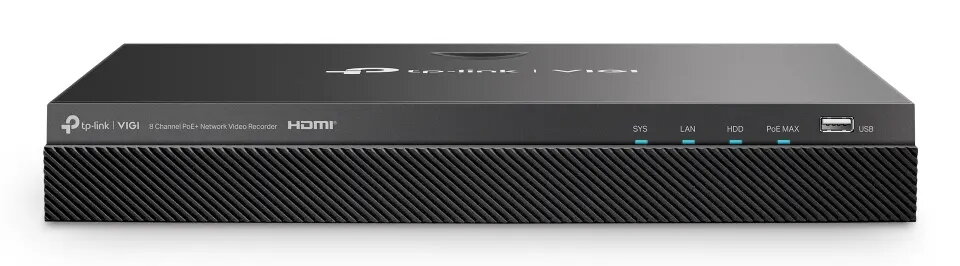
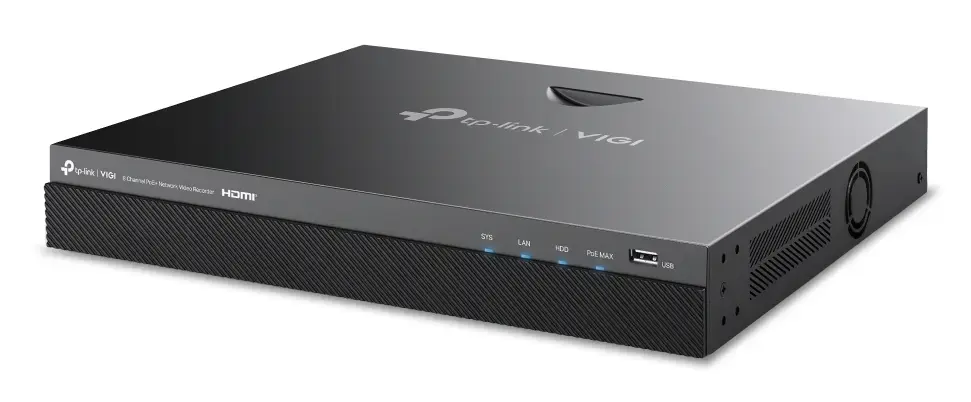
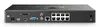
Network Video Recorder TP-Link VIGI NVR2008H-8MP-2TB — 8-channel, 4K (3840×2160), 2 TB SATA HDD, 9× RJ-45, Black
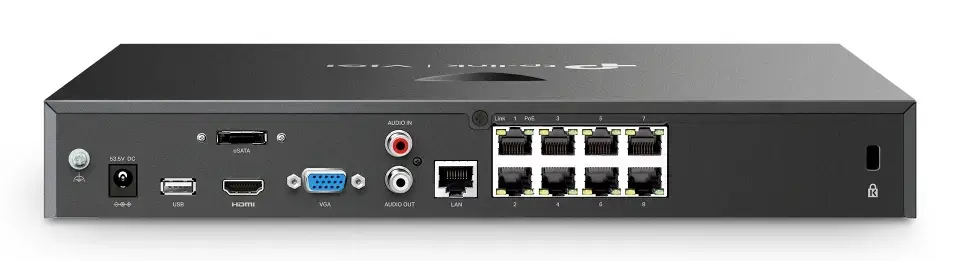
TP-Link VIGI NVR2008H-8MP-2TB is an 8-channel network video recorder designed for IP camera surveillance systems, supporting up to 3840×2160 (4K) recording resolution. The unit ships with a preinstalled 2 TB SATA hard drive and provides nine RJ-45 Ethernet ports (including eight PoE+ ports) for direct camera connections. With H.265+ compression and combined HDMI and VGA output, the recorder supports real-time monitoring, synchronous playback and remote viewing for small to medium installations that require continuous video storage.
The recorder provides high-resolution recording up to 4K while using efficient H.265+ compression to reduce storage requirements without sacrificing image detail. Built-in PoE+ ports supply power and network connectivity to compatible IP cameras, simplifying installation by removing the need for separate power adaptors. Auto Initialize accelerates initial setup by detecting connected cameras and configuring basic hard disk parameters. Dual video outputs (HDMI and VGA) and USB ports enable local monitoring, export and peripheral connection. Typical power consumption is low, and the unit’s compact black chassis is suitable for rack or shelf placement.
Install the NVR on a stable surface and connect IP cameras to the PoE+ RJ-45 ports or to the network switch. Connect the HDMI or VGA output to a monitor for local display and attach a USB storage device if needed for manual export. Power the unit and use the front-end interface or web client to run Auto Initialize, which will detect connected cameras and prepare the installed hard disk for recording. Configure recording schedules, resolution and motion detection settings through the system menus, and set up remote access if required using the recorder’s network configuration options.
For reliable continuous recording, check that connected cameras are compatible with the recorder’s maximum resolution and bandwidth limits. Consider configuring a schedule or motion-triggered recording to optimize storage use, and implement periodic backups of important footage to external USB storage or network locations. Keep firmware updated and verify HDD health regularly to ensure long-term operation.
{{highlightedFeature.featureTitle}}:
{{getProductFeatureValueById(product, highlightedFeature.featureId)}}
{{ productComparisonGenerationError }}
