


KVM switch Trendnet TK-207K Blue
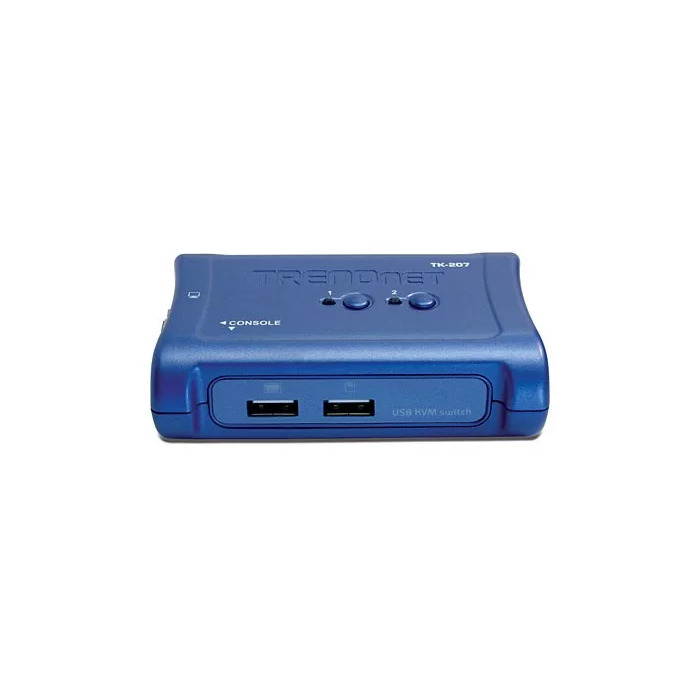
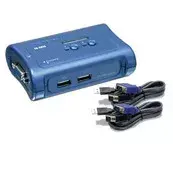
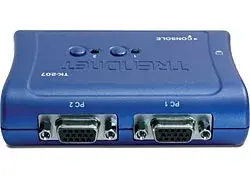
Short description


Cheapest delivery:
Unisend LV
Product information
Description
The Trendnet TK-207K Blue 2-Port USB KVM Switch lets you control two computers using a single keyboard, monitor and mouse. The switch includes two detachable KVM cable sets that provide both data and USB power to the unit, allowing immediate setup without a separate power adapter. It supports VGA video up to 2048 x 1536 and is compatible with a wide range of mice and operating systems including Windows, macOS and Linux.
Advantages
The TK-207K reduces desktop clutter by consolidating peripherals for two PCs into one set. Detachable USB KVM cables with keyboard and mouse emulation ensure reliable peripheral recognition and multi-platform compatibility. Hot-key switching, a front-panel push button and auto-scan provide flexible control methods while hot-plug capability and audible feedback simplify maintenance and status confirmation. The unit is USB-powered, eliminating the need for an external power supply.
Suitable for
- Home offices where two computers must share one monitor and input set
- Small offices requiring quick switching between PCs or Mac systems
- Testing benches and IT support desks managing two machines simultaneously
Key specifications
- Model: Trendnet TK-207K Blue
- Ports: 2 computer ports; USB keyboard and USB mouse interfaces
- Video: VGA output, up to 2048 x 1536 resolution
- Cable length: 1.2 m (each detachable KVM cable set)
- Dimensions: 98 x 70 x 28 mm; Weight: 0.099 kg
- Power: USB interface power (no external adapter)
- Compatibility: Windows 98/98SE/ME/2000/XP/2003 Server, Linux, Mac OS; multi-platform support (PC, Macintosh G3/G4, iMac, Mac Mini)
- Other features: Hot-key switching, push-button switch, auto-scan, LED status display, audible feedback, hot-plug support
- Certifications: CE, FCC
How to use
Connect your display to the KVM's VGA output and attach your keyboard and mouse to the USB console ports. Plug each detachable KVM cable into the corresponding computer's VGA and USB ports. The KVM is powered via the connected USB lines, so no external adapter is required. Use the front-panel button, defined hot-keys or the optional software client to switch control between the two connected computers. The device supports hot-plugging, so computers can be connected or removed while the system is powered.
Usage recommendations
For best video quality, use high-quality VGA cables and set the monitor to the supported resolution up to 2048 x 1536. When using advanced mice, ensure the device is connected before booting the computer if full functionality is required on some older operating systems.
Features
- Built-in display:
- No
- Maximum resolution:
- 2048 x 1536
- Video port type:
- VGA
- Mouse port type:
- USB
- Keyboard port type:
- USB
- Number of computers controlled:
- 2
- Product colour:
- Blue
Instructions

Stock data
| Warehouse | Stock | Delivery to the store | Store Price | |
| WH155 | 2 | 07.12.2026 | 29.49 € | Add to cart |
| EU3 | 4 | 07.12.2026 | 32.99 € | Add to cart |
- 29.49 €Stock: 2Delivery Date: 07.12.2026Warehouse: WH155Add to cart
- 32.99 €Stock: 4Delivery Date: 07.12.2026Warehouse: EU3Add to cart
| Warehouse | Stock | Delivery to the store | Store Price | |
| WH109 | 4 | 21.12.2026 | 38.49 € | Add to cart |
- 38.49 €Stock: 4Delivery Date: 21.12.2026Warehouse: WH109Add to cart


