Leave your address - as soon as the price of the product goes down, you'll know about it right away
UGREEN L530 USB-C to USB-C Cable 240W PD 480Mbps with Display 2m Black
In cart {{totalProductsCount}} item(s)
Your cart is empty
UGREEN L530 USB-C to USB-C Cable 240W PD 480Mbps with Display 2m Black
Leave your address - as soon as the price of the product goes down, you'll know about it right away
UGREEN L530 USB-C to USB-C Cable 240W PD 480Mbps with Display 2m Black
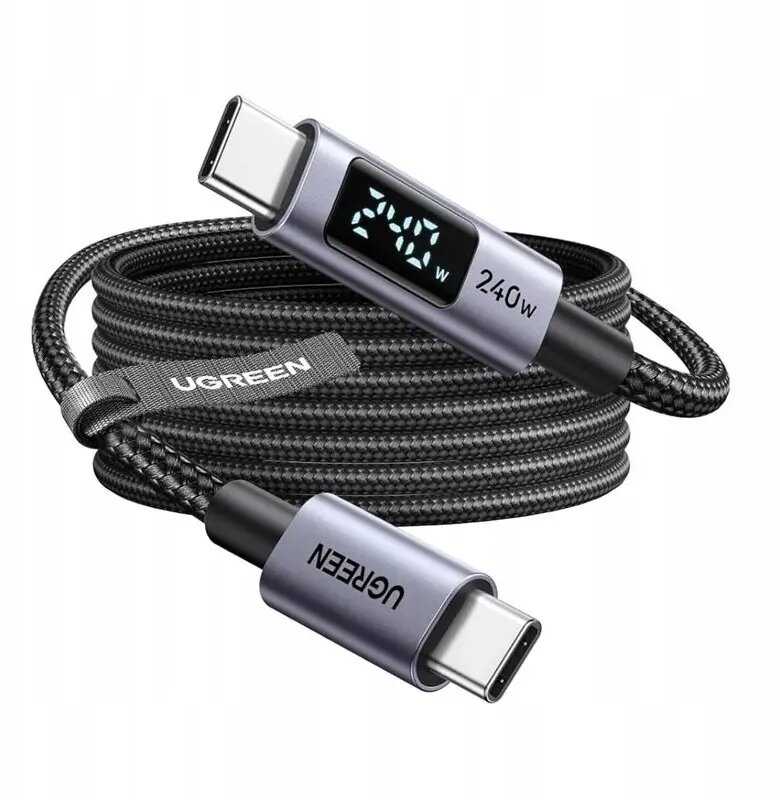
The UGREEN L530 USB-C to USB-C cable is a high-performance charging and data synchronization solution designed to meet the demands of modern electronic devices. With support for Power Delivery up to 240W, this cable provides efficient power delivery for high-capacity laptops, tablets, and smartphones. A standout feature is the integrated LED display, which allows users to monitor real-time charging power, ensuring transparency and safety during the charging process. The 2-meter length offers flexibility for various setups, while the robust construction ensures long-term durability for daily use.
This cable excels by combining high-wattage power delivery with intelligent monitoring capabilities. The built-in LED display provides immediate feedback on the charging speed, helping users identify if their device is receiving optimal power. The 240W capacity makes it future-proof for high-performance hardware, while the 480Mbps data transfer speed remains reliable for syncing photos, documents, and media files between devices. Its durable design is engineered to withstand frequent bending and plugging, providing a stable connection over time.
This cable is not intended for high-speed data transfers exceeding 480Mbps, such as 4K video output or large-scale external drive backups, as it is limited to USB 2.0 data speeds. It may also be unnecessary for devices that do not support high-wattage Power Delivery standards.
To use the cable, simply connect one USB-C end to your power adapter or computer and the other end to your target device. Once connected, the integrated LED display will automatically activate to show the current wattage being delivered to the device. Ensure that both your power source and the connected device are compatible with the required power standards to achieve the best results.
For optimal performance and safety, always use the cable with certified power adapters and avoid sharp bends or excessive tension on the connectors. Keep the cable away from extreme heat sources to maintain the integrity of the internal components and the LED display.
{{highlightedFeature.featureTitle}}:
{{getProductFeatureValueById(product, highlightedFeature.featureId)}}