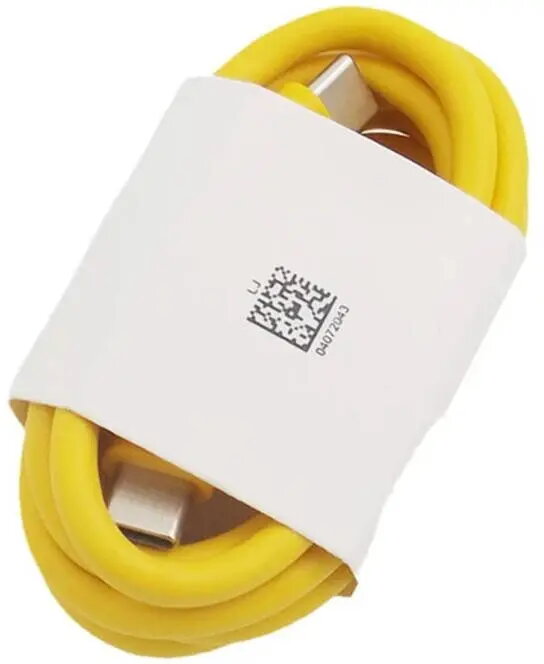
The UleFone UF-CAB-120W charging cable is a USB-C to USB-C cable designed for fast charging and data transfer for UleFone Armor 23 Ultra, 26 Ultra and 26T Ultra. It supports up to 120W power delivery, enabling high-speed charging when used with a compatible PD charger and device. The cable is intended for users who need reliable power delivery and USB-C data syncing between modern rugged smartphones and laptops or chargers that accept USB-C PD.
Advantages
The cable supports USB Power Delivery up to 120W, allowing faster charging of compatible devices than standard USB-C cables. It provides USB-C to USB-C connectivity for both power and data transfer, simplifying connections between phones, chargers and computers. The UleFone-branded cable is made to match the power requirements of Armor 23 Ultra, 26 Ultra and 26T Ultra models and is compact enough for everyday carry.
Suitable for
- Fast charging UleFone Armor 23 Ultra, 26 Ultra and 26T Ultra with a PD-capable charger
- Connecting compatible smartphones to USB-C laptops or PD chargers for data sync and power
- Portable use with power banks and high-power USB-C adapters supporting 120W output
When it may not be suitable
The cable will not increase charging speed if either the charger or the device does not support USB Power Delivery at higher wattages; maximum performance requires a PD-capable charger and a device that accepts higher input power. It is not a universal solution for devices that require proprietary charging protocols unsupported by USB-C PD.
Key specifications
- Connector type: USB-C to USB-C
- Maximum power delivery: up to 120W
- Primary functions: power delivery and data transfer
- Intended device compatibility: smartphones and accessories that accept USB-C PD
How to use
Connect one end of the USB-C cable to the device (for example Armor 23 Ultra, 26 Ultra or 26T Ultra) and the other end to a PD-capable charger, power bank or computer USB-C port. Ensure the charger supports sufficient wattage for high-speed charging. For data transfer, connect to a computer or compatible host and use the device's file transfer mode if prompted. Avoid bending the cable sharply and disconnect by pulling the connector, not the cable sheath.
What to consider before purchase
- Confirm that your charger and device support USB Power Delivery and the required input wattage to benefit from 120W output
- Check that your device uses USB-C for charging and data transfer
- Consider the cable length and portability according to your daily use needs
Usage recommendations
Use the cable with a PD-capable charger that matches the device's supported charging profile. For sustained high-power charging, ensure connectors and ports are free of debris and avoid using damaged adapters. For routine data syncing, use a stable computer connection and follow on-screen prompts on the connected device.