
Leave your address - as soon as the price of the product goes down, you'll know about it right away
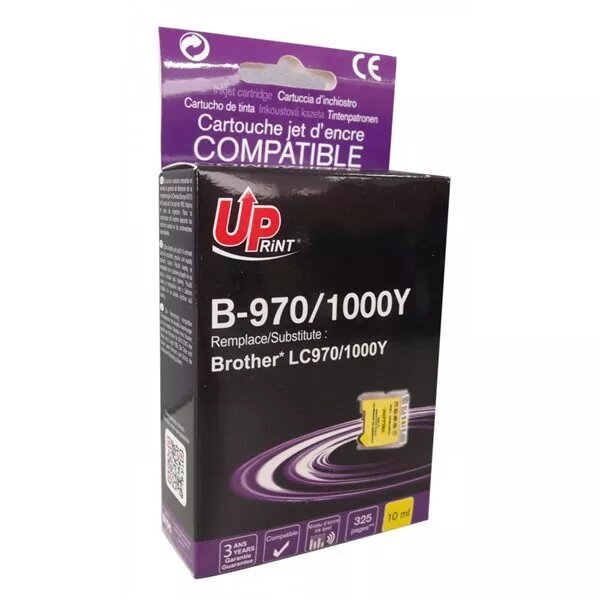
Cartridge UPrint Brother LC970YE Yellow B-970Y-UP Uprint
In cart {{totalProductsCount}} item(s)
Your cart is empty
Cartridge UPrint Brother LC970YE Yellow B-970Y-UP Uprint
Leave your address - as soon as the price of the product goes down, you'll know about it right away
Cartridge UPrint Brother LC970YE Yellow B-970Y-UP Uprint
The UPrint Brother LC970YE Yellow cartridge B-970Y-UP is a compatible yellow ink cartridge designed for everyday colour printing. It delivers bright yellow tones suitable for mixed documents that include text, charts and images. With an estimated yield of approximately 400 pages, this cartridge balances page capacity and colour intensity for routine home and office use. The cartridge is compatible with a range of Brother printers and is designed for straightforward installation and consistent output.
This compatible yellow cartridge provides reliable colour reproduction and even ink flow, producing clear highlights, graphics and coloured elements. The cartridge is formulated to reduce streaking and irregular colour patches, helping to maintain consistent print quality across individual pages and print runs. It offers good value by combining a moderate page yield with ease of replacement and broad compatibility with common Brother consumer and small-office printers.
Turn off the printer or follow the printer manufacturer’s instructions for cartridge replacement. Open the printer access panel, remove the empty or depleted yellow cartridge by gently releasing it from the carriage, and dispose of it according to local regulations for ink cartridges. Unpack the UPrint yellow cartridge, remove any protective seals or tabs, and insert the cartridge into the yellow slot until it clicks into place. Close the access panel and run a test print or printer alignment utility to verify correct installation and colour alignment.
Store the cartridge in a cool, dry place away from direct sunlight and heat sources. If print quality appears faded or streaked, run the printer’s cleaning cycle and perform a nozzle check; if issues persist, re-seat the cartridge and repeat alignment. For best results, use cartridges within their recommended shelf life and follow the printer manufacturer’s maintenance guidelines to preserve colour accuracy and prolong device life.
{{highlightedFeature.featureTitle}}:
{{getProductFeatureValueById(product, highlightedFeature.featureId)}}