
Dreame vacuums for fast and efficient cleaning!
In cart {{totalProductsCount}} item(s)
Your cart is empty
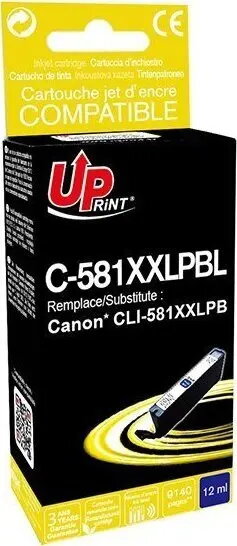
Ink cartridge Uprint C-581XXLPBL, compatible with Canon PIXMA TR7550/TR8550, CLI-581PB XXL 12 ml photo blue
Uprint C-581XXLPBL (compatible with Canon PIXMA TR7550/TR8550, CLI-581PB XXL) is a high-capacity 12 ml photo blue ink cartridge designed for extended photo and color printing. Manufactured to be compatible with Canon PIXMA TR7550 and TR8550 series printers, this cartridge provides a larger ink volume than standard cartridges, allowing for more prints between replacements. The formulation focuses on delivering vivid blue tones for photos and color documents while maintaining compatibility with printers that use CLI-581PB cartridges.
The 12 ml XXL capacity reduces the frequency of cartridge changes compared with standard-capacity cartridges, supporting longer uninterrupted printing sessions. Uprint compatible ink is produced to match the physical dimensions and electrical contacts of the original cartridge, enabling reliable recognition by the printer and straightforward installation. The photo blue dye formulation is tuned to reproduce richer blues and improve color balance in images where blue shades are prominent.
Power on the Canon printer and open the cartridge access cover to allow the cartridge carrier to move into the replacement position. Remove the used CLI-581PB cartridge according to the printer's instructions, then unpackage the Uprint C-581XXLPBL cartridge and remove any protective seals. Insert the cartridge into the correct photo blue slot until it clicks into place, close the cover, and follow any on-screen prompts to initialize or align the cartridge. Run a printhead check or nozzle test page to verify proper installation and color output.
Store unused cartridges in a cool, dry place away from direct sunlight and extreme temperatures. For consistent photo quality, use the printer's recommended paper types and select the appropriate photo or high-quality color print settings. If prints show banding or color shift after installation, run the printer's maintenance utilities such as cleaning and alignment before replacing the cartridge.
{{highlightedFeature.featureTitle}}:
{{getProductFeatureValueById(product, highlightedFeature.featureId)}}
{{ productComparisonGenerationError }}