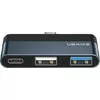
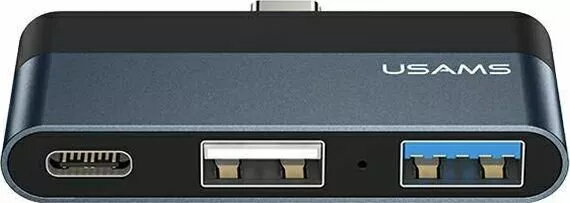
The USAMS SJ490 USB-C to USB-A and USB-C Hub Adapter is a compact and efficient solution designed to enhance the connectivity of modern devices equipped with a USB-C port. By providing both USB-A and USB-C interfaces, this hub allows users to connect multiple peripherals simultaneously, facilitating seamless data transfer and device management. Its portable design makes it an essential accessory for professionals and students who need to bridge the gap between legacy hardware and modern USB-C enabled laptops, tablets, and smartphones.
Advantages
This adapter offers significant flexibility by enabling the simultaneous use of different types of connectors, which is particularly useful for users who rely on a mix of older and newer peripherals. The durable construction ensures long-term reliability, while the compact form factor allows for easy transport in a laptop bag or pocket. By consolidating multiple ports into one device, it helps maintain a tidy workspace and reduces the need for carrying multiple separate adapters.
Suitable for
- Connecting USB-A flash drives and external hard drives to USB-C laptops.
- Charging smartphones or tablets while transferring data from other devices.
- Connecting peripherals like mice, keyboards, or printers to tablets and ultrabooks.
- Expanding connectivity options for devices with limited ports.
When it may not be suitable
This adapter may not be suitable for users requiring high-speed video output, such as HDMI or DisplayPort, as it is primarily designed for data and peripheral connectivity. It is also not intended for high-power demanding devices that require dedicated power delivery beyond standard USB specifications.
Key specifications
- Input interface: USB-C
- Output interfaces: USB-A and USB-C
- Compatibility: Laptops, tablets, and smartphones with USB-C ports
- Design: Compact and portable
How to use
To use the USAMS SJ490, simply plug the USB-C connector into the port of your host device, such as a laptop or tablet. Once connected, you can plug your USB-A or USB-C peripherals into the corresponding ports on the hub. The device is designed for plug-and-play functionality, meaning it should be automatically recognized by your operating system without the need for additional software drivers.
What to consider before purchase
- Verify that your host device supports data transfer through its USB-C port.
- Ensure the power requirements of your peripherals do not exceed the output capacity of the hub.
- Check if your device requires specific port configurations for data or charging.
Usage recommendations
For optimal performance, ensure the hub is connected directly to the host device's port rather than through another extension cable. Always disconnect peripherals safely through your operating system before unplugging the hub to prevent data loss.