Powerful EcoFlow stations for energy anywhere!
In cart {{totalProductsCount}} item(s)
Your cart is empty
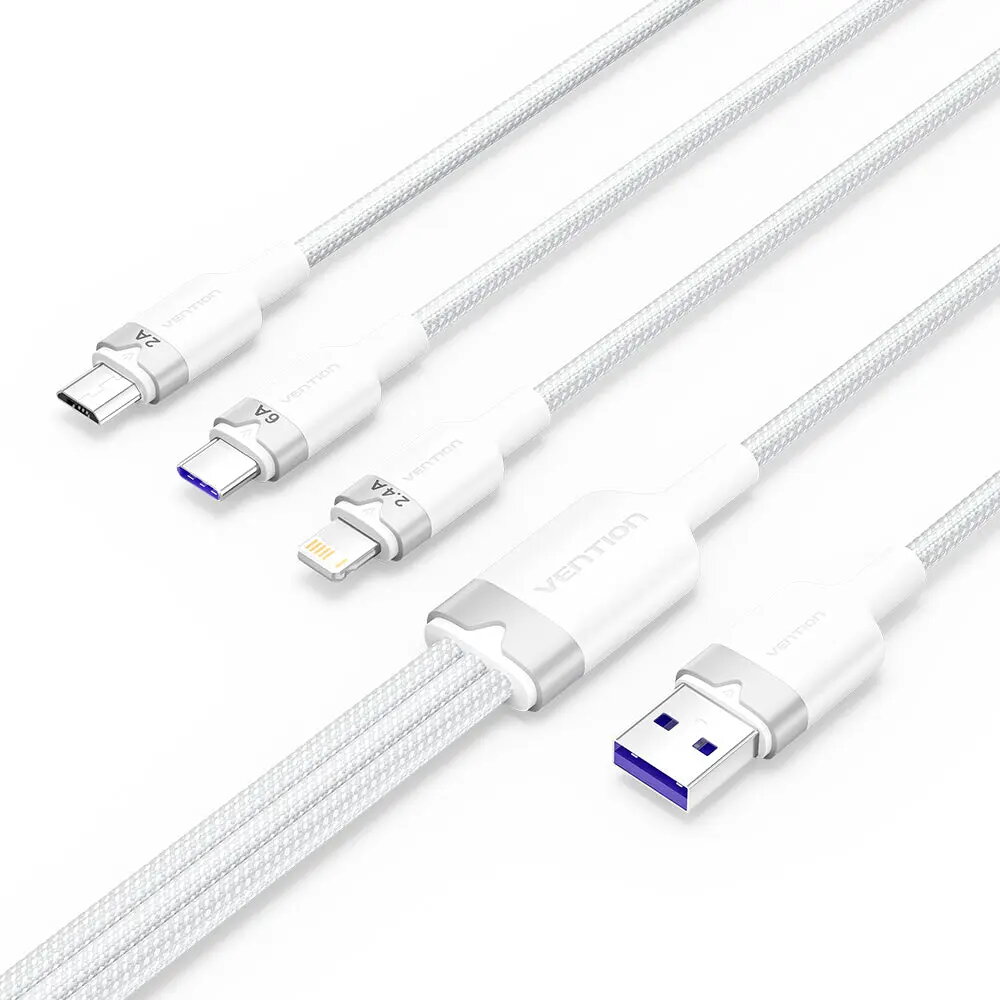
Vention CTRWG 3-in-1 USB Cable USB 2.0 1.5 m USB A to USB C, Micro-USB, Lightning 120 W White
The Vention CTRWG 3-in-1 USB Cable is a versatile connectivity solution designed to simplify your daily charging and data synchronization needs. Featuring a standard USB A connector on one end and a convenient multi-connector featuring USB C, Micro-USB B, and Lightning on the other, this cable eliminates the need to carry multiple cords for different devices. With a generous length of 1.5 meters, it provides comfortable reach whether you are at your desk, in your car, or relaxing on the couch. Finished in a clean white color, it blends seamlessly with any modern workspace or home environment.
This multi-connector cable stands out for its high power delivery capability of up to 120 W and support for 6A current, enabling fast and efficient charging for demanding mobile devices. The integration of three different connector types ensures broad compatibility with a wide range of smartphones, tablets, and other electronics, making it an all-in-one accessory for multi-device users. The durable aluminum alloy shell provides enhanced protection against everyday wear and tear, ensuring reliable long-term performance. Additionally, the standard USB 2.0 interface supports stable data transfer speeds up to 0.48 Gbit/s for synchronizing files while you power up.
This cable is not designed for high-speed data transfers that exceed USB 2.0 limitations, such as heavy external SSD file transfers or high-resolution video output. Furthermore, it does not support power delivery or data transfer standards higher than USB 2.0 specifications.
Connect the USB A end of the cable to a compatible power source such as a USB wall charger, power bank, or computer USB port. Select the appropriate connector plug—USB C, Micro-USB, or Lightning—and insert it securely into your target mobile device. Ensure the connector is fully inserted for optimal charging and data transfer performance. When disconnecting, pull gently on the connector housing rather than the cable itself to prolong the lifespan of the product.
For best results, avoid bending the cable sharply near the connector joints and store it in a dry place when not in use to maintain the integrity of the aluminum alloy shell and internal wiring.
{{highlightedFeature.featureTitle}}:
{{getProductFeatureValueById(product, highlightedFeature.featureId)}}
{{ productComparisonGenerationError }}