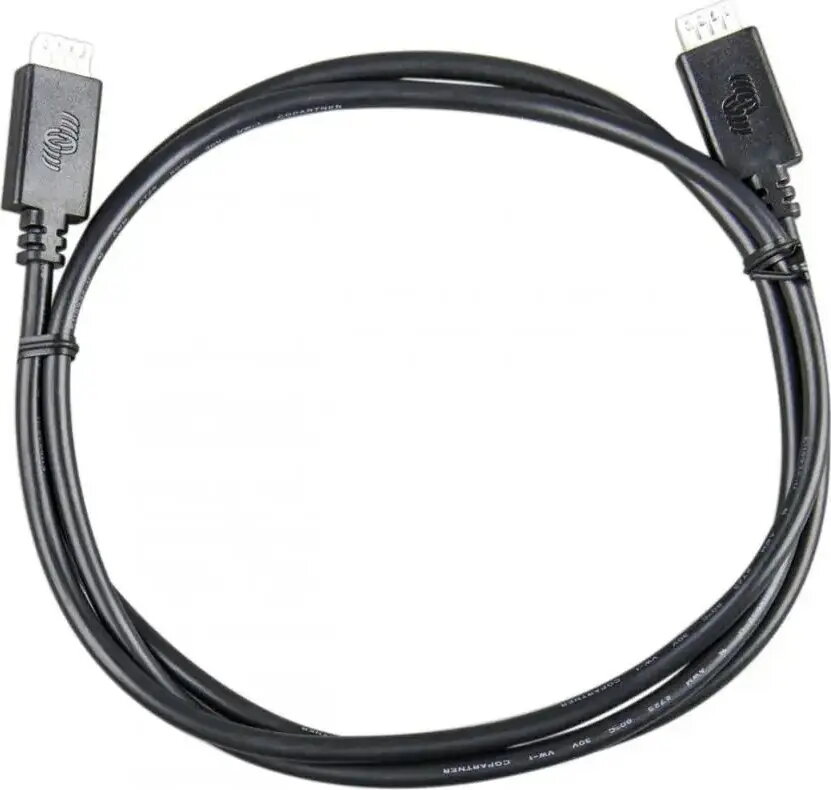
VEDirect Cable 3m by Victron Energy is a 3‑metre communication cable designed for devices that use the VE.Direct protocol. The cable provides a direct wired connection for data transfer, system monitoring and device configuration between compatible Victron chargers, battery monitors and peripherals. It is intended for use in battery and solar installations where a stable serial link is required for telemetry, firmware updates and integration with data loggers or display units.
Advantages
The cable offers a straightforward wired connection that reduces communication interruptions compared with wireless links and enables reliable data exchange for monitoring and configuration. Its 3 m length gives moderate reach for routing between cabinets, charge controllers and display units without intermediate adapters. The product follows the VE.Direct interface conventions used by compatible Victron devices, ensuring plug-and-play compatibility when matched with supported hardware.
Suitable for
- Connecting Victron chargers, battery monitors and other VE.Direct-enabled devices for data and control.
- System monitoring and telemetry in off-grid, hybrid and solar battery installations.
- Performing firmware updates and device configuration via a direct serial link.
- Integrating compatible devices with data loggers, GX control units or display panels that accept VE.Direct connections.
When it may not be suitable
The cable is intended only for devices that support the VE.Direct protocol; it is not a universal USB, Ethernet or CAN cable and will not work with interfaces that use different connectors or communication standards. It is not designed for long-distance communication beyond its 3 m length without additional repeaters or adapters, and it does not provide power conversion or signal level shifting between unrelated protocols.
Key specifications
- Length: 3 metres
- Interface: VE.Direct communication cable (wired serial connection)
- Connector type: VE.Direct-compatible connectors on both ends
- Primary use: data communication, device configuration and firmware updates
- Typical applications: battery monitors, solar charge controllers, GX units and data loggers
How to use
Connect one end of the VEDirect Cable 3m to the VE.Direct port of the source device and the other end to the VE.Direct port of the target device or interface. After physically connecting the devices, follow the vendor instructions on each device to enable communication, view telemetry or perform firmware updates. Ensure the connected devices are powered and configured to use the VE.Direct link; if an adapter is required for a particular display or USB interface, use the compatible adapter specified by the device manufacturer.
What to consider before purchase
- Confirm that both devices support the VE.Direct interface and have compatible VE.Direct ports.
- Verify that a 3 m cable length is sufficient for routing between the devices in your installation.
- Check whether any additional adapters or GX/data logger interfaces are needed for your setup.
Usage recommendations
Route the cable away from high-voltage or high-current wiring to minimise electrical interference, avoid tight bends at the connector ends, and secure the cable to prevent strain on the connectors. For firmware updates or configuration sessions, ensure stable power to both devices to avoid interrupted transfers.