{{ totalProductsCount }}

In cart {{totalProductsCount}} item(s)

Total:
{{sum | formatAmount}}

Your cart is empty

header-product Graphic Tablet Wacom Movink 13 294 x 165 mm 1920 x 1080
614.49 €

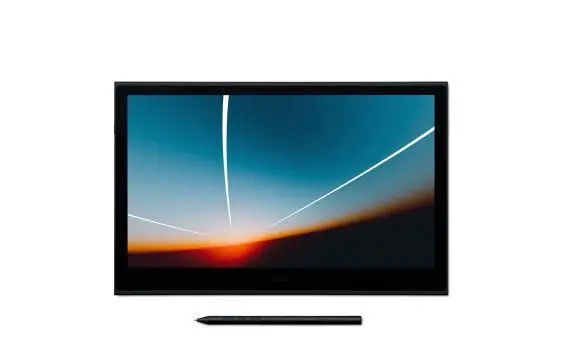
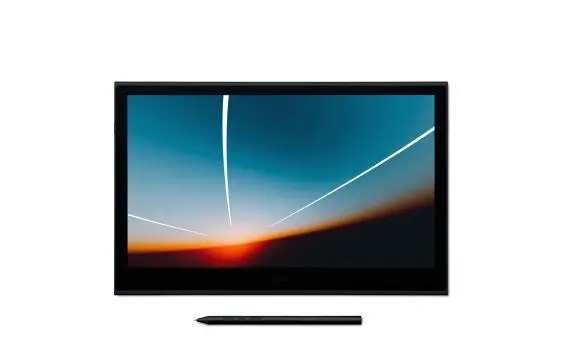
Graphic Tablet Wacom Movink 13 294 x 165 mm 1920 x 1080

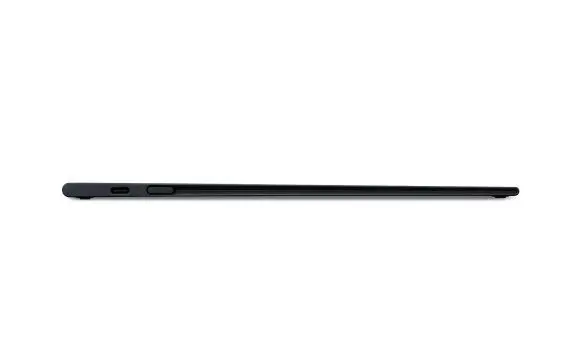
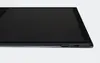
Graphic Tablet Wacom Movink 13 Photo 1
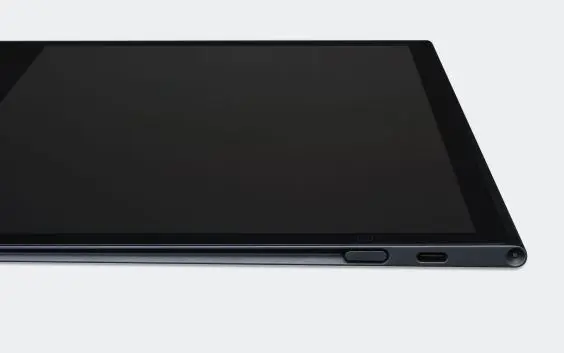
Graphic Tablet Wacom Movink 13 Photo 2
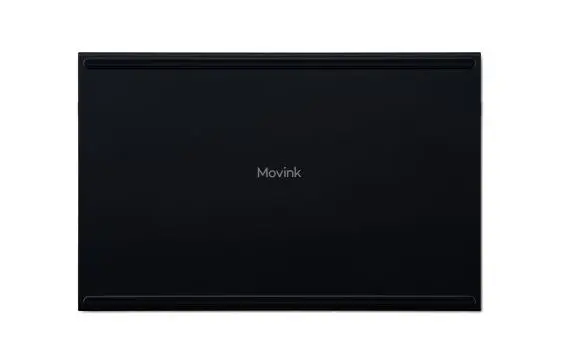
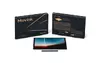
Graphic Tablet Wacom Movink 13 Photo 3
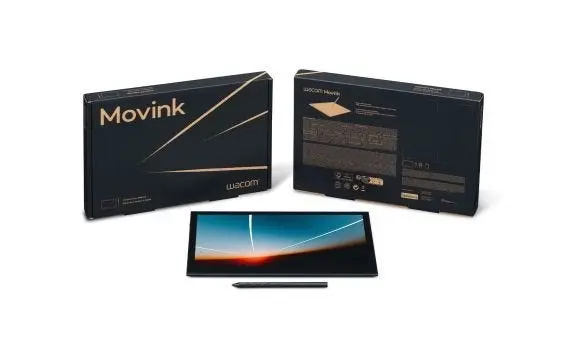
Graphic Tablet Wacom Movink 13 Photo 4
Graphic Tablet Wacom Movink 13 Photo 5
Graphic Tablet Wacom Movink 13 Photo 6
Graphic Tablet Wacom Movink 13 Photo 7
Graphic Tablet Wacom Movink 13 Photo 8
Graphic Tablet Wacom Movink 13 Photo 9
Graphic Tablet Wacom Movink 13 Photo 10
Graphic Tablet Wacom Movink 13 Photo 11
Graphic Tablet Wacom Movink 13 Photo 12
Graphic Tablet Wacom Movink 13 Photo 13
Graphic Tablet Wacom Movink 13 Photo 14
Graphic Tablet Wacom Movink 13 Photo 15
Graphic Tablet Wacom Movink 13 Photo 1
Graphic Tablet Wacom Movink 13 Photo 2
Graphic Tablet Wacom Movink 13 Photo 3
Graphic Tablet Wacom Movink 13 Photo 4
Graphic Tablet Wacom Movink 13 Photo 5
Graphic Tablet Wacom Movink 13 Photo 6
Graphic Tablet Wacom Movink 13 Photo 7
Graphic Tablet Wacom Movink 13 Photo 8
Graphic Tablet Wacom Movink 13 Photo 9
Graphic Tablet Wacom Movink 13 Photo 10
Graphic Tablet Wacom Movink 13 Photo 11
Graphic Tablet Wacom Movink 13 Photo 12
Graphic Tablet Wacom Movink 13 Photo 13
Graphic Tablet Wacom Movink 13 Photo 14
Graphic Tablet Wacom Movink 13 Photo 15
Keep track of price changes You keep track of price changes
Watch the price drop

Leave your address - as soon as the price of the product goes down, you'll know about it right away

You keep track of price changes

Graphic Tablet Wacom Movink 13 294 x 165 mm 1920 x 1080

{{email}}
You keep track of price changes

Graphic Tablet Wacom Movink 13 294 x 165 mm 1920 x 1080

{{email}}
{{selectedOffer && selectedOffer.price | formatAmount}}

Short description

The Wacom Movink 13 graphic tablet features a working area of 294 x 165 mm and a stunning OLED display with a resolution of 1920 x 1080 pixels. It connects via USB and supports both pen and touch input with a rotation angle of 60°. The tablet is lightweight at just 4 mm in height and the pen weighs 420 g, making it a portable choice for artists and designers.
Available at price 614.49 €: 2 pcs.
Total available for order: 40 pcs.
Warranty: 2 Years
SKU: 11382778
free shipment

Cheapest delivery:

Unisend LV

Pick-up points

Unisend LV

Cost

1.99 €

Deliver

{{selectedOffer.parcelStationDeliveryString}}

Customer service center
2b. Kengaraga str., Riga, Latvia, LV-1063
25.11.2026 {{selectedOffer.officeDeliveryString}}
free
Courier Delivery Please note that in case of a large parcel additional delivery costs may apply!
30.11.2026 {{selectedOffer.courierDeliveryString}}
From 4.99 € (Weight: 0.77 kg)
Parcel couriers
Unisend LV / Venipak Pickup LV / Venipak Locker LV / DPD Paku skapis / Omniva LV / Latvijas Pasts pakomāts / Latvijas Pasts nodaļa
30.11.2026 {{selectedOffer.parcelStationDeliveryString}}
From 1.99 €
0 credit

Esto — pay in 6 equal parts

today

0 €

afterward

6 mth. × 102.42 €

overpayment

0 €

All payment Methods:
Bank transfer, Bank cards on-line, Apple Pay, Google Pay, Installment, Leasing for legal entities
36 months installment: from 17.07 euros per month
Leasing for legal entities: from 21.38 euros per month
Together cheaper
{{product.price | formatAmount}}
{{product.title}}
{{productBundle.reference.specialPrice | formatAmount}}
{{productBundle.title}}
{{productBundlePreviousPrice | formatAmount}}
{{productBundleSpecialPrice | formatAmount}}

You saving {{productBundleYouSave | formatAmount}}

Product information

Description

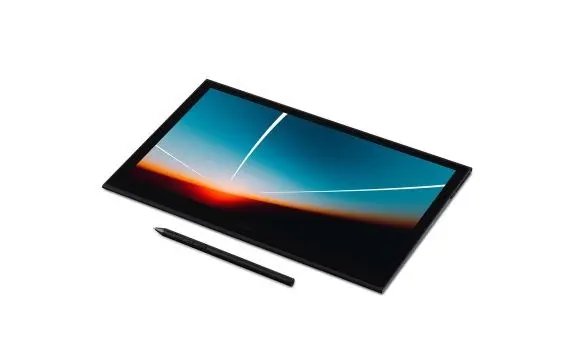
The Wacom Movink 13 is a portable OLED pen display with a 13.3" Full HD Samsung OLED panel and a working area of 294 x 165 mm (1920 x 1080). Designed for creatives who need pro-grade color and pen performance on the go, the device combines a super-slim magnesium alloy housing with Corning Gorilla Glass, an anti-glare and anti-fingerprint surface, and compatibility with multiple EMR pens. It supports pen and touch input and ships with a Wacom Pro Pen 3, offering high responsiveness and low parallax for accurate on-screen drawing.

Advantages

The Movink delivers deep blacks, high contrast and wide color coverage (100% DCI-P3, 95% Adobe RGB) with 10-bit color depth and factory calibration including Pantone validation. Its OLED panel is thinner and lighter than traditional LCD pen displays, enabling a maximum device thickness of 6.5 mm and a total weight of around 420 g. Built-in durability from Corning Gorilla Glass, dual-pen compatibility (Wacom Pro Pen 3, Pro Pen 2 and compatible universal styluses), customizable side buttons and a robust USB-C to USB-C cable with L-shaped jack enhance everyday usability and transportability.

Suitable for

  • Professional illustrators and concept artists
  • Graphic designers and visual designers
  • Game developers and storyboard artists
  • Photographers and videographers for color-accurate editing
  • Design students and mobile creatives

Key specifications

  • Display: 13.3" Full HD OLED (1920 x 1080), 10-bit color
  • Color gamut: 100% DCI-P3, 95% Adobe RGB; factory calibrated, Pantone validated
  • Working area: 294 x 165 mm
  • Pen pressure levels: 8192; pen included (Wacom Pro Pen 3)
  • Inputs: USB-C to USB-C connectivity; supports pen and touch
  • Construction: magnesium alloy casing, Corning Gorilla Glass, anti-glare and anti-fingerprint coating
  • Dimensions/weight: max thickness 6.5 mm, approx. 420 g
  • Compatibility: Dual Pen Technology (Pro Pen 3, Pro Pen 2, compatible EMR styluses)
  • MPN / EAN: DTH135K0B / 4949268623537

How to use

Connect the Wacom Movink 13 to your host device using the supplied USB-C to USB-C cable. Install any required drivers or Wacom Desktop Center software on your computer to enable full pen features and color profile management. Attach the pen and begin drawing directly on the display; customize the side buttons to map ExpressKey™ shortcuts or to toggle touch input. Use the built-in color profiles or store up to two custom profiles for consistent color across projects. The device operates without an additional power adapter when connected to a compatible PC or laptop.

Usage recommendations

For accurate color-critical work, allow the display to warm up for a few minutes after power-up and use the factory-calibrated profile or create a custom profile in controlled lighting. Use the supplied L-shaped USB-C cable for secure connections during mobile use and select the preferred pen type in software settings if multiple EMR pens are used.

Specifications

Display diagonal: Size of the display for this product, measured diagonally, usually in inches.
13.3 "
Pen included: The product includes a pen.
Yes
Device interface: The ports (sockets) where the device connects with other devices.
USB
Working area: The area that can be worked on.
294 x 165
Product colour: The colour e.g. red, blue, green, black, white.
Black
All features

Weight & dimensions

Pen weight: How heavy the pen is.
420 g
Height: The measurement of the product from head to foot or from base to top.
4 mm

Features

Product colour: The colour e.g. red, blue, green, black, white.
Black

Ports & interfaces

USB Type-C ports quantity:
1

Display

Colour gamut:
100 %
Display number of colours:
1.07 billion colours
Touchscreen: A screen of a laptop, smartphone, etc., that responds to touch so you can control the interface using your fingers.
Yes
Display resolution: The number of distinct pixels in each dimension that can be displayed. It is usually quoted as width × height, with the units in pixels: for example, "1024 × 768" means the width is 1024 pixels and the height is 768 pixels. The higher the number of pixels, the sharper the image.
1920 x 1080
Display: The description of display that can includes display type, resolution, size etc.
OLED
Display diagonal: Size of the display for this product, measured diagonally, usually in inches.
13.3 "

Pen

Angle of rotation:
60 °
Pressure levels: A gradation of applied amount of pressure.
8192
Pen included: The product includes a pen.
Yes

Tablet

Tablet input type:
Pen, Touch
Device interface: The ports (sockets) where the device connects with other devices.
USB
Working area: The area that can be worked on.
294 x 165

Description

Machine translation.

Similar products

{{product.title}}
Show details Hide details

{{highlightedFeature.featureTitle}}:

{{getProductFeatureValueById(product, highlightedFeature.featureId)}}

{{product.price | formatAmount}}

Product comparison

The Wacom Movink 13 graphic tablet is compared with several alternative Wacom devices, including the identical Wacom Technology Movink 13 variant, the portable Wacom MovinkPad Pro portable 14, the versatile Wacom Intuos One Medium, the compact Wacom STU-430, and the professional Wacom Cintiq 24 Touch. All products serve artists and designers, but they differ significantly in display integration, working area size, portability, and overall workflow application. The Movink 13 models stand out with a 13.3-inch OLED display, touch support, and an ultra-slim profile, whereas Intuos One lacks a built-in screen, STU-430 focuses on compact data input, and Cintiq 24 Touch provides a large-format stationary studio workspace.

⚙️ The specification comparison focuses on key attributes including working area dimensions, display type and presence, interface connectivity, input methods, and physical design factors affecting mobility and studio use.

ParameterWacom Movink 13Wacom Technology Movink 13Wacom MovinkPad Pro portable 14Wacom Intuos One MediumWacom Wacom STU-430Wacom Cintiq 24 TouchPractical significance
Working area294 x 165 mm294 × 165 mm14 inches active area216 x 135 mm96 x 60 mm527 x 296 mmDetermines the drawing space available and hand movement scale.
Display13.3" OLED, 1920 x 108013.3" OLED, 1920 × 108014" 1920 x 1080None4.5" display24" IPS, 5080 lpiBuilt-in displays allow drawing directly on the canvas, while screenless tablets require looking at a separate computer monitor.
Interface and connectionUSBUSBUSBUSB / Bluetooth (wired and wireless)USBUSBImpacts host device connectivity options and desk layout flexibility.
Input typePen and touch inputPen and touch inputPen (advanced technology)PenPenPen and touch inputCombining pen and touch allows for intuitive gesture navigation alongside precise drawing.

◎ Suitability and use case evaluation helps identify which product matches specific user requirements, mobility levels, and workspace constraints.

Use caseRecommended productWhy
Mobile drawing and retouching with accurate OLED visualsWacom Movink 13 / Wacom Technology Movink 13The 4 mm ultra-slim profile and vibrant 13.3-inch OLED display make it ideal for creative work on the go.
Enhanced portability with a slightly larger workspaceWacom MovinkPad Pro portable 14Provides a 14-inch active area paired with high mobility for on-the-go creativity.
Flexible connectivity without a built-in screenWacom Intuos One MediumSupports both wired and wireless Bluetooth connections for a traditional desktop workflow.
Basic signatures or compact input tasksWacom STU-430Compact physical dimensions and a small active area suit straightforward input tasks.
Professional stationary studio workWacom Cintiq 24 TouchA large 24-inch high-resolution screen delivers ample canvas space for extensive professional projects.
Wacom Movink 13 is best suited for artists and designers who need a lightweight, highly portable tablet with a built-in OLED display for precise work both in the studio and while traveling. Compared to the identical Movink 13 alternative, other options in the lineup offer either a much larger stationary screen (Cintiq 24 Touch), a slightly larger portable screen size (MovinkPad Pro 14), a traditional screenless design (Intuos One), or a compact dedicated input format (STU-430). Choose Movink 13 if you prioritize a slim, portable form factor combined with touch input and brilliant display quality.
Might be useful
{{product.manufacturerName}}
{{product.categoryName}}
{{product.title}}
{{product.specialPrice}}
{{product.price}}
Stock data
Warehouse Stock Delivery to the store Store Price
EU57 2 25.11.2026
614.49 € Best price
WH353 2 26.11.2026
668.49 €
BT34 2 19.11.2026 Best delivery
714.49 €
Show all offers Hide
Available only for legal entities
Warehouse Stock Delivery to the store Store Price
WH109 8 10.12.2026
781.99 €
EU6 2 27.11.2026
892.49 €
614.49 €
Stock: 2
Delivery Date: 25.11.2026
Warehouse: EU57
668.49 €
Stock: 2
Delivery Date: 26.11.2026
Warehouse: WH353
714.49 €
Stock: 2
Delivery Date: 19.11.2026 Best delivery
Warehouse: BT34
721.49 €
Stock: 8
Delivery Date: 26.11.2026
Warehouse: WH174
745.49 €
Stock: 8
Delivery Date: 26.11.2026
Warehouse: WH94
762.49 €
Stock: 8
Delivery Date: 24.11.2026
Warehouse: WH321
Available only for legal entities
781.99 €
Stock: 8
Delivery Date: 10.12.2026
Warehouse: WH109
892.49 €
Stock: 2
Delivery Date: 27.11.2026
Warehouse: EU6

Customer reviews

Customer questions

FAQ

How much does the Graphic Tablet Wacom Movink 13 cost, and is it available for purchase?

The price is 614.49 € (valid at the time of publication and already includes all taxes). The item is available for order — 40 pcs. are in stock, and you can place your purchase right now with delivery across Latvia and Europe or choose pickup at the Riga collection point. We offer favorable purchase terms, including the option to split the payment into convenient monthly installments. Availability and price are updated in real time, so we recommend placing your order in advance.

If I order this product today, when will I receive my order?

If you place your order today, delivery will be as fast and convenient as possible. You will be able to pick up your order on 25.11.2026 at the Riga pickup point or choose delivery across Latvia and Europe. We carefully inspect every purchase and pack it securely for safe transportation.

What payment options are available?

AiO.lv offers several payment methods: Bank transfer, Bank cards on-line, Apple Pay, Google Pay, Installment, Leasing for legal entities. All transactions are 100% secure and encrypted.

Can Graphic Tablet Wacom Movink 13 be purchased with a lease?

Yes, the purchase is available both on credit and with an interest-free installment plan. We work with leading banks and leasing companies in Latvia, allowing you to make your purchase on convenient terms — with a minimal down payment and a repayment period from 3 to 36 months. You can apply for credit or installments for the Graphic Tablet Wacom Movink 13 online, and the application process is as simple as possible:
  • Select the product on the website and add it to your cart;
  • When placing your order, choose the payment method “Installments”;
  • Fill in the required details for the lending partner;
  • Receive a decision within a few minutes.
For more information about available payment options, interest-free installment terms, and credit conditions in Latvia, please visit the Payment page.

Can this product be purchased for a company (with VAT)?

Yes. AiO.lv works with legal entities in Latvia and across Europe. The product price already includes VAT. For certain product categories, as well as for companies from other EU countries with a valid VAT number, a 0% VAT rate may apply. We issue the invoice immediately after the order is placed, support electronic BIS invoices, and automatically generate all necessary accounting documents. You can complete the purchase for a company online — simply select the company profile and choose bank transfer as the payment method during checkout.

What is the warranty period?

All WACOM products come with an official 2 Years warranty. It covers all manufacturing defects and malfunctions that may occur during use. The warranty is valid at all authorized WACOM service centers and through AiO.lv

Can the product be returned after purchase?

Yes, you can return the product within 14 days of purchase if you bought it as a consumer (not a legal entity). Returns are possible without giving any reason — the main condition is that the product retains its original appearance and full set of accessories. We will make the process as simple and convenient as possible: just contact our customer support team, and we will help you arrange the return.

Where should I contact for warranty service?

For warranty-related questions you can contact the AiO.lv (SIA VSPRO) customer support team. We will assist with consultation, warranty claim processing, and coordination with certified service centers.

How can I tell if this product suits my needs?

When making a choice, we recommend paying attention to the key features: display diagonal, pen included, device interface, working area, product colour, compatibility with your devices or usage conditions, material quality, functionality, and warranty terms. These characteristics will help you determine how well the model meets your needs.

Where can I download the instructions for Graphic Tablet Wacom Movink 13?

You can download the instructions in PDF format from the “Instructions” section on the product description page. The file contains complete information about installation, setup, and usage.
warranty
14-Day Return Policy
We are confident in our quality, but if the purchase doesn’t fit — you have 14 days to return the product with peace of mind.
shipping
Fast Delivery
Get your orders as quickly as possible — right to your door, parcel lockers, or pickup points across Latvia and the EU.
payment
Secure Payment
Pay the way you prefer: cash, VISA, MasterCard, Apple Pay, Google Pay, bank transfer, or 0% installment plan.
warranty
Quality Since 2008
AiO.lv has been on the market for over 18 years and has earned trust — with more than 6000 genuine positive reviews on Google.